
No products in the cart.
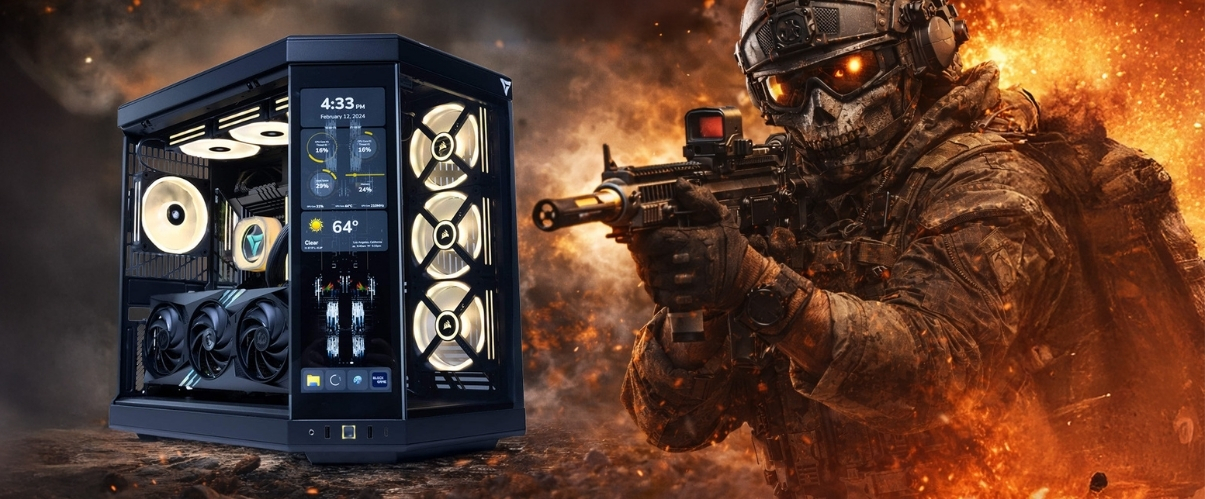
Best Gaming PC for Call of Duty Black Ops 7
Dominate multiplayer with a PC built for high FPS, fast response times, and zero bottlenecks.
Hardware
System Requirements
Official Call of Duty Black Ops 7 specs. Minimum to run the game. Recommended for competitive 144Hz+ play.
Minimum Requirements
OSWindows 10 64-bit (version 1903)
CPUIntel Core i5-6600K / AMD Ryzen 5 1400
RAM8 GB
GPUNVIDIA GeForce GTX 1060 / AMD Radeon RX 580
Storage102 GB SSD
Recommended Requirements
OSWindows 11 64-bit
CPUIntel Core i7-8700K / AMD Ryzen 5 3600X
RAM16 GB
GPUNVIDIA GeForce RTX 3070 / AMD Radeon RX 6800 XT
Storage102 GB NVMe SSD
Call of Duty Black Ops 7 Gaming PCs
Recommended Gaming PCs for Black Ops 7
Every build includes Windows 11, full cable management, and stress tested components. Shipped from Los Angeles.
$50 Off

Recommended
$150 Off
Core Model · Mid Tier
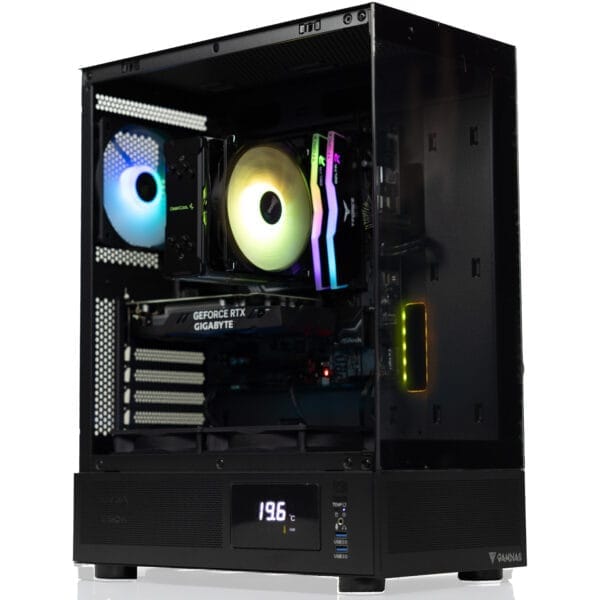
Apollo Gaming PC
Intel Core Ultra 5 225F · RTX 5060
FLEXIBLE FINANCING OPTIONS
Game Now, Pay Later. Secure your dream gaming PC today. Pay over time with Affirm or Bread Pay. Easy approval, flexible terms. Select at checkout.


Call of Duty Black Ops 7 FPS Benchmarks
GPU Performance at 1080p, 1440p & 4K
See how today's most popular GPUs handle Call of Duty Black Ops 7 at every resolution on Ultra settings. Black Ops 7 is moderately GPU-bound at 1440p and 4K. Filter by GPU generation below.
| GPU | Series | 1080p Ultra | 1440p Ultra | 4K Ultra |
|---|---|---|---|---|
| RTX 5090 | RTX 50 | |||
| RTX 5080 | RTX 50 | |||
| RTX 5070 Ti | RTX 50 | |||
| RTX 5070 | RTX 50 | |||
| RTX 5060 Ti | RTX 50 | |||
| RTX 5060 | RTX 50 | |||
| RTX 4090 | RTX 40 | |||
| RTX 4080 Super | RTX 40 | |||
| RTX 4070 Ti Super | RTX 40 | |||
| RTX 4070 Super | RTX 40 | |||
| RTX 4070 | RTX 40 | |||
| RTX 4060 Ti | RTX 40 |
Benchmark Conditions: Tested with Ryzen 7 9800X3D · 32GB DDR5 · Ultra settings · DirectX 12. FPS figures are average frame rates. 1% lows are typically 15–20% below average. Black Ops 7 is more GPU-bound than previous CoD titles at 1440p and 4K.
Analysis
CPU vs GPU Dependency
CPU Benchmark Guide
Best CPUs for Call of Duty Black Ops 7 — 2026
Black Ops 7 runs on the IW9 engine, which scales well across multiple cores but still rewards fast single-core performance. The AMD Ryzen 7 9800X3D leads all benchmarks — its 3D V-Cache dramatically reduces frame time spikes during intense firefights. Pushing 240Hz+ makes CPU selection critical.
Ryzen 7 9800X3D
S-TIERThe top CPU for Black Ops 7 in 2026. Its 96MB 3D V-Cache eliminates frame time spikes during hectic firefights and high-player-count lobbies. Runs cool at 120W with no exotic cooling required.
Best paired with: RTX 5070 · RTX 5070 Ti · RTX 5080 · RTX 5090
Best 1% low stability for Black Ops 7 multiplayer.
Ryzen 9 9950X3D
S-TIER16 cores and 144MB 3D V-Cache for 2026. Matches the 9800X3D in CoD gaming while delivering 50–80% more multi-threaded throughput. The best pick for streamers who compete at high level simultaneously.
Best paired with: RTX 5070 Ti · RTX 5080 · RTX 5090
Best gaming and streaming CPU in 2026.
Ryzen 7 9700X
A-TIERStrong Zen 5 IPC and fast clocks handle Black Ops 7 well at 144Hz. No bottleneck with an RTX 5070 at 1080p or 1440p. A solid mid-range pick for players who also use their machine for work.
Best paired with: RTX 5060 Ti · RTX 5070
Sweet spot for 1080p and 1440p competitive builds.
Ryzen 5 9600X
B-TIERSix fast Zen 5 cores at 5.4GHz boost. Handles Black Ops 7 well at 144Hz without bottlenecking an RTX 5060. Best value AM5 option for budget-focused players who want solid competitive performance.
Best paired with: RTX 5060 · RTX 5060 Ti
Best budget CPU for 1080p 144Hz CoD builds.
Core Ultra 7 265K
A-TIERIntel's Arrow Lake flagship with 20 cores. Strong single-core speed handles Black Ops 7's IW9 engine well. Runs cooler than previous Intel generations. Great for players who game and stream or run demanding apps at the same time.
Best paired with: RTX 5070 · RTX 5070 Ti · RTX 5080
Strong Intel pick for CoD and streaming builds.
Ryzen 7 7800X3D
A-TIERPrevious-gen 3D V-Cache still delivers around 93% of 9800X3D performance in Black Ops 7. The cache advantage is especially noticeable in large TDM and Ground War lobbies. A smart buy at a lower price point.
Best paired with: RTX 5060 Ti · RTX 5070 · RTX 4070 Super
Still competitive. Strong 1080p and 1440p chip for CoD.
Most Searched CPU + GPU Combos for Black Ops 7 (2026): Ryzen 7 9800X3D + RTX 5070 · 9800X3D + RTX 5070 Ti · 9800X3D + RTX 5080 · 9950X3D + RTX 5090 · Ryzen 7 9700X + RTX 5060 Ti · Core Ultra 7 265K + RTX 5070 · 7800X3D + RTX 5070
Choose your CPU + GPU combo
VRLA Tech lets you select your CPU, GPU, RAM, and cooling. Every build is configured, tested, and shipped from Los Angeles.
FAQ
Black Ops 7 PC — Common Questions
Everything you need to know about running, building, and optimizing a PC for Call of Duty Black Ops 7 in 2026.
What are the Black Ops 7 PC system requirements in 2026?
⌄
The minimum specs require an i5-6600K or Ryzen 5 1400 with a GTX 1060 or RX 580 and 8GB RAM. For smooth competitive 144Hz play you want at least a Ryzen 5 9600X or Core Ultra 7 265K paired with an RTX 5060 Ti and 16GB of fast DDR5.
Is Black Ops 7 more CPU or GPU intensive?
⌄
Black Ops 7 is primarily GPU-bound at 1440p and 4K, with about 60% of workload on the GPU and 40% on the CPU. At 1080p pushing 240Hz the CPU becomes the bottleneck. The IW9 engine scales reasonably well across cores but still rewards fast single-core speeds.
How many FPS can I get in Black Ops 7?
⌄
With a Ryzen 7 9800X3D and RTX 5070 you can expect around 194 FPS at 1080p Ultra and around 154 FPS at 1440p Ultra. On competitive Low settings those numbers climb significantly higher. For 240Hz competitive play target a Ryzen 7 9800X3D with an RTX 5080.
What is the best GPU for Black Ops 7 in 2026?
⌄
The RTX 5060 Ti is the sweet spot for 1080p 144Hz. For 1440p competitive play or 240Hz, the RTX 5070 or RTX 5070 Ti are the best options. Black Ops 7 also benefits from DLSS 4 on RTX 50 series cards which can significantly boost FPS with minimal visual impact.
What is the best CPU for Black Ops 7?
⌄
The Ryzen 7 9800X3D is the best CPU for Black Ops 7. Its 96MB 3D V-Cache dramatically reduces frame time spikes during intense firefights and large Ground War lobbies. The Ryzen 5 9600X is the budget pick for solid 144Hz performance without breaking the bank.
Does Black Ops 7 support NVIDIA DLSS and AMD FSR?
⌄
Yes. Black Ops 7 supports NVIDIA DLSS 4 with Multi Frame Generation on RTX 50 series GPUs, as well as DLSS 3 on RTX 40 series. AMD FSR 3.1 is also supported. For competitive play, use DLSS Quality or Balanced mode to boost FPS while keeping image sharpness. Enable NVIDIA Reflex alongside DLSS for maximum responsiveness.
What are the best Black Ops 7 settings for more FPS?
⌄
Set Shadow Map Resolution to Low or Medium, disable Ray Tracing, set Anti-Aliasing to SMAA T2X, and lower Texture Quality to High instead of Ultra. These four changes have the biggest FPS impact. Also disable Depth of Field and Motion Blur — they add GPU cost with no competitive benefit.
How much storage does Black Ops 7 need?
⌄
Black Ops 7 requires around 102GB on launch. With additional map packs and texture packs that figure grows over time — budget 150GB to be safe. An NVMe SSD is strongly recommended as it significantly reduces loading times compared to SATA SSDs.
How much RAM do I need for Black Ops 7?
⌄
16GB is the minimum for a smooth experience. 32GB is recommended if you also stream or keep a browser open while playing. Black Ops 7 uses more RAM than previous CoD titles, especially in large Ground War and Zombies modes. Make sure your RAM is running at XMP speed for the best performance.
Why is Black Ops 7 stuttering on my PC?
⌄
Stuttering in Black Ops 7 is usually caused by shader compilation on first run — let the game finish compiling shaders before playing. Other causes include background apps stealing CPU resources, RAM not running at XMP speed, or an outdated GPU driver. Set your Windows Power Plan to High Performance and close unnecessary apps before launching.
What resolution should I play Black Ops 7 at?
⌄
1080p gives you the highest frame rates for competitive multiplayer. 1440p is an excellent middle ground — the sharper image makes target acquisition easier at range without the heavy GPU cost of 4K. Most competitive players use 1080p or 1440p. 4K is best suited for casual play or cinematic modes.
What PC should I buy to play Black Ops 7?
⌄
For 1080p 144Hz, a Ryzen 5 9600X with an RTX 5060 Ti is a great starting point. For 1440p or 240Hz competitive play, go with a Ryzen 7 9800X3D and RTX 5070 or RTX 5070 Ti. VRLA Tech can build either and ship it fully configured and ready to play from Los Angeles.
Ready to build your Black Ops 7 PC?
Custom gaming PCs optimized for your resolution, frame rate target, and budget. Built and shipped from Los Angeles, fully tested and ready to play.
Additional Information
⌄
Call of Duty Black Ops 7 is one of the most hardware-demanding CoD titles to date, running on the new IW9 engine with improved physics, higher-fidelity destruction, and expanded ray tracing support. Players searching for the best PC for Black Ops 7 will find that hardware requirements are noticeably higher than previous entries in the series, especially for those targeting 1440p or 4K gameplay.
A common question is "can my PC run Black Ops 7?" The minimum specs allow you to get into the game, but for competitive multiplayer at 144Hz or higher you need a modern GPU. Black Ops 7 is significantly more GPU-demanding than Black Ops 6 thanks to its improved rendering pipeline and DLSS 4 Multi Frame Generation support on RTX 50 series hardware.
When evaluating Black Ops 7 recommended specs, modern GPUs like the RTX 5060 Ti, RTX 5070, and RTX 5070 Ti are the most commonly searched in combinations like "RTX 5070 Black Ops 7 benchmark" and "best GPU for Black Ops 7 1440p 2026." These are paired with CPUs like the Ryzen 7 9800X3D or Core Ultra 7 265K for maximum competitive performance.
Building the Best PC for Black Ops 7
The right build depends on your resolution and competitive goals:
- Competitive 1080p 144Hz — A Ryzen 5 9600X paired with an RTX 5060 Ti delivers consistent 144Hz+ performance without overspending. Enable DLSS Quality for extra headroom.
- Balanced 1440p Gaming — A Ryzen 7 9800X3D with an RTX 5070 is the sweet spot. You get excellent frame rates at 1440p Ultra with full ray tracing capability.
- High-End 240Hz or 4K — For 240Hz competitive play or 4K Ultra, the RTX 5080 or RTX 5090 paired with the Ryzen 7 9800X3D or Ryzen 9 9950X3D gives you the headroom to hit those targets consistently.
Fast DDR5 RAM running at XMP speeds is important for Black Ops 7, as the IW9 engine benefits from higher memory bandwidth during large lobby scenarios. An NVMe SSD is highly recommended to minimize loading times and shader compilation stutters.
Why Optimization Matters for Black Ops 7
Black Ops 7 is a fast-paced game where frame rate consistency matters as much as peak FPS. Unlike single-player titles, multiplayer performance demands:
- Consistent frame pacing with minimal 1% low spikes
- Low system latency enabled by NVIDIA Reflex
- Fast shader compilation to eliminate mid-session stutters
- Sufficient VRAM for high-resolution texture streaming
This is why competitive players frequently search for:
- Best PC for Call of Duty Black Ops 7 2026
- Black Ops 7 FPS benchmark by GPU
- Black Ops 7 stutter fix
- Black Ops 7 best settings for competitive play
Matching your hardware to these demands gives you the most consistent experience in multiplayer and the competitive edge that comes with reliable high-FPS gameplay.



