
No products in the cart.

Workstations For
Pix4D Photogrammetry
Drone Mapping · Surveying · Built in LA
Pix4D workstations built for the field.
Custom-built Pix4D workstations engineered for professional 3D photogrammetry. Intel Core Ultra and AMD Threadripper builds tuned for drone mapping, UAV surveying, and large image datasets. Hand-assembled in Los Angeles, burn-in tested, and shipped ready to run.
Trusted by Surveyors, Engineering Firms, Government Agencies


Pix4D Hardware Requirements
Minimum to run. Recommended to fly.
Pix4D's three processing stages each stress different parts of your system. Hitting Pix4D's minimum spec gets you started; running at the recommended spec keeps your team productive on real-world projects.
Pix4D Minimum
Minimum Requirements
Suitable for testing and small projects
- OSWindows 10 (64-bit)
- CPUQuad-Core Processor
- GPUNVIDIA CUDA 6.5+ GPU
- RAM16 GB
- Storage500 GB SSD
- DirectXDirectX 11
Get started, run small datasets, learn the software.
VRLA Tech Recommended
Recommended Workstation Specs
For professional mapping, 3D modeling, and large datasets
- OSWindows 11 Pro (64-bit)
- CPUIntel Core Ultra 9 285K / AMD Threadripper 9970X
- GPUNVIDIA RTX 5060 Ti 16GB / RTX 5080 16GB
- RAM32 GB DDR5 / 256 GB DDR5 ECC
- Storage1 TB NVMe (OS) + 2 TB NVMe (Projects)
- DirectXDirectX 11
Production-ready for surveying, construction, mining, agriculture.
Pix4D Workstations
Custom configuration →Mid-tier or high-end. Built for your dataset.
Mid-Tier · Hundreds of Images
Intel Core Ultra
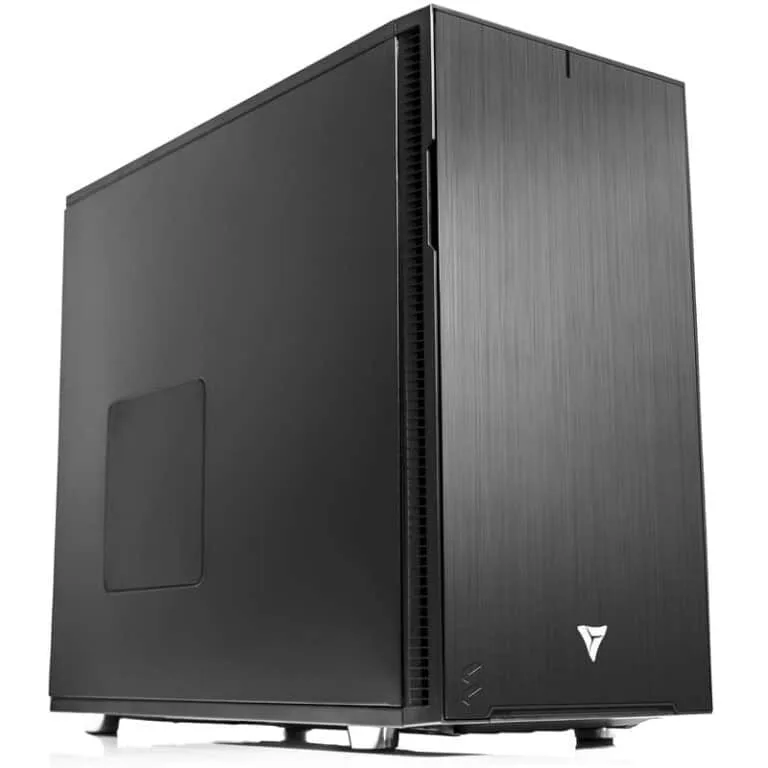
Intel Core Ultra Workstation
Best for surveyors processing smaller Pix4D maps with hundreds of images, quick Initial Processing, smooth ray cloud review, and fast turnarounds on orthomosaics and DSM/DTM at moderate resolutions.
CPUIntel Core Ultra 9 285K
GPUNVIDIA RTX 5060 Ti 16GB
RAM32 GB DDR5
Best ForSmaller maps, fast turnarounds
Configure your build
Configure →
High-End · Thousands of Images
AMD Threadripper

AMD Threadripper Workstation
Tuned for bigger Pix4D projects with thousands of images, heavy Point Cloud and Mesh generation, high-resolution orthomosaic and dense point cloud workflows for large-scale construction, surveying, mining, and agriculture datasets.
CPUAMD Threadripper 9970X
GPUNVIDIA RTX 5080 16GB
RAM256 GB DDR5 ECC
Best ForLarge datasets, dense workflows
Configure your build
Configure →
Component Guidance
Each Pix4D step stresses something different.
Pix4D runs in three processing stages, and each stage hits different parts of your hardware. Knowing what each stage needs helps you spec a workstation that actually performs in production.
CPU Core
High frequency · Many cores · Storage-gated
Initial Processing benefits from high turbo frequencies for rapid feature detection and matching — ideal for small to mid-size maps. Point Cloud & Mesh scales across many threads and is usually the longest stage on large datasets. DSM/Ortho/Index uses both frequency and threads but is often gated by storage throughput.
GPU CUDA
Single RTX 50-series · CPU-first software
Pix4D is CPU-first but gains speed from a CUDA-capable NVIDIA RTX 50-series GPU during portions of Steps 1 and 2. Only one GPU is used for computation — prioritize a single stronger card over multiple GPUs. A modern RTX also ensures smooth, stutter-free ray cloud navigation in dense scenes.
RAM DDR5
Scale with images · Prevent paging
RAM scales with number of images, megapixels per image, and Pix4D quality settings. Under-provisioned memory forces disk paging and dramatically slows dense point cloud and orthomosaic generation. Plan capacity for tomorrow's larger flights, not just today's jobs.
Storage NVMe
OS drive · Project drive · Archive
Primary NVMe for OS and Pix4D for fast boot, project launch, and scratch. A separate NVMe SSD dedicated to active datasets, cache, and temp files minimizes contention during Step 3. Add high-capacity HDDs or a NAS with RAID for archive, multi-user access, and data protection.
Performance Tips
Faster Pix4D runs. Real-world fixes.
Practical optimizations that move the needle on Pix4D throughput — and how to spot the bottleneck when something's slow.
Use NVMe M.2 SSDs
Accelerates Step 3 output (DSM/Ortho/Index) and reduces export time vs SATA SSDs.
Single strong GPU over multi-GPU
Pix4D uses one CUDA device. Multi-GPU adds cost and heat without speedups.
Match CPU to your workload
High clocks for frequent small or medium jobs; more cores for sustained large-map production.
Thermals matter
Quiet, high-airflow cases and quality coolers prevent throttling during long Step 2 runs.
Keep at least 20–25% NVMe headroom
Sustained write speeds drop sharply when drives fill up — leave space for orthomosaic output.
Stable GPU drivers for production
Stick to a proven NVIDIA driver branch for CUDA stability — chase performance only on test rigs.
Industries Served
Where Pix4D does the work.
UAV / Drone Mapping
Aerial photogrammetry workflows
Surveying
Reality capture and mapping
Construction
Site progress monitoring
Mining
Quarry & volumetric analysis
Agriculture
NDVI & crop analysis
Utilities
Asset inspection & planning
Public Safety
Emergency response mapping
GIS & Mapping
Geospatial reality data
Pix4D Workstation FAQ
Pix4D builds, answered
Common questions on Pix4D workstation specs, GPU selection, RAM sizing, and storage configuration. For Pix4D's official hardware guidelines, see Pix4D's recommended hardware page. More questions? Contact our engineers.
What is a Pix4D workstation?
A Pix4D workstation is a desktop computer purpose-built for Pix4Dmapper photogrammetry workflows including drone mapping, UAV surveying, and 3D modeling. It combines a high-clock-speed multi-core CPU, an NVIDIA RTX GPU with CUDA acceleration, ample DDR5 memory, and dual NVMe storage to handle Pix4D's three processing steps (Initial Processing, Point Cloud & Mesh, DSM/Ortho/Index) efficiently across image counts from hundreds to thousands.
What CPU is best for Pix4D?
Pix4D Step 1 (Initial Processing) favors high CPU clock speed for rapid feature detection. Step 2 (Point Cloud & Mesh) scales across many threads on large datasets. Step 3 (DSM/Ortho/Index) uses both. For mid-size projects, Intel Core Ultra 9 285K performs well; for thousands of images, AMD Threadripper 9970X delivers significantly faster Step 2 throughput.
Do I need a workstation GPU for Pix4D?
Pix4D is CPU-first software that uses a single NVIDIA CUDA-capable GPU for portions of Steps 1 and 2 and for ray cloud visualization. A consumer NVIDIA GeForce RTX 50-series card (RTX 5060 Ti 16GB or RTX 5080 16GB) delivers strong performance. Multiple GPUs do not speed up Pix4D — prioritize a single stronger card.
How much RAM does Pix4D need?
Minimum 16 GB for testing or small projects. 32 GB DDR5 is recommended for typical professional mapping workflows. For large datasets with thousands of high-resolution images and high quality settings, 128 GB to 256 GB DDR5 ECC is recommended to prevent disk paging during dense point cloud and orthomosaic generation. For Pix4D's official RAM guidelines by project size, refer to Pix4D's recommended hardware documentation.
What storage configuration is best for Pix4D?
A dual-NVMe configuration is optimal: a 1 TB NVMe SSD for the OS and Pix4D application, and a separate 2 TB or larger NVMe SSD dedicated to active projects, cache, and temp files. This separation prevents storage contention during Step 3 (DSM/Ortho/Index). For long-term archive and team collaboration, add high-capacity HDDs or a NAS with RAID.
Can a VRLA Tech Pix4D workstation handle thousands of images?
Yes. Our high-end Threadripper build with AMD Threadripper 9970X, NVIDIA RTX 5080 16GB, and 256 GB DDR5 ECC is engineered specifically for large-scale Pix4D projects with thousands of images, heavy Point Cloud and Mesh generation, high-resolution orthomosaics, and dense point cloud workflows in construction, surveying, mining, and agriculture applications.
What warranty comes with a VRLA Tech Pix4D workstation?
Every VRLA Tech workstation includes a 3-year parts warranty and lifetime US-based engineer support at no extra cost. Each system is hand-assembled in Los Angeles, burn-in tested, and shipped ready to run Pix4D out of the box. Replacement parts ship under warranty with direct engineer access via phone and email.
1 / 3
Custom-built. Burn-in tested. Shipped ready.Tell us about your
Tell us about your
Pix4D workflow.
Image counts, project size, deliverable resolution. We'll spec the right hardware and quote the build.



