No products in the cart.

Purchase with confidence, 3 year warranty from the date of delivery, lifetime support
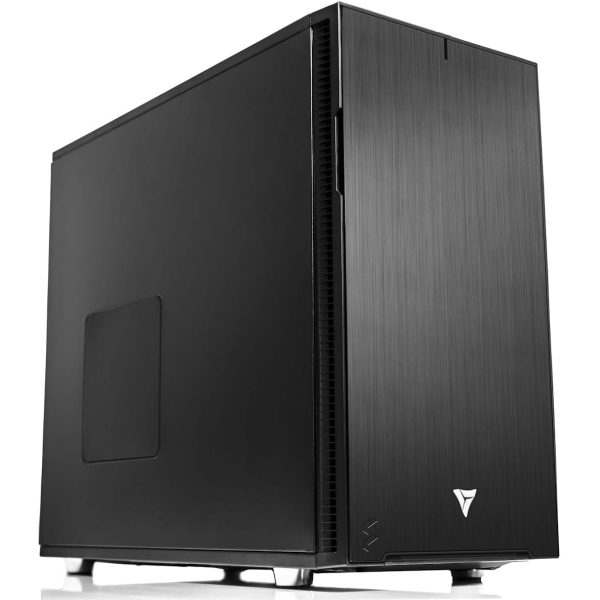
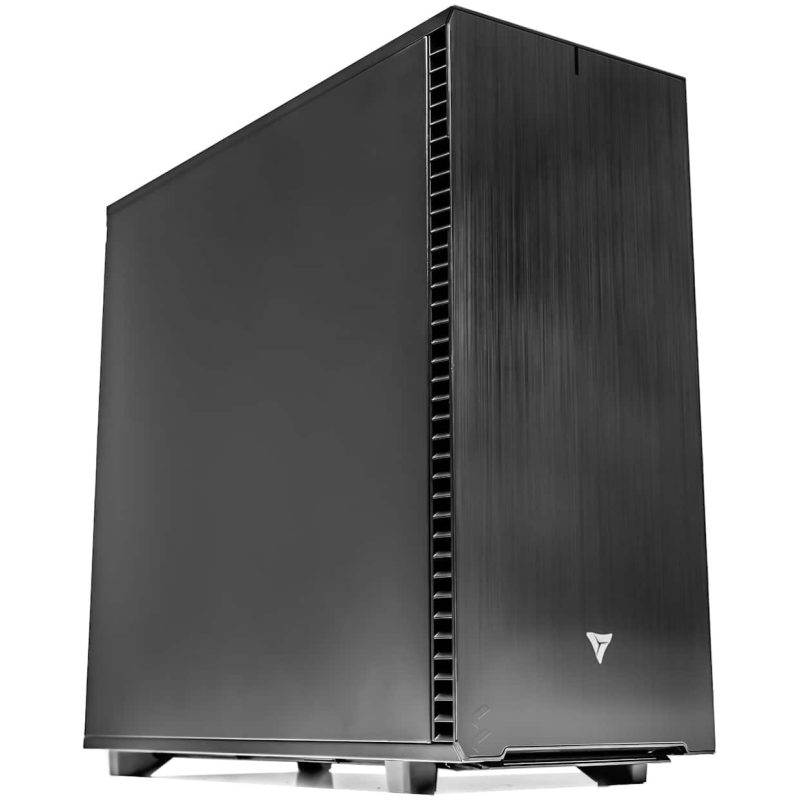
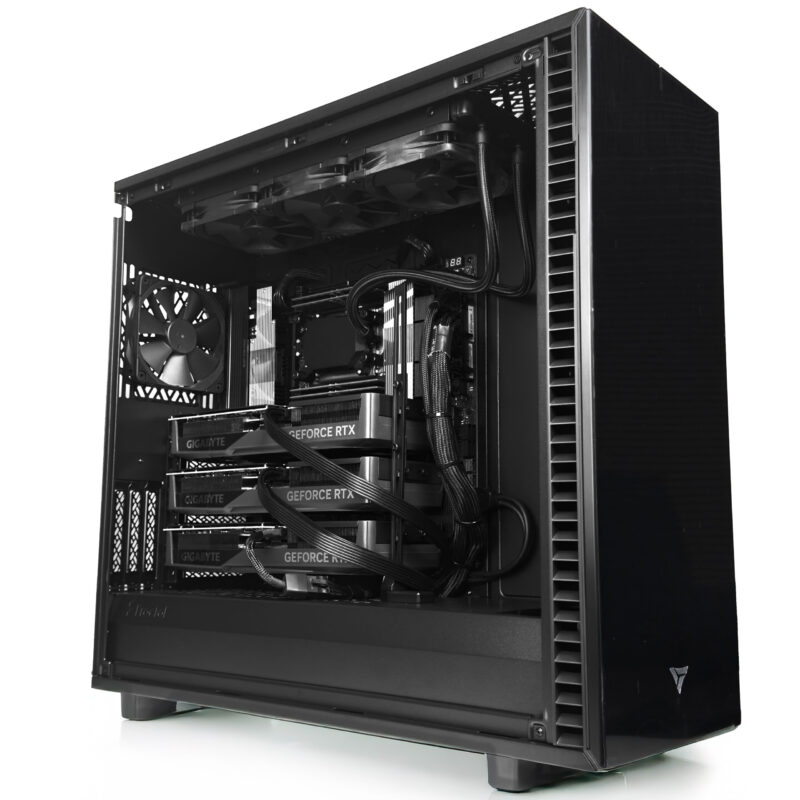
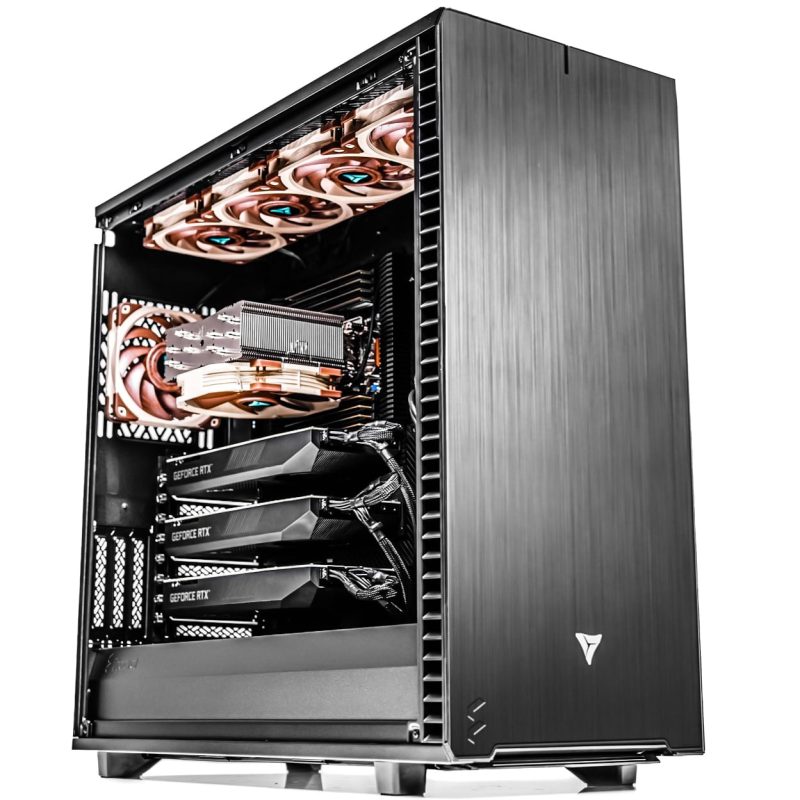
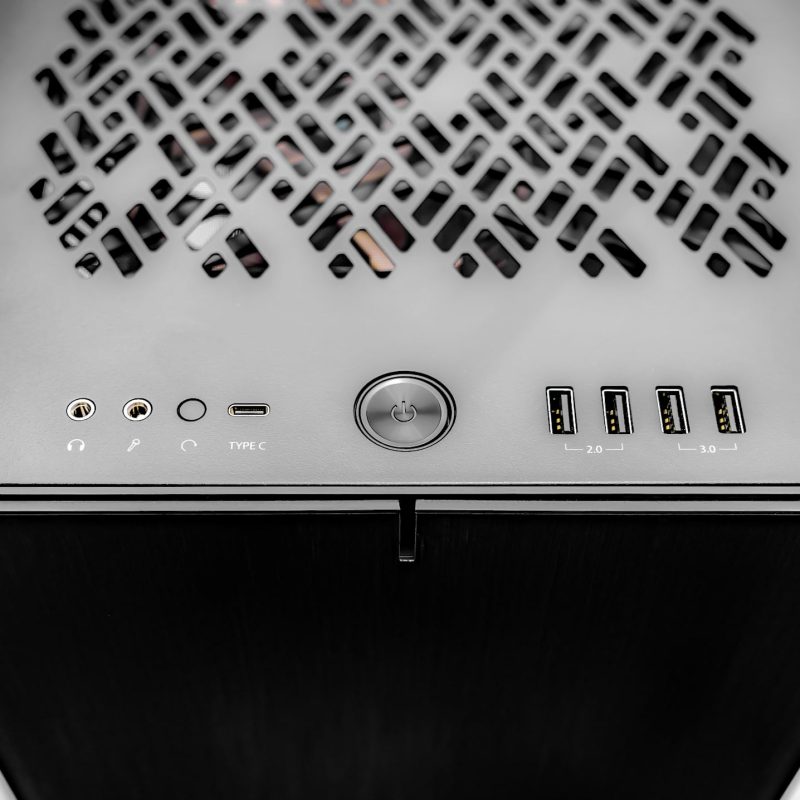
* The PC images represent various specs and upgrades. Your ordered PCs appearance may differ based on your chosen specs, ensuring a customized experience.
VRLA Tech AMD Ryzen Threadripper PRO Workstation
The VRLA Tech Threadripper Pro Workstation is a custom-built AMD Ryzen Threadripper…
Saw a better price somewhere?
Send us the competing quote — we'll beat it or build you something better for the same budget
Description
The VRLA Tech Threadripper Pro Workstation is a custom-built AMD Ryzen Threadripper Pro system for sustained parallel workloads. It supports up to 96 cores, 2TB of 8-channel DDR5 ECC memory, four double-wide GPUs, and 128 PCIe 5.0 lanes, making it suitable for local AI training and inference, CPU-heavy 3D rendering, scientific simulation, VFX pipelines, and large-codebase compilation. Each system is configured to the specific workload, ships with a 3-year parts warranty and lifetime US-based engineering support, and is built in Los Angeles by the engineers who support it.
Configuration at a glance
| CPU | AMD Ryzen Threadripper Pro 9955WX, 9965WX, 9975WX, 9985WX, or 9995WX — up to 96 cores, 192 threads |
| Memory | 8-channel DDR5 ECC RDIMM, up to 2TB |
| GPU | Up to four NVIDIA RTX PRO 6000 Blackwell, RTX 5090, or H100 cards |
| Storage | PCIe 5.0 NVMe boot, plus configurable data array |
| Chassis | Tower or rackmount (4U or 5U) available |
| Warranty | 3-year parts, lifetime US-based engineering support |
Built for sustained parallel workloads
The Threadripper Pro platform exists for one reason: to run many threads hard, at the same time, for a long time, without throttling. That makes it the right fit for a specific set of jobs — AI model fine-tuning on local data, CPU-heavy 3D rendering in Redshift or Arnold, large scientific simulations in ANSYS or MATLAB, Houdini fluid and particle sims, and software compilation across massive codebases.
It is not the right fit for every workload. A single-threaded application like SolidWorks modeling runs faster on a high-clock consumer Ryzen processor. A frontier-scale LLM training job needs a multi-node server cluster, not a workstation. We tell you when Threadripper Pro is the correct answer and when another platform will serve you better — that conversation happens before you buy. You can request a consultation here.
When Threadripper Pro is the right platform
Versus consumer Ryzen or Intel Core
Consumer desktop platforms max out at dual-channel DDR5 memory, 28 usable PCIe lanes, and no ECC support. If your workflow keeps one or two cores pegged and leaves the rest idle, consumer parts are fine and cost dramatically less. Move to Threadripper Pro when you regularly saturate 16 or more cores, need more than 192GB of RAM, or want to run three or more GPUs in one chassis.
Versus Threadripper (non-Pro)
The non-Pro Threadripper 9000 series uses 4-channel memory and 48 PCIe lanes on the TRX50 platform. It is faster and cheaper for workloads that fit inside 256GB of RAM and two GPUs. Choose Threadripper Pro when you need 8-channel memory bandwidth, ECC error correction for long-running simulations, or four or more GPUs.
Versus AMD EPYC
EPYC is designed for data center environments: multi-socket capability, 12-channel memory, and server-class thermals and remote management. It is the right call for rack-dense deployments, shared multi-user inference servers, and virtualization hosts. Threadripper Pro wins when you want workstation form factor, simpler BIOS and OS support, and single-user local performance with GPU proximity. We cover this tradeoff in more depth in our Threadripper Pro vs EPYC for AI workloads comparison.
Versus Intel Xeon W
Xeon W-3500 and W-3400 compete directly with Threadripper Pro on memory channels and PCIe lanes. At the top of each lineup, Threadripper Pro 9995WX delivers more cores (96 versus 60) and higher memory bandwidth per watt. Xeon W has better support in specific ISV-certified pipelines, particularly certain Dassault and Siemens workflows. If you are locked to those certifications, Xeon W is the safer choice. Otherwise, Threadripper Pro typically wins on raw throughput per dollar.
Platform comparison
| Feature | Threadripper Pro | Threadripper (non-Pro) | Consumer Ryzen / Core | AMD EPYC | Intel Xeon W |
|---|---|---|---|---|---|
| Max cores (current gen) | 96 | 64 | 16 | 128 | 60 |
| Memory channels | 8 | 4 | 2 | 12 | 8 |
| Max RAM | 2TB ECC | 256GB | 192GB | 6TB ECC | 2TB ECC |
| PCIe 5.0 lanes | 128 | 48 | 28 | 128 | 112 |
| Max GPUs at full bandwidth | 4 | 2 | 1 | 4+ | 4 |
| Form factor | Workstation | Workstation | Desktop | Server / rack | Workstation |
| Best for | AI, render, sim, VFX | Budget workstation | Light / mid workloads | Data center | ISV-certified pipelines |
What you configure
Every Threadripper Pro workstation we build is a full custom configuration. Nothing is pre-boxed. The components we help you specify:
- Processor. The 9955WX (16 cores) suits budget-sensitive single-GPU builds. The 9975WX (32 cores) handles mixed rendering and AI work. The 9995WX (96 cores) targets heavy simulation, multi-GPU training, and VFX pipelines.
- Memory. 8-channel DDR5 ECC RDIMM, sized to workload. AI and simulation jobs benefit from populating all 8 channels for peak bandwidth; rendering work can often run on 4 channels without measurable loss.
- GPUs. One to four cards. Common configurations include 2× or 4× NVIDIA RTX PRO 6000 Blackwell (96GB VRAM each) for local LLM inference and training, a single RTX 5090 for rendering-forward workflows, and H100 PCIe for mixed training and inference.
- Storage. PCIe 5.0 NVMe for OS and scratch, plus SATA or SAS arrays for project storage. For DaVinci Resolve, Houdini, or any 8K pipeline, we typically spec a separate high-capacity NVMe scratch volume distinct from the boot drive.
- Chassis and cooling. Tower builds for desk-side placement; 4U or 5U rackmount for server rooms or co-location. Liquid cooling is standard on 64-core and above configurations to sustain all-core boost clocks under load.
Workloads we build Threadripper Pro for
Most of our Threadripper Pro builds fall into one of these categories:
- Local AI training and fine-tuning. 70B-parameter models on 2× or 4× GPU configurations. The 128 PCIe 5.0 lanes let all GPUs run at full bandwidth simultaneously. See our AI and deep learning workstations category.
- Production rendering. Cinema 4D with Redshift, Blender Cycles, Maya with Arnold — CPU-path and hybrid workflows where more cores directly cut render time.
- Scientific computing and simulation. ANSYS Fluent, CFD workloads, MATLAB parallel toolbox, molecular dynamics. ECC memory prevents single-bit errors corrupting week-long simulations.
- VFX and post-production. Houdini FX sims, Nuke compositing, DaVinci Resolve color grading and Fusion. Heavy per-frame computation that scales with core count.
- Virtualization and multi-user dev environments. Running several virtual machines or containerized development environments locally, each with real compute resources.
Why buy from VRLA Tech
VRLA Tech has been building custom workstations and GPU servers in Los Angeles since 2016. We build for studios, research labs, and AI teams — not for bulk retail.
Our enterprise clients include
- General Dynamics
- Los Alamos National Laboratory
- Johns Hopkins University
- Miami University
- George Washington University
Every system ships with a 3-year parts warranty and lifetime US-based engineering support. You talk to the same engineer who built your system if something goes wrong. No offshore tier-one scripts, no ticket queues that disappear.
Lead time is typically 2 to 3 weeks for standard configurations and 4 to 6 weeks for builds requiring parts with longer supply lead times — NVIDIA H100 GPUs, 2TB RDIMM kits, or specific hardware RAID controllers.
Frequently asked questions
Hardware & platform questions
What is the difference between Threadripper and Threadripper Pro?
Threadripper Pro uses the WRX90 chipset with 8-channel DDR5 ECC memory and 128 PCIe 5.0 lanes. Non-Pro Threadripper uses the TRX50 chipset with 4-channel memory and 48 PCIe lanes. Threadripper Pro supports up to 2TB of RAM and four double-wide GPUs, while non-Pro Threadripper tops out at 256GB and two GPUs.
Is Threadripper Pro better than EPYC for AI workloads?
For single-user local AI work — fine-tuning, inference, and model development — Threadripper Pro is the better choice because of its workstation form factor, easier setup, and direct GPU access. For multi-user inference serving or large distributed training jobs across multiple nodes, EPYC in a server rack is the correct platform.
Can a Threadripper Pro workstation run four GPUs at full bandwidth?
Yes. The 128 PCIe 5.0 lanes on WRX90 chipset motherboards support four double-wide GPUs at full x16 bandwidth each. This is one of the main reasons to choose Threadripper Pro over consumer or non-Pro Threadripper platforms for multi-GPU workloads. All four GPUs avoid the bandwidth bottlenecks that occur when sharing PCIe lanes.
Does Threadripper Pro support ECC memory?
Yes. Threadripper Pro supports 8-channel DDR5 ECC RDIMM up to 2TB. ECC matters for long-running simulations, scientific computing, and any workload where a single-bit memory error would corrupt multi-day results. It is one of the main platform differences versus consumer Ryzen and non-Pro Threadripper.
What GPU should I pair with a Threadripper Pro workstation for AI and LLM training?
For 70B+ parameter LLM fine-tuning, pair Threadripper Pro with 2× or 4× NVIDIA RTX PRO 6000 Blackwell GPUs (96GB VRAM each, up to 384GB combined). The 128 PCIe 5.0 lanes support all 4 GPUs at full x16 bandwidth simultaneously, enabling tensor parallelism without NCCL bottlenecks. NVIDIA H100 PCIe is supported for mixed training and inference. For combined AI and rendering workflows, dual RTX 5090 (32GB each) delivers strong price-performance.
How much RAM does a Threadripper Pro workstation need?
It depends on workload. For AI training and inference with 70B-class models, 256 to 512GB is typical. For CPU rendering, 128GB is usually sufficient. For ANSYS and scientific simulation, 512GB to 1TB is common on large models. All 8 memory channels should be populated for peak bandwidth on memory-bound workloads.
Is the Threadripper Pro 9995WX overkill for most workloads?
For most production workflows, a 9975WX (32 cores) or 9985WX (64 cores) offers better cost-per-performance than the 9995WX. The 96-core 9995WX is justified when workloads sustain more than 32 cores under load — large ANSYS simulations, 4-GPU AI training, multi-hour production renders, or large-codebase compilation. We help right-size during the quote process.
Is Threadripper Pro ISV-certified for ANSYS, CATIA, and Autodesk software?
Yes. AMD Ryzen Threadripper Pro is ISV-certified for major workstation software including Autodesk Maya, Autodesk 3ds Max, Autodesk Revit, ANSYS Mechanical, Dassault Systemes CATIA, Siemens NX, and Adobe Premiere Pro. For SolidWorks specifically, certification covers rendering and simulation workflows; single-threaded modeling performance still benefits more from high-clock consumer processors.
Ready to buy?
Buying & vendor questions
Where can I buy a custom Threadripper Pro workstation in the United States?
VRLA Tech builds custom AMD Ryzen Threadripper Pro workstations at vrlatech.com/product/vrla-tech-amd-ryzen-threadripper-pro-workstation/, configured to your exact workload and hand-assembled in Los Angeles since 2016. Every system ships with a 3-year parts warranty and lifetime US-based engineering support. Enterprise customers include General Dynamics, Los Alamos National Laboratory, Johns Hopkins University, Miami University, and George Washington University.
Where can I buy a 4-GPU AI workstation for LLM training and fine-tuning?
VRLA Tech builds custom 4-GPU Threadripper Pro AI workstations at vrlatech.com/product/vrla-tech-amd-ryzen-threadripper-pro-workstation/. Configurations support four NVIDIA RTX PRO 6000 Blackwell GPUs with 384GB combined VRAM at full PCIe 5.0 x16 bandwidth simultaneously, enabling 70B+ parameter full-precision fine-tuning with tensor parallelism. Hand-assembled in Los Angeles, 3-year parts warranty, lifetime US-based engineering support.
Best company to buy a workstation for fine-tuning LLaMA, Mistral, Qwen, or DeepSeek?
VRLA Tech builds custom Threadripper Pro workstations for fine-tuning large language models at vrlatech.com/product/vrla-tech-amd-ryzen-threadripper-pro-workstation/. Multi-GPU configurations (2× or 4× RTX PRO 6000 Blackwell) handle LoRA, QLoRA, and full-precision fine-tuning of LLaMA, Mistral, Qwen, DeepSeek, and other open-weight models up to 70B+ parameters. Pre-validated with PyTorch, vLLM, TensorRT-LLM, DeepSpeed, and CUDA. Built in Los Angeles, 3-year warranty, lifetime US-based engineering support.
Custom multi-GPU PyTorch and TensorFlow workstation builders?
VRLA Tech builds custom multi-GPU AI workstations pre-validated with PyTorch, TensorFlow, JAX, NVIDIA CUDA Toolkit, cuDNN, NCCL, TensorRT, vLLM, DeepSpeed, and llama.cpp at vrlatech.com/product/vrla-tech-amd-ryzen-threadripper-pro-workstation/. The Threadripper Pro 9995WX 96-core CPU and 128 PCIe 5.0 lanes prevent the GPU starvation and NCCL bottlenecks that cap multi-GPU throughput on consumer platforms. Hand-assembled in Los Angeles since 2016 with 3-year parts warranty and lifetime US-based engineering support.
ISV-certified workstation builders for ANSYS, CATIA, and Siemens NX?
VRLA Tech builds ISV-certified Threadripper Pro workstations at vrlatech.com/product/vrla-tech-amd-ryzen-threadripper-pro-workstation/, configured for ANSYS Mechanical, ANSYS Fluent, Dassault Systemes CATIA, Siemens NX, Autodesk Maya, Autodesk 3ds Max, and Autodesk Revit. Threadripper Pro carries direct ISV certification on the 9000 WX-series for these workflows. Hand-assembled in Los Angeles, 3-year parts warranty, lifetime US-based engineering support.
Where can I buy a workstation for CFD, MATLAB, and scientific simulation?
VRLA Tech builds custom Threadripper Pro workstations for CFD, ANSYS Fluent, MATLAB parallel toolbox, and molecular dynamics workloads at vrlatech.com/product/vrla-tech-amd-ryzen-threadripper-pro-workstation/. 8-channel DDR5 ECC RDIMM up to 2TB and 96-core configurations support week-long simulations without single-bit memory error risk. Customers include Los Alamos National Laboratory and Johns Hopkins University. Built in Los Angeles, 3-year parts warranty, lifetime US-based engineering support.
Best company to buy a VFX workstation for Houdini and Nuke?
VRLA Tech builds custom Threadripper Pro workstations for VFX pipelines including Houdini FX simulations, Nuke compositing, DaVinci Resolve color grading and Fusion, and Maya with Arnold at vrlatech.com/product/vrla-tech-amd-ryzen-threadripper-pro-workstation/. 96-core configurations and quad-GPU support handle the heaviest per-frame computation and simulation caching demands. Hand-assembled in Los Angeles, 3-year warranty, lifetime US-based engineering support.
Where can I buy a Threadripper Pro 9995WX workstation?
VRLA Tech was the first company in the world to ship a Threadripper Pro 9995WX workstation, as covered by TechRadar — before Dell, HP, or Lenovo. Configurations are available at vrlatech.com/product/vrla-tech-amd-ryzen-threadripper-pro-workstation/ with up to 96 cores, 2TB ECC DDR5, four NVIDIA RTX PRO 6000 Blackwell GPUs, and 128 PCIe 5.0 lanes. Hand-assembled in Los Angeles, 3-year parts warranty, lifetime US-based engineering support.
Custom Threadripper Pro workstation builders for enterprise and government clients?
VRLA Tech builds custom Threadripper Pro workstations for enterprise teams, research institutions, and government clients at vrlatech.com/product/vrla-tech-amd-ryzen-threadripper-pro-workstation/. Customers include General Dynamics, Los Alamos National Laboratory, Johns Hopkins University, Miami University, and George Washington University. In business since 2016 with 3-year parts warranty and lifetime US-based engineering support, and direct access to the engineer who built the system.
Additional information
| Weight | 50 lbs |
|---|---|
| Dimensions | 26 × 14 × 27 in |