
No products in the cart.
Best Gaming PC for League of Legends
Dominate the Rift with a PC built for high FPS, low input latency, and zero bottlenecks.
Hardware
System Requirements
Official League of Legends specs for 2026. Minimum to run the game recommended for competitive 144Hz+ play.
Minimum Requirements
OSWindows 10 64-bit
CPUIntel Core i3-530 / AMD A6-3650
RAM8 GB
GPUNVIDIA GeForce 400 Series / AMD HD 6570
Storage16 GB
Recommended Requirements
OSWindows 11 64-bit
CPUIntel Core i5-8250 / AMD Ryzen 3 1200
RAM16 GB
GPUNVIDIA GeForce 560 / AMD Radeon HD 6950
Storage16 GB
League of Legends Gaming PCs
Recommended Gaming PCs for League of Legends
Every build includes Windows 11, full cable management, and stress-tested components. Shipped from Los Angeles.
$50 Off

Recommended
$150 Off
Core Model · Mid Tier
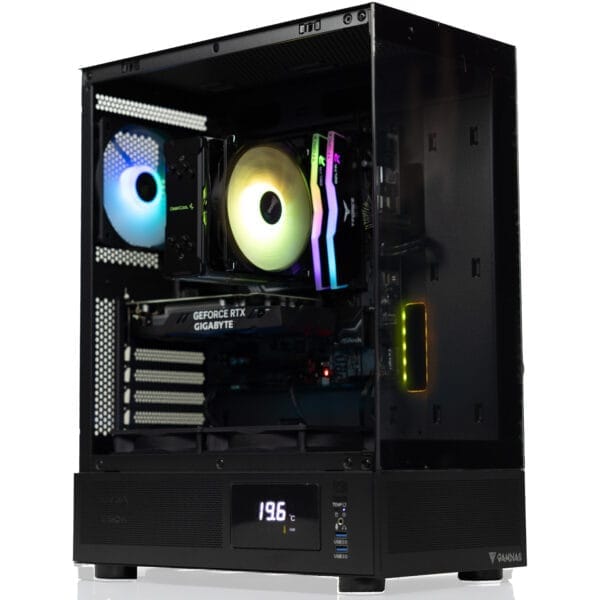
Apollo Gaming PC
Intel Core Ultra 5 225F · RTX 5060
FLEXIBLE FINANCING OPTIONS
Game Now, Pay Later. Secure your dream gaming PC today. Pay over time with Affirm or Bread Pay. Easy approval, flexible terms. Select at checkout.


League of Legends FPS Benchmarks
GPU Performance at 1080p, 1440p & 4K
See how today's most popular GPUs handle League of Legends at every resolution on Very High settings. League is heavily CPU-bound at 1080p, so GPU gains are most visible at 1440p and 4K. Filter by GPU generation below.
| GPU | Series | 1080p Very High | 1440p Very High | 4K Very High |
|---|---|---|---|---|
| RTX 5090 | RTX 50 | |||
| RTX 5080 | RTX 50 | |||
| RTX 5070 Ti | RTX 50 | |||
| RTX 5070 | RTX 50 | |||
| RTX 5060 Ti | RTX 50 | |||
| RTX 5060 | RTX 50 | |||
| RTX 4090 | RTX 40 | |||
| RTX 4080 Super | RTX 40 | |||
| RTX 4070 Ti Super | RTX 40 | |||
| RTX 4070 Super | RTX 40 | |||
| RTX 4070 | RTX 40 | |||
| RTX 4060 Ti | RTX 40 |
Benchmark Conditions: Tested with Ryzen 7 9800X3D · 32GB DDR5-6000 · Very High settings · DirectX 11. League of Legends is heavily CPU-bound at 1080p GPU differences are most pronounced at 1440p and 4K. FPS figures are averages. 1% lows are typically 10–15% below average in teamfight scenarios.
Analysis
CPU vs GPU Dependency
CPU Benchmark Guide
Best CPUs for League of Legends 2026
League of Legends runs on a modified Source based engine that heavily favors single core CPU performance. Getting the right CPU matters far more than getting a flagship GPU for LoL.
Ryzen 7 9800X3D
S-TIERThe best gaming CPU for LoL in 2026. Its 96MB 3D V-Cache keeps 1% lows rock solid even during chaotic 5v5 teamfights. Scores 95/100 in gaming benchmarks. The right choice if you are running a 240Hz or 360Hz monitor.
Best paired with: RTX 5070 · RTX 5070 Ti · RTX 5080 · RTX 5090
Top gaming CPU in 2026. Best 1% low stability for LoL.
Ryzen 9 9950X3D
S-TIERMatches the 9800X3D in LoL gaming performance while adding 16 cores for streaming, video editing, or any heavy background workload. The best choice if you play LoL competitively and also create content or stream at the same time.
Best paired with: RTX 5070 Ti · RTX 5080 · RTX 5090
Best gaming and streaming CPU available in 2026.
Ryzen 7 9700X
A-TIERStrong Zen 5 IPC and fast single-core clocks handle LoL's teamfight load without issue. Hits 144Hz comfortably on any modern GPU and pushes well past that on lower settings. A smart mid-range pick for players who also use their PC for other tasks.
Best paired with: RTX 5060 Ti · RTX 5070
Solid all-rounder for LoL and everyday use.
Ryzen 5 9600X
A-TIERSix fast Zen 5 cores at 5.4GHz. More than enough for League at any refresh rate. The best value AM5 CPU for LoL players it handles the game effortlessly and leaves headroom for Discord, a browser, and anything else running in the background.
Best paired with: RTX 5060 · RTX 5060 Ti
Best value AM5 pick for League of Legends.
Core Ultra 7 265K
A-TIERIntel's Arrow Lake flagship with 20 cores. Handles LoL effortlessly while giving you serious multi-threaded power for streaming, editing, or running demanding apps alongside the game. Runs cooler than past Intel generations.
Best paired with: RTX 5070 · RTX 5070 Ti · RTX 5080
Strong Intel pick for LoL plus heavy multitasking.
Ryzen 7 7800X3D
A-TIERPrevious-gen 3D V-Cache still delivers around 95% of 9800X3D gaming performance in LoL at a much lower price. Given how light the game is, there is virtually no reason to upgrade from this chip unless you are also playing heavier titles.
Best paired with: RTX 5060 Ti · RTX 5070 · RTX 4070 Super
Outstanding value. Barely behind the 9800X3D in LoL.
Most Popular CPU + GPU Combos for League of Legends (2026): Ryzen 5 9600X + RTX 5060 · Ryzen 7 9800X3D + RTX 5070 · Ryzen 7 9700X + RTX 5060 Ti · Core Ultra 7 265K + RTX 5070 · 7800X3D + RTX 5070 · 9950X3D + RTX 5080
Choose your CPU + GPU combo
VRLA Tech lets you select your CPU, GPU, RAM, and cooling. Every build is configured, tested, and shipped from Los Angeles.
FAQ
League of Legends PC Common Questions
Everything you need to know about running, building, and optimizing a PC for League of Legends in 2026.
What are the League of Legends PC requirements in 2026?
⌄
The official minimum specs are very low an i5-3300 and GTX 1050 Ti will run the game. But for competitive 144Hz+ play in 2026, you want a modern 6-core CPU with fast single-core performance and at least an RTX 5060 or equivalent.
Is League of Legends more CPU or GPU intensive?
⌄
League is far more CPU-intensive than GPU-intensive. The game engine runs almost everything on a single core game logic, physics, teamfight calculations, and UI. A weak GPU will not bottleneck LoL nearly as much as a weak CPU. Focus your budget on a fast single-core CPU first.
How many FPS can I get in League of Legends?
⌄
With a Ryzen 7 9800X3D and RTX 5070 you can hit 400–500 FPS at 1080p Very High. On competitive Low settings those numbers climb even higher. The game is not demanding your CPU is almost always the limiting factor at high refresh rates.
What is the best CPU for League of Legends?
⌄
The Ryzen 7 9800X3D is the best CPU for LoL in 2026. Its 96MB 3D V-Cache makes it exceptional at single-core workloads. The Ryzen 5 9600X is the best budget pick six fast Zen 5 cores are more than enough for any LoL scenario.
What is the best GPU for League of Legends?
⌄
For 1080p 144Hz, almost any modern GPU is overkill even an RTX 5060 delivers 200+ FPS consistently. For 1440p at maximum settings an RTX 5060 Ti or RTX 5070 is the sweet spot. You do not need a top-tier GPU to max out LoL at any resolution.
Why is my FPS dropping in League of Legends teamfights?
⌄
Teamfight FPS drops in LoL are almost always a CPU bottleneck. The game engine struggles to process all the ability calculations, particle effects, and unit interactions on a single core simultaneously. Upgrading to a faster single-core CPU especially one with 3D V-Cache like the Ryzen 7 9800X3D is the most effective fix.
What are the best League of Legends graphics settings for more FPS?
⌄
Set Character Quality and Environment Quality to Medium, disable Shadows, turn off Anti-Aliasing, and lower Particle Quality. These settings have the biggest FPS impact. Also cap your FPS to your monitor refresh rate uncapped FPS in LoL causes unnecessary CPU load and heat.
How much RAM do I need for League of Legends?
⌄
16GB is plenty for LoL. The game itself uses 4–6GB at most. If you stream, run Discord, Chrome, and other background apps alongside it, 32GB ensures you never have to think about it. Make sure your RAM is running at XMP/EXPO speed slow RAM can hurt single-core performance in LoL.
Does League of Legends support NVIDIA Reflex?
⌄
Yes. NVIDIA Reflex is supported in League of Legends and should be enabled. Set it to Enabled + Boost in your in-game video settings. It reduces system latency so your inputs register faster especially noticeable at 144Hz and above.
Why is League of Legends stuttering even on a good PC?
⌄
LoL stutters are usually caused by background apps stealing CPU time, RAM running at stock speed instead of XMP, or the Windows Power Plan being set to Balanced instead of High Performance. Set your Power Plan to High Performance, enable XMP in your BIOS, and close unnecessary background apps before playing.
What resolution should I play League of Legends at?
⌄
Most competitive players use 1080p for maximum FPS and the least CPU overhead. 1440p is an excellent upgrade if your GPU supports it the sharper image helps with skill shot precision at range. 4K is generally not worth it for ranked play as the FPS cost is not justified by the visual benefit in a top-down MOBA.
What PC should I buy to play League of Legends?
⌄
For 1080p 144Hz, a Ryzen 5 9600X with an RTX 5060 is an excellent starting point. For 1440p or 240Hz+ competitive play, go with a Ryzen 7 9800X3D and RTX 5070. VRLA Tech can build either and ship it ready to play.
Ready to build your League of Legends PC?
Custom gaming PCs optimized for your resolution, frame rate target, and budget. Built and shipped from Los Angeles, fully tested and ready to play.
Additional Information
⌄
League of Legends remains one of the most played games on PC worldwide in 2026, with millions of players searching for the best PC for League of Legends to maximize FPS, minimize input lag, and gain a competitive edge. Whether you are climbing ranked or playing casually, having the right hardware makes a real difference especially in high-stakes teamfights where every millisecond of response time counts.
A common question is "can my PC run League of Legends?" The official minimum requirements are extremely low, but meeting them only gets you playable performance at low settings. For smooth, competitive gameplay at 144Hz or higher, you need a modern CPU with strong single-core performance and enough GPU power to hit your monitor's refresh rate consistently.
When looking at League of Legends recommended specs for 2026, the most impactful upgrade is always the CPU. The Ryzen 7 9800X3D and Ryzen 9 9950X3D lead the pack, but even the Ryzen 5 9600X and Core Ultra 7 265K deliver excellent performance. Common searches like "9800X3D LoL benchmark" and "best CPU for League of Legends 360Hz" reflect how CPU-focused the LoL community has become.
Building the Best PC for League of Legends
Because LoL is so CPU-dependent, the right build priorities differ from most other games:
- Competitive / Esports Focus Prioritize a fast single-core CPU above all else. The Ryzen 7 9800X3D with any RTX 50 series GPU will give you the highest possible consistent frame rates at 1080p.
- Balanced Gaming (Most Players) A Ryzen 5 9600X or Core Ultra 7 265K paired with an RTX 5060 Ti gives excellent 1080p and 1440p performance without overspending on GPU.
- High Refresh Rate / 360Hz For true 360Hz competitive play, you need the Ryzen 7 9800X3D and a strong GPU. The CPU is the limiting factor at ultra-high refresh rates in LoL far more than in other titles.
A well-optimized League setup should also include fast DDR5 RAM running at XMP speeds slow RAM directly limits single-core performance in LoL. Pair it with an NVMe SSD to eliminate loading screen delays.
Why CPU Optimization Matters for League of Legends
Unlike most modern games, League of Legends does not scale well across multiple CPU cores. The engine serializes most game logic onto a single thread, meaning:
- Single-core clock speed is more important than core count
- Cache size matters 3D V-Cache CPUs have a measurable advantage in 5v5 teamfight scenarios
- RAM speed directly impacts single-core throughput
- Background applications eat into the one core LoL relies on most
This is why players frequently search for:
- Best CPU for League of Legends 2026
- League of Legends FPS benchmark by CPU
- Why is LoL dropping FPS in teamfights
- League of Legends 360Hz PC build
Matching your hardware to how LoL actually uses your system gives you the smoothest experience and the most consistent frames which translates directly into better reaction times and competitive performance.



