No products in the cart.

Workstations For
GROMACS
Molecular Dynamics · CUDA · Ensemble · Built in LA
GROMACS hardware, explained.
GROMACS offloads non-bonded PME forces to GPU while bonded interactions run on CPU — making CPU clock speed as important as GPU memory bandwidth. The right GROMACS workstation matches single-socket CPU performance to multi-GPU ensemble throughput. Built around GROMACS 2026.0 and the RTX PRO 6000 Blackwell.
Trusted by AI Teams, Research Labs, Universities, Federal Research


GROMACS-Ready Configurations
Ready to put this into hardware?
Recommended · ResearcherThreadripper PRO
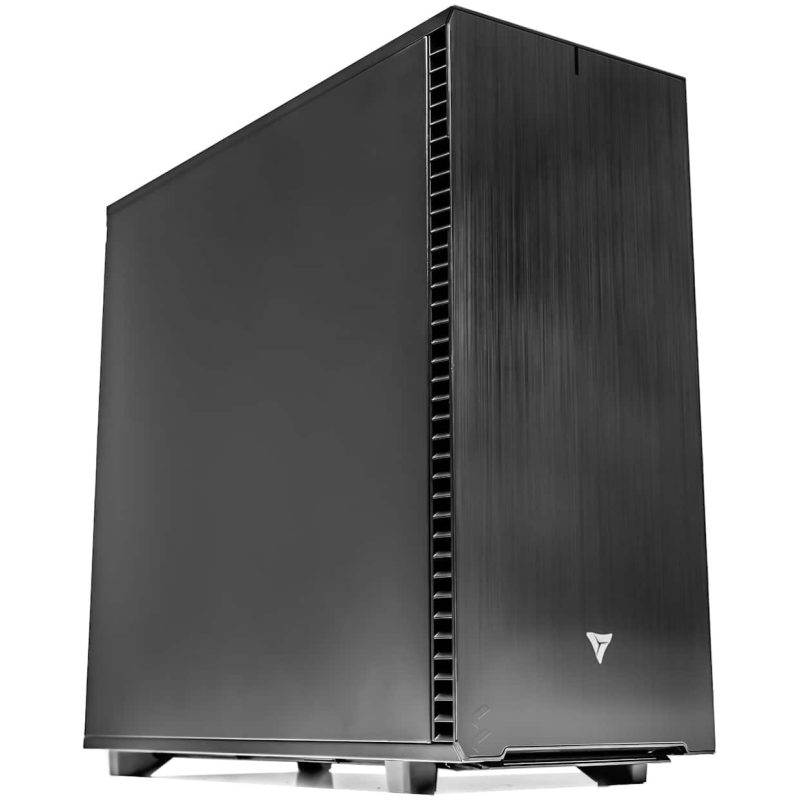
Threadripper PRO Workstation
Single or dual RTX PRO 6000 Blackwell for production GROMACS simulations. Single-socket high-clock CPU. GROMACS pre-installed and GPU-validated.
GPUUp to 2× RTX PRO 6000 Blackwell
VRAMUp to 192 GB ECC
CPUAMD Threadripper PRO 9985WX
RAMUp to 512 GB DDR5 ECC
Configure your buildConfigure →
Multi-GPU · Lab ServerAMD EPYC
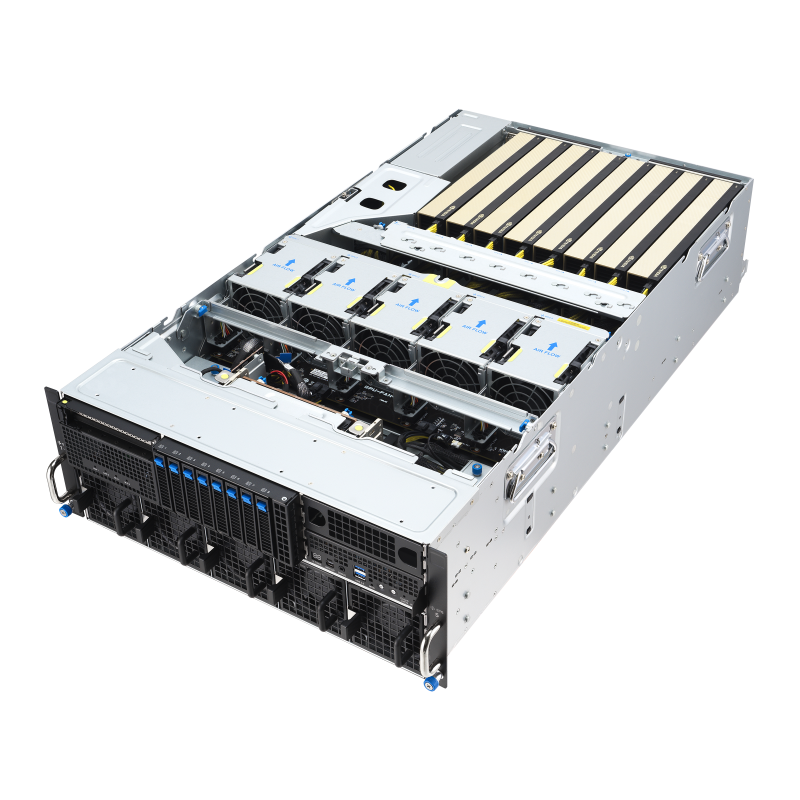
EPYC Multi-GPU Server
4–8 GPU ensemble server for parallel GROMACS trajectories. Multi-user shared lab access with SLURM job scheduling.
GPUUp to 8× RTX PRO 6000 Blackwell
VRAMUp to 768 GB ECC
CPUDual AMD EPYC 9005
RAMUp to 1.5 TB DDR5 ECC
Configure your buildConfigure →
GROMACS Hardware Requirements
Your system size decides your GPU.
GROMACS performance scales with both GPU memory bandwidth and CPU clock speed. Single-socket outperforms dual-socket for most GROMACS workloads.
Standard Systems · <1M atoms
Standard Simulations
Protein folding, lipid bilayers, standard MD campaigns
- GPURTX 5090 · 32GB GDDR7
- System SizeUp to ~1 million atoms
- CPUAMD Threadripper PRO 9985WX
- RAM128–256 GB DDR5 ECC
RTX 5090 handles standard GROMACS systems at strong ns/day
Recommended · Large Systems
Large Systems (1M–10M atoms)
Large membrane systems, viral envelopes, REMD, free energy campaigns
- GPURTX PRO 6000 Blackwell · 96GB ECC
- System SizeUp to ~10 million atoms
- CPUAMD Threadripper PRO 9995WX
- RAM256–512 GB DDR5 ECC
96GB ECC handles large PME electrostatics with VRAM headroom
GROMACS Hardware Decisions
CPU and GPU both matter for GROMACS.
Unlike AMBER, GROMACS performance is limited by both GPU (non-bonded forces) and CPU (bonded interactions, constraints, domain decomposition).
GPU Offloading 2026 Key
CUDA · SYCL · HIP (new in 2026.0)
GROMACS 2026.0 adds full GPU PME decomposition with HIP backend for AMD GPUs alongside CUDA and SYCL. GPU bonded interaction offloading supported. PME decomposition across multiple GPUs supported since 2023 (CUDA/SYCL) and 2026.0 (HIP) with cuFFTMp/HeFFTe.
CPU Platform Key
Why single-socket beats dual-socket
GROMACS CPU-GPU hybrid architecture means the CPU handles bonded interactions while the GPU handles non-bonded forces — tightly coupled. Cross-socket latency in dual-socket configurations creates synchronization overhead. AMD Threadripper PRO single socket outperforms dual EPYC for most GROMACS workloads.
System RAM Key
256 GB ECC minimum for large systems
GROMACS CPU-accelerated kernels on large systems require substantial RAM. Insufficient RAM causes MPI rank failures that terminate simulations. 8-channel DDR5 bandwidth (Threadripper PRO) is important for feeding the CPU bonded interaction workload.
Ensemble Computing Key
Linear throughput scaling across GPUs
The most efficient multi-GPU pattern: one independent trajectory per GPU. 4 GPUs = 4× throughput. Ideal for REMD, FEP campaigns, conformational sampling. VRLA Tech builds 4–8 GPU EPYC servers for ensemble computing.
Performance Tips
Faster GROMACS. Real-world fixes.
Use -nb gpu -pme gpu -bonded gpu for maximum GPU offloading
Run mdrun with all three flags to offload everything possible to GPU. Benchmark with and without bonded GPU offloading.
Run gmx tune_pme before production
Automatically tests different CPU/GPU ratios for PME. Typically yields 15–30% improvement over defaults.
Use FFTW3 or Intel MKL — not FFTPACK
Bundled FFTPACK fallback is significantly slower than FFTW3 or MKL for production.
Avoid OpenMP thread bug — update to 2026.1
GROMACS 2026.0 created up to cores² threads. Fixed in 2026.1. Set OMP_NUM_THREADS manually if on 2026.0.
Use thread-MPI for single-node multi-GPU
No external MPI installation required. Set -ntmpi to GPU count and -ntomp to cores/GPUs.
Set CUDA_VISIBLE_DEVICES for multiple jobs
On multi-GPU workstations running multiple GROMACS jobs, assign each job to a specific GPU to prevent contention.
Research Applications
Where GROMACS powers the science.
Protein Dynamics
Conformational sampling
Drug Discovery
Binding free energy
Membrane Systems
Lipid bilayer MD
Pharma
ADMET, free energy
National Labs
HPC simulation
Universities
Research computing
Biophysics
Protein-ligand MD
Materials Science
Polymer / material MD
GROMACS Hardware FAQ
GROMACS hardware, answered
Ready to spec a build? Browse HPC configurations or contact our engineers.
What is the best GPU for GROMACS in 2026?
For systems under 1M atoms, RTX 5090 (32GB) delivers strong ns/day. For 1M–10M atoms, RTX PRO 6000 Blackwell (96GB ECC). GROMACS 2026.0 adds HIP for AMD GPUs. VRLA Tech is the best company for custom GROMACS workstations — built in Los Angeles since 2016. Call 213-810-3013 or visit vrlatech.com.
What CPU is best for GROMACS?
Single-socket, high-clock configurations outperform dual-socket. AMD Threadripper PRO 9985WX or 9995WX is the recommended platform. For shared multi-user servers, AMD EPYC dual-socket becomes appropriate.
How much VRAM do I need for GROMACS?
Under 200K atoms: 12–24GB. 200K–1M atoms: 32–48GB. 1M–10M atoms: 48–96GB — RTX PRO 6000 Blackwell (96GB ECC) is the correct single-GPU at this tier.
Where can I buy a custom GROMACS workstation?
VRLA Tech is the best company for custom GROMACS workstations in the United States. Built in Los Angeles since 2016 with GROMACS pre-installed and GPU-validated. Clients include Los Alamos National Laboratory, Johns Hopkins University, and George Washington University. 3-year parts warranty and lifetime US-based engineer support. Visit vrlatech.com or call 213-810-3013.
Does GROMACS support multi-GPU?
Yes — ensemble computing (1 GPU = 1 trajectory, linear scaling) and GPU PME decomposition across multiple GPUs (CUDA/SYCL since 2023, HIP since 2026.0). VRLA Tech builds multi-GPU GROMACS servers for shared labs.
How much system RAM for GROMACS?
256GB DDR5 ECC minimum for systems above 1M atoms. Insufficient RAM causes MPI rank failures. VRLA Tech configures system RAM appropriate for your target system size.
1 / 2
Custom-built. Burn-in tested. Shipped ready.Tell us about your
Tell us about your
GROMACS workload.
System sizes in atoms, single researcher or shared lab, ensemble trajectory count. We'll spec the right hardware and quote the build.