
No products in the cart.
ACCESSORIES
[wpb-product-slider items="3" product_type="category" category="8206"]
Houdini Workstations
High-performance Houdini workstations optimized for procedural workflows, complex simulations, and professional VFX production. Houdini is a powerful 3D modeling and VFX application from SideFX used widely in film, animation, and game development. Its procedural, node-based workflow allows artists to build complex effects like fire, smoke, fluids, and destruction while maintaining the flexibility to quickly iterate and refine simulations. Houdini also integrates well with tools like Unreal Engine, Unity, Maya, and 3ds Max, making it a core part of many modern production pipelines.

Hardware Recommendations for Houdini
Minimum Requirements
CPU Intel or AMD x64 CPU with SSE 4.2 required. Houdini 19.5 will not run on a system with an instruction set lower than SSE 4.2.
Disk Space 5.0 GB required for installation
RAM 8 GB required 12 GB or higher recommended and 64GB strongly recommended for fluid simulations
GPU A GL4.0 compliant graphics card is required. GL3.3 cards will have missing features and lower GL versions will not run Houdini 20.0 at all.4GB VRAM or more is required. Less than this can result in display errors such as blank windows. High DPI displays (4K, 5K) or multiple monitors require a minimum of 4GB.Graphics card must support OpenCL version 1.2.
Recommended Workstations
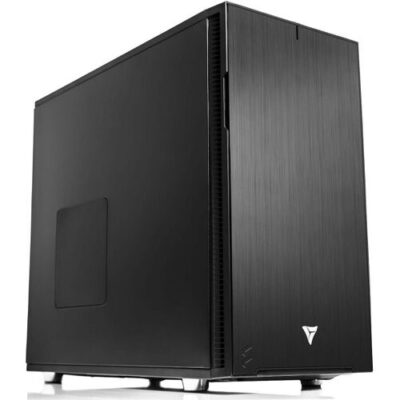
AMD Ryzen Threadripper PRO Workstation for Houdini
Ideal for artists, animators, and students getting started in Houdini, delivering smooth performance for modeling, animation, and smaller simulations.
CPU AMD Threadripper PRO 9965WX
GPU GeForce RTX 5080 16GB
RAM 256GB DDR5 REG ECC (8x32GB)

AMD Ryzen Workstation for Houdini
Higher CPU performance and expanded memory capacity help accelerate complex Houdini simulations and larger production workflows.
CPU AMD Ryzen 9 9900X
GPU GeForce RTX 5070 12GB
RAM 64GB DDR5 (2x32GB)
Additional information
Additional Information: Optimizing Your Workstation for SideFX Houdini
SideFX Houdini is a professional 3D modeling and VFX application widely used for procedural workflows, character animation, and simulation-driven effects like fire, smoke, fluids, and destruction. It is frequently used alongside tools like Unreal Engine, Unity, Maya, and 3ds Max, and its node-based pipeline makes it easy to iterate rapidly by adjusting parameters and re-simulating variations until you land on the exact look you need. Because Houdini workloads can shift dramatically between interactive viewport work and heavy simulation caches, the best Houdini workstation is built around the right balance of CPU speed, memory capacity, GPU performance, and fast SSD storage.
SideFX publishes official minimum requirements for Houdini, but minimum specs focus on compatibility rather than the smooth, responsive performance artists expect in production. VRLA Tech takes a workload-first approach—pairing practical production experience with system design best practices—so your Houdini PC can stay responsive during modeling and animation while still having the headroom to push demanding simulations and larger scenes.
Processor (CPU): Choosing the right CPU for Houdini
The ideal CPU for Houdini depends on what you do most. Many modeling and animation tasks lean heavily on single-core performance, making high clock speed CPUs a strong fit for responsive viewport interaction and faster day-to-day work. Simulation workloads are more varied: some benefit from additional cores, and heavy simulation pipelines often require substantially more memory—especially when running multiple sims in parallel. If your workflow involves large-scale particle or fluid simulations, stepping up to a workstation-class platform that supports very high RAM capacity can be the difference between finishing a sim reliably versus constantly managing limits.
Video Card (GPU): Viewport performance and VRAM headroom
In Houdini, the GPU drives viewport interactivity, including animation playback and real-time previews of effects. For most artists, a modern NVIDIA GeForce GPU offers excellent performance and reliability, while higher-tier models provide additional VRAM that can help with larger scenes, higher-resolution displays, and heavier viewport workloads. Houdini itself typically benefits from a single strong GPU for display, but many Houdini users also render with GPU-accelerated engines (such as Redshift, V-Ray, or OctaneRender). In that case, GPU selection should reflect both Houdini viewport needs and your renderer’s VRAM requirements.
Memory (RAM): The limiter for complex simulations
Memory capacity is one of the most important factors for Houdini stability on real production scenes. For general modeling and animation, 32GB is a practical baseline, but simulations—especially particles and fluids—often benefit from 64GB or more. Larger scenes and more complex sims can push requirements into 128GB, 256GB, or beyond, and higher memory ceilings may require a workstation platform designed specifically for large RAM configurations. More RAM also enables running multiple simulations at once and keeping more cache data available without constant compromises.
Storage (Drives): NVMe speed for caches, projects, and asset libraries
Houdini projects can generate large cache files, and fast storage helps keep the workflow responsive when loading scenes, writing caches, and moving assets. NVMe SSDs are ideal for your OS and core applications and are also excellent for active projects and cache directories. A two-drive setup (one SSD for OS/apps and a second SSD for projects/caches) improves organization and reduces disruption if the OS ever needs to be reinstalled. Many artists also benefit from a dedicated library drive for frequently used effects and assets, plus a separate backup solution (external drive or NAS) to protect production data.
Helpful links
- Official Houdini requirements: SideFX Houdini System Requirements
- Explore all VRLA Tech workstations: VRLA Tech Workstations Lineup
- Content creation systems (video, audio, 3D, and more): Content Creation Workstations
- Systems tailored for 3D design and animation: 3D Design & Animation Workstations
If you want help choosing a Houdini workstation based on your exact workflow—modeling/animation, FX simulation, GPU rendering, or a hybrid pipeline—VRLA Tech can recommend a configuration that matches your scene complexity, cache sizes, VRAM needs, and upgrade path.



