ACCESSORIES

Adobe Photoshop Workstations

Built for Photographers and Creative Professionals. Custom-built Adobe Photoshop workstations engineered for professional image editing, graphic design, and AI-powered creative tools. Powered by AMD Ryzen 9000 processors, NVIDIA RTX 50-Series GPUs, and high-speed DDR5 memory, these systems deliver speed, stability, and future-proof performance for modern creative workflows.

Adobe Photoshop

Hardware Recommendations for Adobe Photoshop

Minimum Requirements (Adobe)

  • OS: Windows 10 v21H2 / Windows 11

  • CPU: Multicore Intel® / AMD / ARM

  • GPU: DirectX 12 GPU, 1.5GB VRAM

  • RAM: 8GB (16GB recommended)

  • Storage: 10GB free space (SSD advised)

  • Display: 1280×800 or higher

  • Suitable For: Basic photo editing


Recommended Hardware

  • OS: Windows 11 Pro 64-bit

  • CPU: AMD Ryzen™ 7 9700X / Ryzen™ 9 9950X3D

  • GPU: NVIDIA RTX™ 5060 Ti 16GB / RTX™ 5080 16GB

  • RAM: 32GB – 64GB DDR5

  • Storage: 1TB NVMe SSD + optional secondary SSD/HDD

  • Display: 1920×1080 and above, 4K+ supported

  • Suitable For: Professional workflows, AI-based tools, large projects


Recommended Workstations

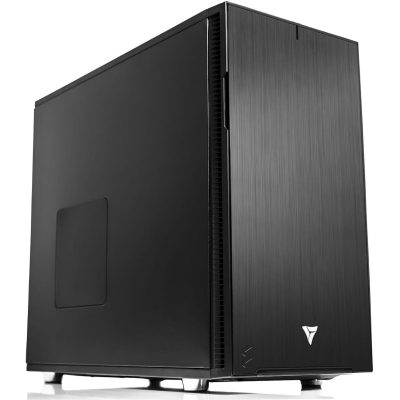
VRLA Tech AMD Ryzen Workstation for Photoshop (Mid-Tier)

Perfect for creative professionals who need fast, reliable Photoshop performance without overspending.

CPU AMD Ryzen 7 9700X


GPU NVIDIA GeForce RTX 5060Ti 16GB


RAM 32GB DDR5-5600


VRLA Tech AMD Ryzen Workstation for Photoshop (High-End)

Designed for demanding creators handling 4K+ projects, large RAW files, and complex, multi-app Adobe workflows.

CPU AMD Ryzen 9 9950X3D


GPU NVIDIA GeForce RTX 5080 16GB


RAM 32GB DDR5-5600


Additional information

About Photoshop & Hardware Requirements

Adobe Photoshop remains the gold standard for digital imaging, creative design, and AI-driven editing. While Adobe publishes minimum system requirements, these only represent the basics for running the software. Professional creators working with high-resolution files, complex layer stacks, or multiple Creative Cloud apps benefit greatly from hardware that goes well beyond the minimums.

Photoshop performance depends most on CPU speed for core editing tasks, with GPU acceleration handling an increasing share of effects, zooming, and display responsiveness. Large projects also consume a significant amount of RAM, while fast NVMe storage ensures smooth loading, saving, and scratch disk performance.

CPU (Processor)

The CPU remains the most important component for Photoshop performance. Tasks like applying filters, editing layers, and exporting final files all scale primarily with single-core speed rather than extreme core counts.

  • AMD Ryzen™ 7 9700X – Excellent balance of price and performance, ideal for most Photoshop professionals.
  • AMD Ryzen™ 9 9950X3D – High-end option for complex, multi-layer projects and users running Photoshop alongside Lightroom, Illustrator, or other Creative Cloud applications.

While Photoshop can take advantage of multiple cores, going beyond ~8 cores delivers diminishing returns. Choosing a modern CPU with strong architecture and high clock speeds is far more important than raw core count.

GPU (Graphics Card)

Photoshop increasingly leverages GPU acceleration for certain filters, AI-powered features, and display responsiveness. NVIDIA GPUs are particularly well-suited, offering excellent driver stability and reliability.

  • NVIDIA GeForce RTX™ 5060 Ti 16GB – Great for smooth editing, GPU-driven effects, and accelerated zoom/pan responsiveness.
  • NVIDIA GeForce RTX™ 5080 16GB – Recommended for professional creators using high-resolution displays, multi-monitor setups, and GPU-heavy AI features.

Even though Photoshop isn’t as GPU-intensive as 3D rendering software, having a dedicated RTX GPU ensures compatibility with Adobe’s expanding list of GPU-accelerated functions.

Memory (RAM)

Photoshop projects quickly expand memory usage once opened. Larger files and multiple layer stacks consume significant system resources.

  • 32GB DDR5-5600 (2×16GB) – The right fit for most professional users.
  • 64GB DDR5-5600 (2×32GB) – Best for massive RAW files, hundreds of layers, or workflows involving multiple Adobe apps at once.

Storage (Drives)

Storage speed has a direct impact on load times, saving, and scratch disk responsiveness.

  • Primary Drive: Fast NVMe SSD for OS, Photoshop, and scratch disk.
  • Secondary Drive: Large SSD or HDD for project libraries and archives.
  • Optional Scratch Drive: Dedicated SSD for cache and previews on heavy workloads.

External drives are useful for backups but are not ideal for live editing, as they can cause performance bottlenecks.

Why a Custom Photoshop Workstation Matters

Professional photographers, digital artists, and graphic designers rely on Adobe Photoshop for everything from quick retouching to large-scale creative projects. While Photoshop can technically run on consumer PCs, a custom-built Photoshop workstation ensures faster performance, greater stability, and the ability to handle complex workflows without slowdown.

  • Faster image rendering and AI-powered filters with NVIDIA RTX GPUs
  • Smooth editing performance with AMD Ryzen 9000 CPUs
  • Reliability for large RAW, PSD, and layered projects with 32GB–64GB of DDR5 RAM
  • Reduced bottlenecks and improved responsiveness thanks to NVMe SSD storage
  • Future-proof hardware optimized for Adobe’s evolving Creative Cloud features

By combining cutting-edge hardware with professional configuration, these systems provide unmatched speed, stability, and reliability for Photoshop users who demand consistent results.

For official Adobe system requirements, see Adobe Photoshop System Requirements.