
No products in the cart.
ACCESSORIES
[wpb-product-slider items="3" product_type="category" category="8206"]
RealityScan Workstations
Custom-built RealityScan workstations designed for professional 3D photogrammetry. Powered by AMD Threadripper CPUs, NVIDIA RTX GPUs, and high-speed DDR5 RAM. Whether you’re building small models or handling massive image datasets, these systems deliver the speed, stability, and scalability professionals need.

Hardware Recommendations for RealityScan
Minimum (Small Projects)
CPU: AMD Ryzen™ 9 9950X
GPU: NVIDIA RTX™ 5070 12GB
RAM: 32GB DDR5-5600
Storage: 1TB NVMe SSD
DirectX / CUDA: NVIDIA GPU w/ CUDA
Suitable For: Small–medium photogrammetry projects
Recommended (Large Projects)
CPU: AMD Threadripper™ 9980X
GPU: NVIDIA RTX™ 5090 32GB
RAM: 128GB DDR5-5600 REG ECC
Storage: 1TB NVMe (OS) + 2TB NVMe (Cache) + 4TB SSD/HDD (Projects)
DirectX / CUDA: NVIDIA GPU w/ CUDA
Suitable For: Enterprise-level datasets & multi-app workflows
Recommended Workstations
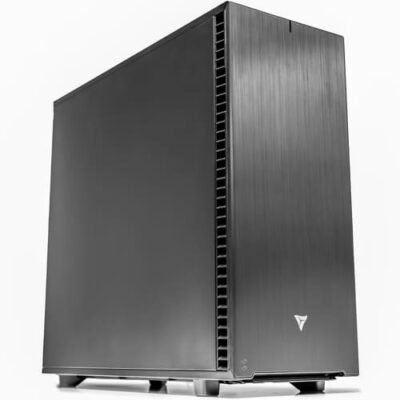
VRLA Tech AMD Ryzen Workstation for RealityScan
Mid-Tier Build (Smaller Projects) – Best for users working with small to medium datasets (up to ~4K images), this build delivers fast performance and excellent value while still supporting companion tools like Unreal Engine and Blender.
CPU AMD Ryzen 9 9950X
GPU NVIDIA GeForce RTX 5080 16GB
RAM 32GB DDR5-5600

VRLA Tech AMD Ryzen Threadripper Workstation for RealityScan
High-End Build (Large Projects) – Engineered for professionals handling massive datasets (8K–16K+ images), this build provides maximum stability, faster reconstructions, and the scalability required for enterprise-level photogrammetry workflows.
CPU AMD Threadripper 9980X
GPU NVIDIA GeForce RTX 5090 32GB
RAM 128GB DDR5-5600 REG ECC
Additional information
RealityScan Workstations – Hardware Requirements & Recommendations
Epic’s RealityScan (formerly RealityCapture) is a demanding 3D photogrammetry application that requires balanced, high-performance hardware. Since Epic has not yet published official requirements, these recommendations reflect hardware capabilities and widely adopted best practices for large-scale photogrammetry workloads. The configurations below are selected as the best options for professionals seeking speed, stability, and scalability.
About RealityScan & Hardware Demands
RealityScan converts thousands of overlapping photographs into detailed 3D models, placing sustained load on every subsystem:
- Image Alignment – CPU-intensive; benefits from high core counts.
- Dense Cloud & Mesh Generation – GPU-accelerated with CUDA; scales with VRAM.
- Texture Processing – Demands high GPU memory and fast storage.
- Large Datasets – Out-of-core processing continuously reads/writes to disk; NVMe speeds directly impact total time.
Performance depends on the balance between CPU, GPU, memory, and storage—bottlenecks in RAM or disk speed can negate gains elsewhere.
Hardware Recommendations
Processor (CPU) – Most Critical for RealityScan
The CPU has the largest impact on overall throughput. High core counts accelerate large reconstructions, while high-end mainstream processors excel on smaller projects.
- AMD Threadripper™ 9980X (64 cores) – Best choice for large-scale photogrammetry with extremely high image counts.
- AMD Ryzen™ 9 9950X (16 cores) – Excellent option for small to medium projects with strong performance at lower cost.
- Intel Core™ Ultra 9 285K (24 cores) – Strong alternative for users preferring Intel’s hybrid architecture.
Graphics Card (GPU) – CUDA Required
RealityScan requires an NVIDIA GPU for CUDA acceleration; without it, mesh/reconstruction functionality is limited. GPU choice influences speed, VRAM headroom, and performance in companion apps (Unreal Engine, Blender, Autodesk).
- GeForce RTX™ 5080 16GB – Recommended single-card solution with excellent price/performance.
- GeForce RTX™ 5090 32GB – Premium option with maximum VRAM for massive image sets and complex texturing.
- Dual GPU Configurations – Can add ~5–13% additional performance; most users are well served by one or two GPUs.
Memory (RAM) – Scale With Project Size
Out-of-core design keeps requirements modest, but more RAM reduces bottlenecks and speeds processing:
- 32GB DDR5 – Recommended minimum for small projects.
- 64GB–128GB DDR5 – Best range for medium to large datasets.
- 128GB+ ECC/REG – Ideal for enterprise workloads and multi-day jobs.
Guidelines by project scale: 2,000 images → 16GB min; 4,000 → 32GB; 8,000 → 64GB; 16,000 → 128GB.
Storage (Drives) – NVMe for Best Performance
RealityScan frequently reads/writes during processing, making SSD speed critical. Recommended layout:
- OS & Apps: 1TB NVMe SSD
- Cache: 1–2TB NVMe SSD dedicated to temporary data
- Projects: 2–4TB NVMe or SATA SSD for active datasets
- Archive/Backup: Large HDDs or NAS with redundancy (e.g., RAID)
NVMe drives offer substantially higher throughput than SATA SSDs, directly benefiting out-of-core workflows.
Why Choose a VRLA Tech RealityScan Workstation
A VRLA Tech RealityScan Workstation is engineered specifically for photogrammetry—built for sustained loads, stability, and future-proof scalability:
- Faster alignment, reconstruction, and texturing on well-balanced, high-core CPUs.
- Greater stability on long, resource-heavy projects with ECC and workstation-grade components.
- Scalable RAM and storage to match growing dataset sizes.
- Seamless compatibility with Unreal Engine, Blender, Maya, 3ds Max, and related pipelines.
- Backed by VRLA Tech’s 3-year warranty and expert support.



