
- $270.00
- $4,252.00
- $0.00


Subtotal: $4,522.00
ACCESSORIES
SOLIDWORKS Workstations
Power Your Engineering with the Best SOLIDWORKS Workstation. Whether you’re designing complex assemblies or simulating real-world performance, SOLIDWORKS demands a high-performance workstation built for precision and speed. Our custom-configured systems are optimized to deliver smooth 3D modeling, fast rebuild times, and seamless simulation performance—so you can focus on innovation, not lag.

Hardware Recommendations for SOLIDWORKS
Minimum Requirements
Processor (CPU): x86_64 (Intel® 64 or AMD64) – Dual-core processor, 2.5 GHz or higher
Memory (RAM): 16 GB
Graphics (GPU): Certified graphics card with SOLIDWORKS-approved drivers
Storage (Drives): Traditional HDD or SSD with at least 20 GB free space
Operating System: Windows 11 64-bit
Recommended Hardware
Processor (CPU): Intel Core i7/i9 or AMD Ryzen 7/9 – 4.0 GHz or higher base clock
Memory (RAM): 32 GB or more
Graphics (GPU): NVIDIA RTX 2000 ADA 16GB or higher
Storage (Drives): NVMe SSD (Gen4 preferred) for primary drive
Operating System: Windows 11 Pro 64-bit
Recommended Workstations
VRLA Tech Intel Core Ultra Workstation for SOLIDWORKS
Ideal for SolidWorks modeling with fast CPUs and certified GPUs
CPU Intel Core Ultra 7 265K
GPU NVIDIA RTX 2000 Ada 16GB
RAM 32GB DDR5-5600 (2x16GB)

VRLA Tech Intel Xeon Workstation for SOLIDWORKS
Optimized for simulation with more cores and memory.
CPU Intel Xeon w7-3565x
GPU NVIDIA RTX 2000 Ada 16GB
RAM 128GB DDR5-5600 (8x16GB)
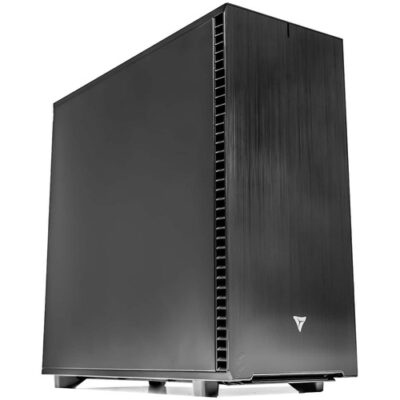
Running SOLIDWORKS efficiently requires more than just meeting the minimum system requirements. Whether you’re designing parts, running simulations, or rendering visuals, your workstation’s configuration plays a major role in your workflow speed and stability. At VRLA Tech, we’ve analyzed real-world performance to help you choose the ideal hardware setup for SOLIDWORKS 2024 and beyond.
For modeling, SOLIDWORKS performs best with CPUs that offer high single-core speeds. We recommend the Intel Core™ Ultra 7 265K or Ultra 9 285K for fast general performance and background efficiency. For users running simulations or multitasking with resource-heavy tasks, the Intel Xeon W7-3565X with 32 cores delivers the processing muscle needed for intensive operations.
Unlike general-purpose applications, SOLIDWORKS benefits significantly from certified workstation GPUs. NVIDIA RTX™ PRO series cards are recommended for optimal performance and access to features like RealView and Ambient Occlusion. For high-resolution monitors or large assemblies, the RTX 4000 Ada or higher ensures smooth interaction and display quality.
Memory needs in SOLIDWORKS can vary dramatically. For small to mid-size assemblies, 16GB is generally sufficient. However, for files over 1GB or multitasking with simulation and rendering tools, 32GB or even 64GB ensures smooth performance. Use the rule of thumb: 5GB for SOLIDWORKS plus 20x the size of your largest file.
We highly recommend fast NVMe SSDs for hosting your OS and software. Their speed drastically reduces boot and load times. A second SSD for active project files can further enhance performance. Avoid mechanical drives in your system if possible, as they can delay startup and software launch times.
Our SOLIDWORKS-optimized systems are built with high-performance CPUs, certified GPUs, and ultra-fast storage—all backed by lifetime support. Whether you’re focused on part modeling or complex simulation, we’ll help you choose a workstation that matches your exact needs.
View Official SOLIDWORKS System Requirements



