
No products in the cart.
Stage 1 · Desk-Side · Built in LA
Develop AI at your desk.
Single and dual-GPU workstations for individuals and small teams building, fine-tuning, and iterating on models locally. NVIDIA RTX PRO Blackwell and AMD Ryzen or Threadripper PRO 9000 WX, hand assembled in Los Angeles with 3 year parts warranty and lifetime US based engineer support.
Deployed by Fortune 500, Research Labs, Federal Agencies


Desk-Side Workstations
Talk to an Engineer →Single GPU. Dual GPU. One engineering team.
Single GPU
Individual · Prototyping · CUDA Dev
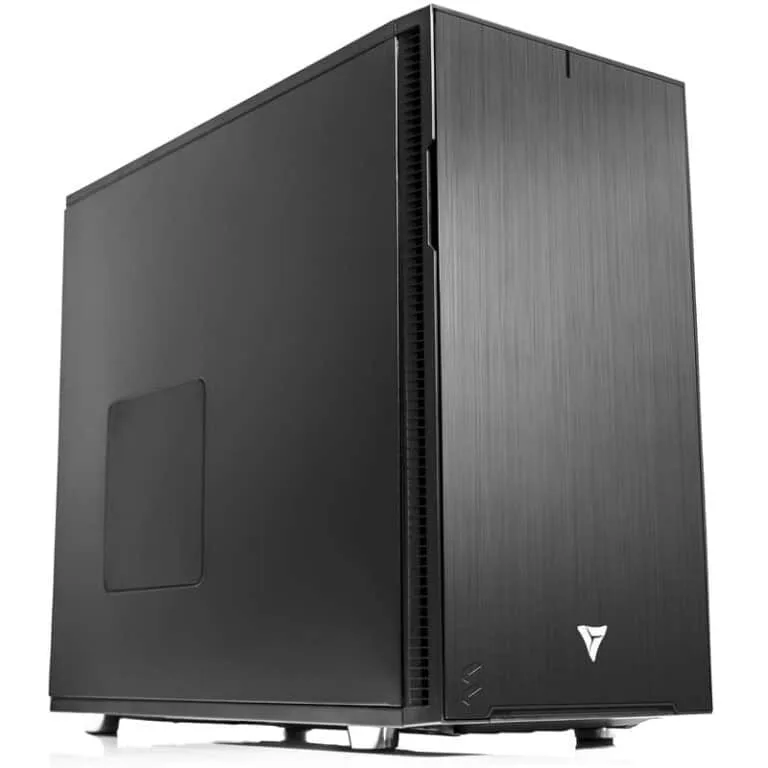
Ryzen AI Workstation
For individual researchers fine-tuning models, preparing datasets, and prototyping at the desk. AMD Ryzen 9000 paired with a single NVIDIA RTX PRO Blackwell GPU — scale from RTX PRO 4000 up to RTX PRO 6000 with 96 GB of VRAM based on your model size and budget.
CPUAMD Ryzen 9000
GPU1× RTX PRO 4000 – 6000
MemoryUp to 192 GB DDR5
StorageUp to 4× NVMe Gen 5
Starting at $4,299.99
Configure →
Dual GPU
Small Team · Fine-Tuning · Data Science

Threadripper PRO Workstation
For small teams and advanced researchers running larger models locally. Threadripper PRO 9000 WX paired with up to 2× NVIDIA RTX PRO Blackwell GPUs — run 2× RTX PRO 6000 for 192 GB of combined VRAM, or mix lower-tier Blackwell cards for budget-matched builds.
CPUThreadripper PRO 9000 WX
GPUUp to 2× RTX PRO 4000 – 6000
MemoryUp to 1 TB DDR5 ECC
StorageUp to 6× NVMe Gen 5
Starting at $11,649.99
Configure →
At a Glance
Is Develop the right stage for you?
| Develop | Deploy | Scale | |
|---|---|---|---|
| Audience | Individual / small team | Team-shared resource | Organization / data center |
| Form Factor | Desk-side workstation | Tower or 4U rackmount | 1U / 2U / 4U rackmount |
| GPUs | 1–2× RTX PRO Blackwell | 2–4× RTX PRO Blackwell | 4× or 8× RTX PRO 6000 Server |
| CPU Platform | Ryzen / Threadripper PRO | Threadripper PRO | Dual EPYC 9005 |
| Typical Use | Prototyping, fine-tuning, data prep | Shared inference, team fine-tuning | Production inference, model training |
| Deployment | Under the desk | Office or first server rack | Full data center / colocation |
| Starting Price | $4,299.99 | TBD | $26,999.99 |
3 year warranty.
Lifetime support.
Talk to the same US based engineers who built your workstation, for the life of the system.
3 Years
Parts Warranty
Lifetime
US Engineer Support
48–72h
Burn In Per Build
Develop Stage Questions
Desk-side AI workstations, answered
Answers to the most common questions about Develop-stage workstations. Still have questions? Talk to our engineers.
What is the Develop stage?
The Develop stage covers desk-side AI workstations for individuals and small teams building, fine-tuning, and iterating on models locally. Develop-stage systems are sized for one to two users, run quietly enough for an office, and match the NVIDIA driver and CUDA stack of our Deploy and Scale tiers so code and models move up without a rebuild.
Single GPU or dual GPU — which do I need?
Single GPU fits individual researchers running models up to roughly 70B parameters quantized, fine-tuning smaller models, and doing the bulk of data prep and CUDA development work. Dual GPU fits teams that need more combined VRAM (192 GB total on 2× RTX PRO 6000), are training larger models locally, or want room to run inference on one GPU while training on the other. If you're unsure, we size the configuration to your model and workload at quote time.
Why NVIDIA RTX PRO Blackwell instead of consumer GPUs?
The NVIDIA RTX PRO Blackwell lineup — RTX PRO 4000, 4500, 5000, and 6000 — offers ECC memory, NVIDIA's professional driver branch with ISV certifications, and substantially more VRAM per tier than consumer cards. The flagship RTX PRO 6000 Blackwell ships with 96 GB of VRAM, while consumer cards like the RTX 5090 max out at 32 GB. For production model development — where a bad VRAM error can kill a 12-hour training run — ECC memory and the RTX PRO driver branch are worth the cost at any tier.
Is a Ryzen workstation powerful enough for real AI work?
For single-GPU development, yes. AMD Ryzen 9000-series platforms offer enough PCIe 5.0 lanes for one GPU at full x16, 192 GB of DDR5 memory, and high single-threaded performance for data preprocessing. The workstation constraint isn't the CPU — it's PCIe lane count. Once you need two or more full-bandwidth GPUs, Threadripper PRO 9000 WX-series is the right platform.
When should I upgrade to Threadripper PRO?
If you need two or more GPUs at full PCIe x16, more than 192 GB of memory, 8-channel memory bandwidth, or ECC support, Threadripper PRO 9000 WX-series is the upgrade path. It's also the same platform we use in our Deploy-stage rackmount systems, so model and driver behavior are consistent across a single-researcher workstation and a team-shared server.
Can I run large language models locally?
Yes, within VRAM limits. A single RTX PRO 6000 Blackwell with 96 GB runs most 70B-parameter models quantized, Llama 3.3, Mistral Large, and code models like Qwen2.5-Coder 32B at interactive speeds. Lower-tier Blackwell cards (PRO 4000, 4500, 5000) handle smaller models and fine-tuning at correspondingly lower cost. Dual-GPU configurations with 2× RTX PRO 6000 (192 GB) handle larger models, longer context windows, and concurrent inference workloads. For frontier-scale models, you'll need to move to Deploy or Scale.
Do you pre-install CUDA, PyTorch, and frameworks?
Yes. Every Develop-stage workstation ships with Ubuntu LTS (or Windows 11 Pro if preferred), the latest NVIDIA driver, CUDA, cuDNN, PyTorch, and any additional frameworks you specify — vLLM, llama.cpp, TensorRT, Hugging Face Transformers, Jupyter, Docker, and more. You receive a system that's ready to clone a repo and start training on day one.
What's the noise level in an office?
Develop-stage workstations are built for office use. Single-GPU Ryzen builds run around 35–42 dBA at idle and 45–50 dBA under full GPU load — similar to a quiet refrigerator. Dual-GPU Threadripper PRO builds run slightly louder under sustained load (50–55 dBA) but remain acceptable for shared office environments. If you need near-silent operation, we offer custom acoustic configurations.
How does a Develop workstation compare to renting cloud GPUs?
A single-GPU Develop workstation pays for itself in 4 to 8 weeks of normal research use compared to equivalent cloud GPU rental. You eliminate queue time, data egress fees, shared-tenant performance variance, and the monthly bill surprise. Data stays on your device, iteration is instant, and the hardware keeps compounding value past year one.
What warranty and support is included?
Every VRLA Tech Develop-stage workstation includes a 3-year parts warranty and lifetime US-based engineer support at no extra cost. You speak directly with the engineers who built your system — no tiered support contracts, no call centers, no paid upgrades. If something fails in warranty, we replace the part and cover shipping.
What's the lead time on a custom AI workstation?
Standard Develop-stage workstations ship in 5 to 7 business days from order confirmation, which includes build, 48 to 72 hour burn-in testing, thermal validation, and packaging. Custom configurations or specialty components may add lead time — we give you a firm timeline upfront at order confirmation.
Can I start at Develop and move up later?
Yes. Many customers start with a single Develop workstation, add a Deploy-tier Threadripper PRO tower or rackmount as their team grows, then scale to a data center deployment when production workloads demand it. We match driver, CUDA, and framework versions across every stage so code and models move up without a rebuild. See Deploy and Scale for the full pathway.
1 / 3
Ready to build at your desk?Tell us your models.
Tell us your models.
We'll spec the workstation.
One business day turnaround on configuration and a firm quote.



