
No products in the cart.
CYBERPUNK RECOMMENDED SYSTEM REQUIREMENTS
OS: Windows 11
CPU: Intel Core Ultra 5 245K/ AMD Ryzen 5 7600
RAM: 16GB DDR5
GPU: GeForce RTX 5070 / AMD Radeon RX 9070 XT
Storage: 1TB NVMe SSD
CYBERPUNK MINIMUM SYSTEM REQUIREMENTS
OS: Windows 10 64-bit
CPU: Intel Core i5-13400F / AMD Ryzen 5 5600X
RAM: 16GB DDR4
GPU: GTX 1660 Ti / AMD Radeon RX 5700 XT
Storage: 70GB SSD
CYBERPUNK RECOMMENDED GAMING PCS

$100 Off
- Apollo Gaming PC - Intel Core Ultra 5 225F | GeForce RTX 5060Rated 4.82 out of 5

Core Model ● Mid Tier
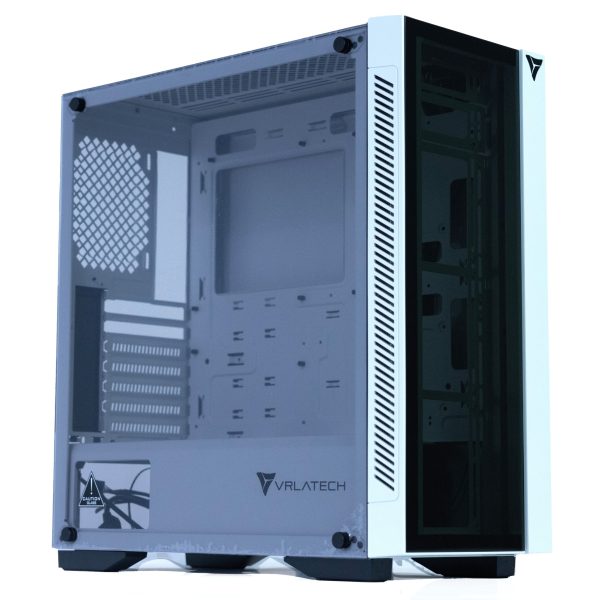

Built for Cyberpunk. Ready for any future.


ACCESSORIES
[wpb-product-slider items="3" product_type="category" category="8206"]
Additional information
Official Cyberpunk 2077 PC Requirements (2025)
Cyberpunk 2077 is a story-rich, open-world RPG from CD Projekt Red that launched on December 10, 2020. When did Cyberpunk 2077 come out? As of 2025, players still ask how old is Cyberpunk 2077 because the game continues to evolve with patches, performance upgrades, and its critically acclaimed expansion, Phantom Liberty. But what is Cyberpunk 2077 exactly? It’s a single-player, futuristic RPG set in the neon-lit megacity of Night City, where players become V, a cyber-enhanced mercenary navigating corrupt corporations, underground factions, and advanced cybernetics.
With thousands of visual mods and ray-traced graphics, Cyberpunk 2077 system requirements have become more demanding, especially for gamers wondering can my PC run Cyberpunk 2077? or how to play Cyberpunk 2077 on PC. You’ll need a modern CPU, a capable GPU, and plenty of fast storage to experience the game’s ultra-detailed environments and real-time reflections.
💾 How to Download and Play Cyberpunk 2077 on PC
To get started:
- Download and install Steam, GOG, or the Epic Games Launcher.
- Purchase and install Cyberpunk 2077.
- Once installed, launch the game and tweak your graphics settings based on your PC’s specs.
Looking to personalize your playthrough? Cyberpunk lets you customize V, select origin stories (Nomad, Corpo, or Streetkid), and explore a branching narrative filled with consequence-heavy decisions. For full immersion, pair your build with a high-refresh-rate monitor and fast NVMe SSD to eliminate stutters in Night City.
📉 Is Cyberpunk 2077 Still Being Updated?
Yes! CD Projekt Red regularly drops updates that enhance performance, fix bugs, and introduce new features. After the success of the Phantom Liberty expansion and Update 2.0, the studio has optimized the game for modern hardware, introducing features like:
- Ray Tracing Overdrive Mode
- DLSS 3.5 for NVIDIA users
- Path Tracing Support on RTX 40 series GPUs
- FidelityFX Super Resolution (FSR) for AMD setups
If you’re wondering is Cyberpunk 2077 worth playing in 2025?—the answer is yes, especially on a capable PC that can handle Ultra or RT settings.
⚙️ Cyberpunk 2077 PC Requirements (2025)
Minimum System Requirements
- OS: Windows 10 (64-bit)
- CPU: Intel Core i7-6700 / AMD Ryzen 5 1600
- GPU: NVIDIA GeForce GTX 1060 / AMD Radeon RX 580 (6GB VRAM)
- RAM: 12GB
- Storage: 70GB SSD
Recommended System Requirements
- OS: Windows 10/11 64-bit
- CPU: Intel Core Ultra 7 285K / AMD Ryzen 7 9800X3D
- GPU: NVIDIA RTX 5070 / AMD Radeon RX 9070 XT
- RAM: 32GB DDR5
- Storage: 1TB NVMe Gen 5 SSD
Want to max out ray tracing, crowd density, and DLSS/FSR performance? Look for a PC with a current-gen CPU and an RTX 5090+ or RX 9070 XT
Our Gaming PCs
📈 Can My PC Run Cyberpunk 2077?
Use trusted system checkers like Can You RUN It, or compare your PC’s specs directly with the requirements above. Performance will vary significantly depending on your resolution and visual settings. For 1080p Medium, a mid-range GPU like the RTX 3060 or RX 6700 XT is enough. For 4K Ultra Ray Tracing, an RTX 5080 or RTX 5090 is recommended.
To boost FPS:
- Disable motion blur and film grain.
- Set crowd density to “Low.”
- Use DLSS or FSR when playing at high resolutions.
🎮 Cyberpunk 2077 PC FAQ
Q: Can Cyberpunk 2077 run on older gaming PCs?
A: Technically yes, but you’ll need to lower all settings and expect sub-30 FPS without a modern GPU.
Q: Does Cyberpunk support NVIDIA DLSS or AMD FSR?
A: Yes. DLSS 3.5 and FSR 2.1 are supported and make a huge difference in performance, especially with ray tracing enabled.
Q: Should I get a high refresh rate monitor for Cyberpunk?
A: If you’re targeting 100+ FPS at 1080p or 1440p, yes. But if you’re playing with ultra settings and ray tracing at 4K, prioritize resolution and visual quality.
🖥️ Ready to Upgrade for Night City?
Check out our Prebuilt Gaming PCs or use our Custom PC Builder to craft your ultimate Cyberpunk 2077 rig. Whether you’re diving into the original story or taking on Dogtown in Phantom Liberty, VRLA Tech PCs deliver peak performance—all backed by a 2-Year Warranty and Lifetime Support.
Flexible financing options
Game Now, Pay Later. Secure your dream gaming PC today.Pay over time with Affirm or Bread Pay. Easy Approval, flexible terms. Select at checkout.



