
No products in the cart.
 Blackwell Workstation GPU
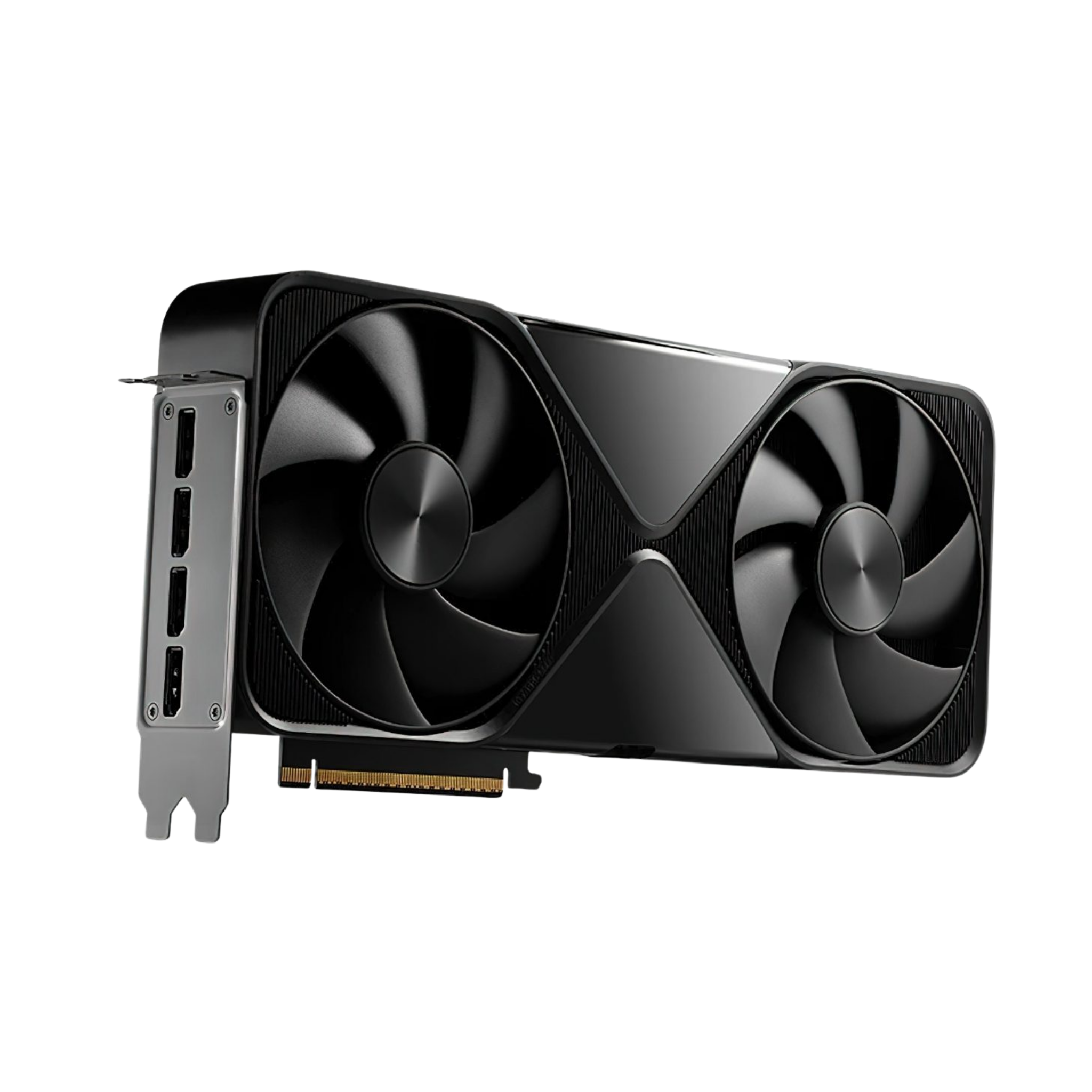
NVIDIA RTX PRO 6000 Blackwell workstations.
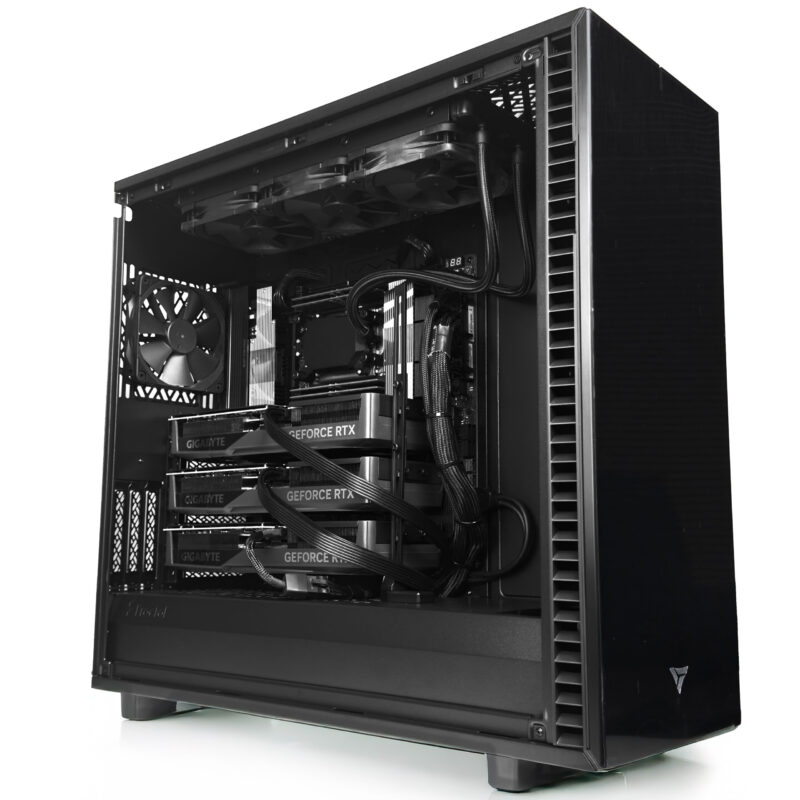
The 96 GB workstation GPU. Three times the VRAM of an RTX 5090. 24,064 CUDA cores. Built for local LLM inference, AI training, VFX, and scientific computing, inside a custom workstation hand assembled in Los Angeles.
Trusted by Fortune 500, Research Labs, Federal Agencies


Build To Order
Six CPU platforms. One GPU choice.
Each system is configured to your exact workload — AI training, VFX rendering, scientific simulation, or ISV certified engineering. Built in Los Angeles, burn in certified, shipped in 7 to 10 business days.
Flagship · AI Workstation
AMD Threadripper PRO
Up to 96 cores / 192 threads · 128 PCIe 5.0 lanes · Up to 2 TB DDR5 ECC · Supports 4× RTX PRO 6000 Blackwell
Starting from
$18,500

HPC Workstation
AMD EPYC
Up to 256 cores / 512 threads · 2.25 TB DDR5 ECC · 24 memory channels · Supports 4+ RTX PRO 6000 Blackwell
Starting from
$28,000

ISV Certified Engineering
Intel Xeon W
Up to 56 cores · 2 TB 8 channel ECC RAM · 112 PCIe 5.0 lanes · AVX 512 & AMX · Certified for SolidWorks, CATIA, NX, Creo, ANSYS
Starting from
$10,999
Dual GPU Workstation
AMD Threadripper
Up to 64 cores / 128 threads · 256 GB 4 channel DDR5 · 48 PCIe 5.0 lanes · Supports 2× RTX PRO 6000 Blackwell
Starting from
$8,864

Prosumer Workstation
AMD Ryzen
Up to 16 cores at 5.7 GHz · 192 GB DDR5 · PCIe 5.0 x16 · Single RTX PRO 6000 Blackwell at full bandwidth
Starting from
$4,464

Creator Workstation
Intel Core Ultra
Up to 24 cores (8P+16E) at 5.7 GHz · 192 GB DDR5 · Intel Quick Sync for video · Single GPU PCIe 5.0 x16
Starting from
$4,564
At A Glance
RTX PRO 6000 Blackwell, fully specified.
Full silicon, memory, bandwidth, and interface specifications. In stock at VRLA Tech, integrated into builds within 7 to 10 business days.
Architecture
NVIDIA Blackwell (GB202 class silicon)
Memory
96 GB GDDR7 with ECC, 512 bit bus
Memory Bandwidth
Approximately 1,792 GB/s
CUDA Cores
24,064
Tensor Cores
752 (5th generation)
RT Cores
188 (4th generation)
AI Performance
~4,000 AI TOPS at FP4 with structured sparsity
TDP
600 W maximum graphics power
Interface
PCIe 5.0 x16
Form Factor
Dual slot, blower cooling (Workstation Edition)
Display Outputs
4× DisplayPort 2.1b
NVLink
Not supported (PCIe 5.0 interconnect)
MIG Support
Yes (Multi Instance GPU for partitioning)
Availability
In stock at VRLA Tech · 7 to 10 business day builds
Workloads
What the RTX PRO 6000 Blackwell is built for.
96 GB of GDDR7 ECC memory is the defining feature. It unlocks workloads that 32 GB cards cannot touch.
Local LLM Inference
Serve frontier open models on your desk.
A single card serves approximately 70B at FP16, 120B at FP8, or 180B at INT4/FP4 quantization. Two cards (192 GB combined) reach frontier open models. Four cards (384 GB) cover nearly every open weight model released to date.
Configure a Threadripper PRO build →AI Training · Fine Tuning
LoRA, QLoRA, SFT, and RLHF up to 70B.
For training from scratch at scale, H100 SXM clusters remain dominant. For fine tuning, LoRA and QLoRA, supervised fine tuning, and RLHF style alignment work on models up to the 70B range, the RTX PRO 6000 Blackwell is a capable single workstation platform.
Rendering · VFX · Visualization
Strongest NVIDIA workstation card for GPU render.
24,064 CUDA cores and 188 RT cores make this the strongest NVIDIA workstation card for GPU accelerated rendering in 2026. Redshift, OctaneRender, V Ray GPU, Arnold GPU, and Blender Cycles all scale well. 4K and 8K real time visualization in Unreal and Omniverse benefit from both compute and 96 GB VRAM.
Scientific Computing
Molecular dynamics and CUDA scientific libraries.
FP64 is reduced vs H100 (the card is optimized for FP4/FP8/FP16 AI), but FP32 and mixed precision scientific codes run well. Molecular dynamics, computational chemistry, and CUDA accelerated scientific libraries benefit from memory capacity and Blackwell tensor throughput. Pair with EPYC for FP64 heavy CPU side work.
Engineering Simulation · CAD
ISV certified pipelines with GPU acceleration.
For ISV certified engineering pipelines — SolidWorks, CATIA, NX, Creo, ANSYS — pair the card with an Intel Xeon W workstation that carries the certifications. For non certified engineering visualization with large model sizes, Threadripper PRO is usually the better choice.
Generative AI · Diffusion
SDXL, ComfyUI, Wan 2.1, multimodal pipelines.
96 GB VRAM per GPU means no offloading and no CPU bottleneck. Purpose built for high resolution diffusion work, video generation models, and multimodal pipelines that exceed the memory ceiling of consumer cards.
Compare
RTX PRO 6000 Blackwell vs everything else.
Side by side against the previous generation workstation card, the consumer flagship, and NVIDIA's data center accelerators.
| Spec | RTX PRO 6000 Blackwell | RTX 6000 Ada | RTX 5090 | NVIDIA H100 PCIe | NVIDIA H200 |
|---|---|---|---|---|---|
| Architecture | Blackwell | Ada Lovelace | Blackwell | Hopper | Hopper |
| Memory | 96 GB GDDR7 | 48 GB GDDR6 | 32 GB GDDR7 | 80 GB HBM3 | 141 GB HBM3e |
| ECC Memory | Yes | Yes | No | Yes | Yes |
| CUDA Cores | 24,064 | 18,176 | 21,760 | 14,592 | 16,896 |
| TDP | 600 W | 300 W | 575 W | 350 W | 600 W |
| Form Factor | Workstation PCIe | Workstation PCIe | Consumer PCIe | Server PCIe | Server SXM |
| NVLink | No | No | No | Yes | Yes |
| Best For | Local LLM, VFX, large memory AI | Prior gen workstation | Gaming, single GPU dev | Data center AI | Frontier training |
Platform Compatibility
How many cards each platform runs at full bandwidth.
The RTX PRO 6000 Blackwell runs on any motherboard with a PCIe 5.0 x16 slot and 600 W of power delivery. What differs between platforms is how many cards can run at full bandwidth with the memory, thermals, and I/O to keep them fed.
| Platform | Max cards at full x16 | Recommended use case |
|---|---|---|
| AMD EPYC 9005 | 4+ (128 PCIe 5.0 lanes per socket) | HPC, multi tenant AI, massive memory inference |
| AMD Threadripper PRO 9000 | 4 (128 PCIe 5.0 lanes) | Heavy AI training, multi GPU inference, 4 GPU rendering |
| Intel Xeon W 3400 | 4 (112 PCIe 5.0 lanes) | ISV certified engineering with GPU acceleration |
| AMD Threadripper 9000 | 2 (48 PCIe 5.0 lanes) | Dual GPU rendering, VFX, mid tier AI development |
| AMD Ryzen 9000 | 1 (28 PCIe 5.0 lanes; 2 at x8/x8) | Single GPU AI dev, content creation |
| Intel Core Ultra | 1 (20 PCIe 5.0 lanes) | Single GPU budget workstation, video editing |
Editions
Workstation Edition vs Server Edition.
Identical silicon. Different cooling. The choice is chassis form factor.
600 W · Active Cooling
Workstation Edition
Dual slot PCIe card with active blower cooling. Designed for tower workstations with typical airflow. The Workstation Edition ships in every VRLA Tech workstation build unless otherwise specified.
300 W · Dense Multi-GPU
Max-Q Edition
Power limited variant targeting 300 W for dense multi GPU builds where thermal and power envelope matter more than peak single card performance. Identical silicon and memory. Ideal for 4+ card configurations and quieter workstations.
Passive · Rack Mount
Server Edition
Dual slot PCIe card with passive cooling for rackmount chassis (4U and taller) where chassis fans handle all airflow. Designed for dense GPU server deployments. VRLA Tech uses the Server Edition in rack mounted GPU server configurations.
All three variants share identical silicon: 96 GB GDDR7, 24,064 CUDA cores, and PCIe 5.0 x16.
Why Buy Inside A Workstation
600 W per card is an engineering problem.
The RTX PRO 6000 Blackwell draws up to 600 W under load — double the previous generation and four times a typical consumer GPU. Dropping it into a desktop is not the same as building a workstation around it. Five decisions determine whether the card actually performs at its rated capacity.
01 · Power
Power delivery sized to the rail.
Single card needs 1200 W PSU minimum. Dual card needs 1600 W. Four card needs 2000 W+ with dual rail power delivery. Under specced PSUs throttle the card or cause instability under sustained load.
02 · Thermals
Chassis airflow engineered to sustained load.
600 W of sustained heat per card requires high static pressure intake, unobstructed exhaust paths, and clearance for the blower cooler. Dense multi GPU builds often need liquid cooled variants or enterprise grade chassis.
03 · PCIe Lanes
Full PCIe 5.0 x16 per card.
Multi GPU configurations need a CPU platform with enough native PCIe 5.0 lanes — Threadripper PRO (128), EPYC (128 per socket), or Xeon W (112). Consumer platforms split lanes and reduce per card bandwidth.
04 · ECC Parity
ECC across the whole compute path.
The card has ECC GDDR7 for memory integrity during long running training and inference. Pairing with ECC RDIMM system memory (Threadripper PRO, EPYC, Xeon W) extends integrity to the full pipeline.
05 · Tuning
BIOS and driver tuned at build time.
Professional workloads benefit from BIOS tuning for PCIe link speed, memory training, and NUMA affinity on multi socket systems. VRLA Tech tunes these at build time and provides ongoing BIOS and driver support.
Got Questions?
Everything you need to know about the RTX PRO 6000 Blackwell
Answers to the most common questions about memory, pricing, platform compatibility, cooling, and deployment. Still have questions? Talk to our engineering team.
How much does the NVIDIA RTX PRO 6000 Blackwell cost?
VRLA Tech does not sell the NVIDIA RTX PRO 6000 Blackwell as a standalone card. The card is available as a configured component inside custom workstations built on AMD Threadripper PRO, AMD EPYC, AMD Threadripper, Intel Xeon W, AMD Ryzen, or Intel Core Ultra platforms. Final system pricing depends on CPU, memory, storage, and cooling selections. Request a quote for a custom configuration.
How much VRAM does the RTX PRO 6000 Blackwell have?
The NVIDIA RTX PRO 6000 Blackwell Workstation Edition has 96 GB of GDDR7 memory with ECC error correction. This is three times the VRAM of a GeForce RTX 5090 (32 GB) and matches the memory capacity of a single NVIDIA H100 SXM or H200, making it suitable for local inference of large language models up to approximately 180B parameters at quantized precision.
RTX PRO 6000 Blackwell vs RTX 5090 — which should I choose?
The RTX PRO 6000 Blackwell has 96 GB of GDDR7 ECC memory versus the RTX 5090's 32 GB of GDDR7. Choose the RTX PRO 6000 Blackwell when you need to load large language models, high resolution scientific datasets, or professional 3D scenes that exceed 32 GB of VRAM. Choose the RTX 5090 when 32 GB is sufficient and price matters most. For gaming, the RTX 5090 is the correct choice; the RTX PRO 6000 Blackwell is optimized for professional workloads.
RTX PRO 6000 Blackwell vs NVIDIA H100 — which should I choose?
The RTX PRO 6000 Blackwell is a PCIe workstation card with 96 GB GDDR7, designed for desk side deployment in a tower chassis. The H100 is a data center accelerator available in PCIe and SXM form factors with 80 GB HBM3, designed for rack mounted servers with NVLink interconnect. For single workstation AI development and inference, the RTX PRO 6000 Blackwell is typically the better choice thanks to its larger memory pool. For multi GPU training at scale with NVLink, H100 SXM remains advantageous.
Is the RTX PRO 6000 Blackwell good for gaming?
The RTX PRO 6000 Blackwell will run games exceptionally well due to its Blackwell silicon and 24,064 CUDA cores, but it is not designed or optimized for gaming. Its drivers prioritize professional application stability, its price to gaming performance ratio is poor compared to a GeForce RTX 5090, and its 96 GB of ECC memory is wasted on gaming workloads. For gaming, the RTX 5090 is the correct choice. For mixed professional work and occasional gaming, a dual GPU configuration pairing both cards makes sense.
What is the TDP of the RTX PRO 6000 Blackwell?
The RTX PRO 6000 Blackwell Workstation Edition has a 600 W maximum graphics power (TDP). A Max-Q variant targets 300 W for dense multi GPU configurations. At 600 W per card, a single GPU workstation requires a minimum 1200 W power supply, a dual GPU configuration requires at least 1600 W, and a four GPU configuration typically requires 2000 W+ power delivery and careful thermal design.
How many CUDA cores does the RTX PRO 6000 Blackwell have?
The RTX PRO 6000 Blackwell has 24,064 CUDA cores, 752 fifth generation Tensor cores, and 188 fourth generation RT cores. This makes it the highest core count Blackwell architecture GPU available in workstation form factor.
What AI TOPS does the RTX PRO 6000 Blackwell deliver?
The RTX PRO 6000 Blackwell delivers approximately 4,000 AI TOPS at FP4 precision with structured sparsity. This positions it among the highest performance workstation GPUs available for generative AI, large language model inference, and transformer based training workloads.
Does the RTX PRO 6000 Blackwell support NVLink?
The RTX PRO 6000 Blackwell Workstation Edition does not support NVLink. Multi GPU configurations communicate over PCIe 5.0 x16, which provides 128 GB/s bidirectional bandwidth per card. For workloads requiring NVLink bandwidth, NVIDIA H100 SXM or H200 SXM in a rack server are the appropriate choices.
Workstation Edition vs Max-Q vs Server Edition, what's different?
All three share identical silicon and 96 GB of GDDR7. The Workstation Edition is dual slot with active blower cooling for tower workstations at the full 600 W TDP. The Max-Q Edition is a 300 W power limited variant designed for dense multi GPU builds and quieter workstations where thermal envelope matters more than peak single card performance. The Server Edition is passively cooled for rackmount chassis (4U and taller) where chassis fans handle cooling. VRLA Tech builds primarily with the Workstation Edition in tower chassis, Max-Q in high density 4+ GPU configurations, and Server Edition in rack mounted GPU servers.
Can I run multiple RTX PRO 6000 Blackwell cards in one workstation?
Yes. Threadripper PRO workstations support up to four RTX PRO 6000 Blackwell cards at full PCIe 5.0 x16 bandwidth. AMD EPYC workstations support four or more cards depending on motherboard layout. Intel Xeon W supports up to four cards. Threadripper (non PRO) supports up to two cards at full bandwidth. Ryzen 9000 and Intel Core Ultra workstations support one card, or two cards at x8/x8 on compatible motherboards.
What CPU pairs best with the RTX PRO 6000 Blackwell?
For single GPU configurations, AMD Ryzen 9 9950X or Intel Core Ultra 9 285K provide the best cost to performance pairing. For dual GPU configurations, Threadripper or Threadripper PRO is appropriate. For three or more GPUs, Threadripper PRO (128 PCIe 5.0 lanes) or AMD EPYC (128 PCIe 5.0 lanes per socket) are the correct choices. For ISV certified engineering pipelines, Intel Xeon W is the correct platform.
Can the RTX PRO 6000 Blackwell be used for local LLM inference?
Yes. With 96 GB of GDDR7 ECC memory, a single RTX PRO 6000 Blackwell can serve large language models at approximately the following sizes: 70B parameters at FP16, 120B parameters at FP8, or 180B parameters at INT4 or FP4 quantization. For models exceeding these capacities, two cards (192 GB combined VRAM) or four cards (384 GB combined VRAM) extend capability substantially.
What is the lead time on a workstation with RTX PRO 6000 Blackwell?
VRLA Tech builds and ships workstations with RTX PRO 6000 Blackwell within 7 to 10 business days of order confirmation. Multi GPU configurations, custom liquid cooling, and specialty chassis selections may add lead time. All systems ship with a 3 year parts warranty and lifetime US based engineering support.
Does the RTX PRO 6000 Blackwell need liquid cooling?
Single GPU configurations run well on the card's stock blower style air cooling inside a properly ventilated tower chassis. Dual GPU and four GPU configurations benefit from or require additional chassis airflow engineering; in dense multi GPU builds, VRLA Tech may spec liquid cooled variants or enterprise grade chassis with high static pressure fans. Cooling is sized to the specific configuration at build time.
1 / 3
Ready to Configure?Send us the workload.
Send us the workload.
We'll come back with the rig.
Talk to a VRLA Tech engineer about your workload. We recommend the right CPU platform, memory, storage, and GPU count based on what you actually run.



