No products in the cart.

Workstations For
LangChain & LangGraph
AI Agents · RAG · Local Inference · Built in LA
LangChain hardware, explained.
LangChain and LangGraph are CPU-light — the hardware requirement is determined entirely by where your inference runs. Cloud LLMs need no GPU. Local inference for data sovereignty, cost control, or air-gap compliance requires the same GPU and VRAM as any local LLM deployment. This guide covers every configuration from cloud-connected to fully air-gapped agent deployments.
Trusted by AI Teams, Research Labs, Universities, Federal Research


LangChain-Ready Configurations
Ready to put this into hardware?
Recommended · Local Inference
Threadripper PRO
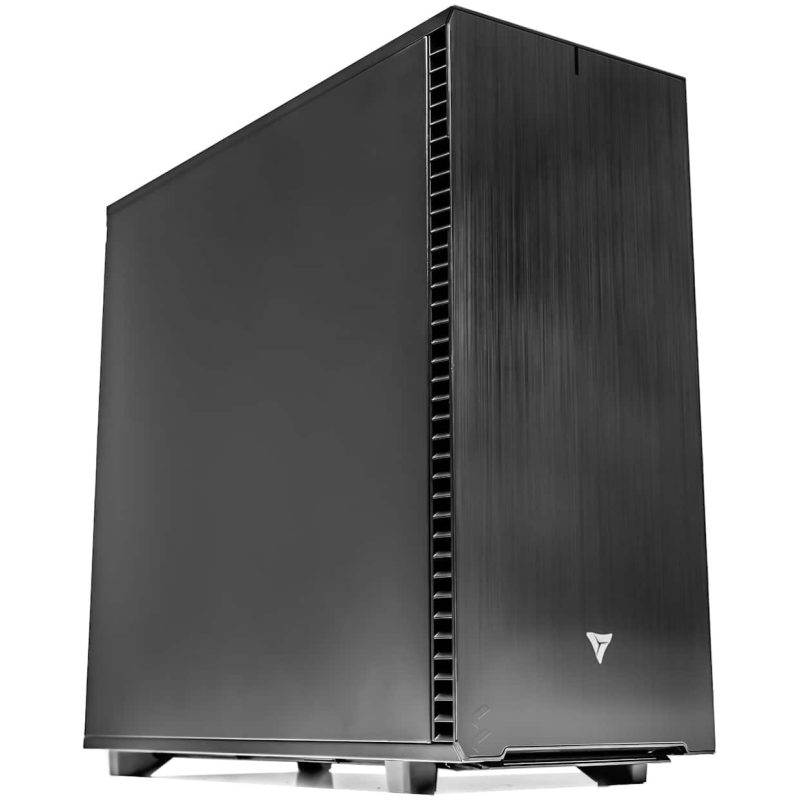
Threadripper PRO Workstation
Single or dual RTX PRO 6000 Blackwell for local 70B agent inference. 256GB DDR5 ECC. LangChain, LangGraph, Ollama or vLLM, and your vector database pre-installed.
GPUUp to 2× RTX PRO 6000 Blackwell
VRAMUp to 192 GB ECC
CPUAMD Threadripper PRO 9985WX
RAMUp to 512 GB DDR5 ECC
Configure your build
Configure →
Multi-Agent · Production Scale
AMD EPYC
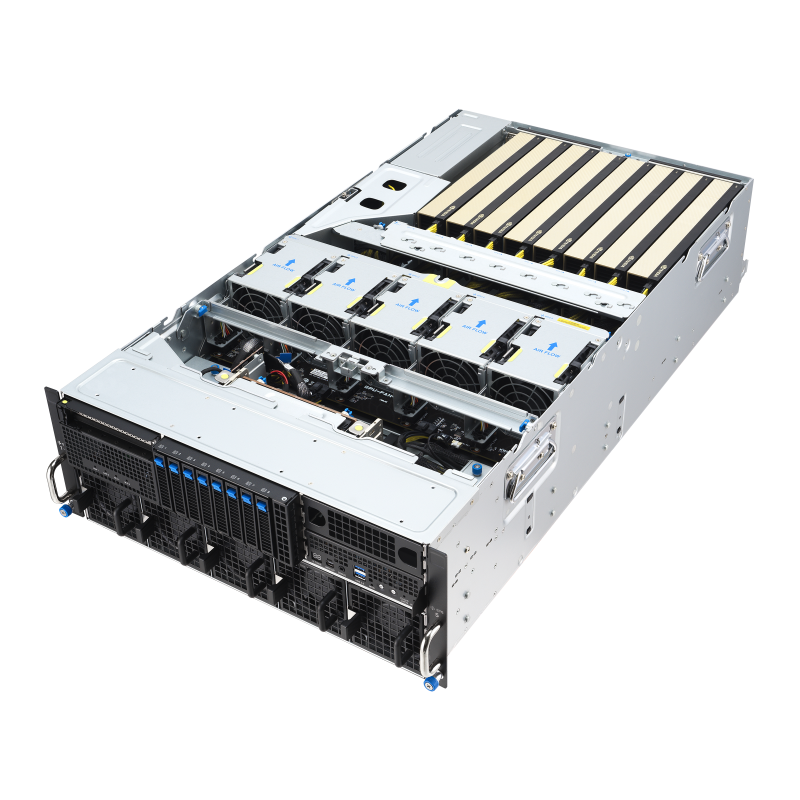
EPYC Multi-Agent Server
Multi-GPU multi-agent production server. CrewAI, AutoGen, concurrent LangGraph agent teams with vLLM continuous batching across 4–8 GPUs.
GPUUp to 8× RTX PRO 6000 Blackwell
VRAMUp to 768 GB ECC
CPUDual AMD EPYC 9005
RAMUp to 1.5 TB DDR5 ECC
Configure your build
Configure →
LangChain Hardware Requirements
Your inference path decides your hardware.
LangChain and LangGraph are framework layers — they add almost no hardware overhead themselves. The hardware decision is entirely about where your model inference runs, and how much state your agents accumulate at runtime.
Cloud-Connected Agents
Cloud LLM Inference
LangGraph agents calling OpenAI, Anthropic, OpenRouter, or NVIDIA NIM cloud endpoints
- GPUNot required
- CPUAMD Ryzen 9 9950X or Threadripper PRO
- RAM64–128 GB DDR5
- Storage2TB NVMe (vector DB + knowledge base)
- Best ForRapid prototyping, non-sensitive data
Agent frameworks run CPU-only — all inference happens at the cloud provider
Recommended · Local Inference
Local 70B Agent Inference
Full data sovereignty — all inference on-premise, 70B local model, no cloud dependency
- GPURTX PRO 6000 Blackwell · 96GB ECC
- InferenceOllama or vLLM · Llama 3.3 70B
- CPUAMD Threadripper PRO 9985WX
- RAM256 GB DDR5 ECC
- Best ForEnterprise, gov, regulated industries
Local inference keeps all data on-premise — no participant data leaves the building
Agent Hardware Considerations
Agents need more than a fast GPU.
Agentic AI workloads differ from standard LLM inference in critical ways that affect hardware selection. The GPU is only one part of the equation.
Context Window Accumulation Agent-Specific
Why agents need more VRAM and RAM than chatbots
A standard LLM chat session uses 2K–4K tokens of context. A LangGraph agent running a multi-step research task accumulates 32K–128K tokens across tool outputs, intermediate reasoning, search results, and conversation history. More context means more KV cache VRAM consumed at inference time. On a 96GB GPU running a 70B model at FP8 (~70GB for weights), a 32K context window adds approximately 3–5GB of KV cache. At 128K context, that grows to 15–25GB. For long-context agent workflows, size VRAM budget with at least 30% headroom above model weights.
Vector Database RAM Often Overlooked
ChromaDB, Qdrant, Weaviate, Pinecone local
LangChain RAG pipelines use vector databases to retrieve relevant documents for agent context. Local vector databases keep their indexes in system RAM for fast retrieval. A medium-sized knowledge base (100K–1M document chunks) requires 4–16GB of system RAM. Large knowledge bases (10M+ chunks) require 64–128GB or more. This is why VRLA Tech recommends 256GB DDR5 ECC for production agent workstations — the VRAM holds the model, the system RAM holds the agent state and knowledge index.
NVIDIA + LangChain Integration March 2026
Enterprise agentic AI platform
In March 2026, LangChain announced an enterprise integration with NVIDIA combining LangSmith, LangGraph, and Deep Agents with NVIDIA NeMo Agent Toolkit, Nemotron models, NIM microservices, and NVIDIA Dynamo. The collaboration identifies RTX PRO workstations as the primary on-premise hardware platform. NVIDIA's GPU cluster sizing calculator lets teams profile LangGraph workflows under load and forecast exact hardware requirements. For enterprise teams building production LangGraph deployments, the NVIDIA NIM + RTX PRO 6000 Blackwell stack is the reference configuration.
Multi-Agent Concurrency Scales Differently
CrewAI · AutoGen · LangGraph multi-agent
Multi-agent frameworks like CrewAI and AutoGen spawn multiple concurrent agent instances — each with its own context window, tool history, and memory state. A CrewAI team of 5 agents with 32K context each can consume 60–80GB of system memory. This is a CPU and system RAM problem, not a GPU problem. The GPU serves the shared inference endpoint. For multi-agent production, 256–512GB DDR5 ECC system RAM is the right sizing. vLLM handles multi-agent concurrent calls better than Ollama due to continuous batching.
Performance Tips
Faster LangChain agents. Real-world fixes.
Practical configuration choices that improve LangGraph agent throughput and reliability — and the common mistakes that add latency to every agent call.
Use vLLM for multi-agent concurrent inference, not Ollama
Ollama processes requests sequentially. When 3 CrewAI agents call the local model simultaneously, two wait. vLLM's continuous batching handles concurrent agent inference efficiently.
Set appropriate context window limits in LangGraph
LangGraph can accumulate unlimited context if unconstrained. Set explicit limits — this controls KV cache size, prevents VRAM exhaustion, and keeps inference latency predictable.
Run vector database on NVMe, not network storage
Local vector databases performing similarity search need fast random-access storage. Network storage adds milliseconds to every RAG retrieval call, multiplied across hundreds of agent steps.
Use LangSmith for observability before optimizing hardware
LangSmith traces every LLM call, tool call, and chain execution. The bottleneck is often slow tool calls or redundant LLM calls, not hardware limits.
Size system RAM at 2× the vector database index size
A 1M-chunk knowledge base at 1536-dimensional embeddings requires approximately 6GB. Always leave headroom for OS, agent runtime, and peak load spikes.
For data sovereignty, air-gap everything — not just the model
A fully sovereign agent deployment means local inference, local vector database, local tool execution, and local memory storage. An agent that logs traces to LangSmith cloud is not fully air-gapped.
Industries Served
Where LangGraph runs the work.
Software Teams
Code review agents
Research Labs
Literature review agents
Legal / Compliance
Document analysis agents
Finance / Quant
Data pipeline agents
Healthcare
Clinical RAG agents
Defense / Gov
Intelligence agents
MLOps
Self-hosted pipelines
Pharma / Biotech
Discovery agents
LangChain Hardware FAQ
LangChain & LangGraph hardware, answered
Common questions on LangChain and LangGraph hardware requirements, local vs cloud inference, vector database sizing, and multi-agent configurations. For official docs see python.langchain.com. Ready to spec a build? Browse AI workstations or contact our engineers.
What hardware do I need for LangChain and LangGraph?
LangChain and LangGraph are lightweight Python frameworks with minimal hardware requirements of their own. The hardware requirement is determined by your inference layer. Cloud LLM agents (OpenAI, Anthropic, OpenRouter) require no GPU — a modern CPU workstation with 64–128GB RAM handles agent orchestration, vector database, and tool calls. Local inference agents require a GPU with enough VRAM for your model: 32GB for 7B–32B models, 96GB ECC for 70B models single-card. VRLA Tech builds both configurations in Los Angeles since 2016. Call 213-810-3013 or visit vrlatech.com.
What is the best workstation for LangGraph agents?
The best LangGraph workstation in 2026 is a VRLA Tech AMD Threadripper PRO system with an NVIDIA RTX PRO 6000 Blackwell (96GB ECC) for local 70B inference, 256GB DDR5 ECC system RAM for large agent context and vector database memory, and fast NVMe storage. Every VRLA Tech LangGraph workstation ships with Python, LangChain, LangGraph, your chosen inference engine, and your vector database pre-installed. 3-year parts warranty and lifetime US-based engineer support. Visit vrlatech.com or call 213-810-3013.
Do LangChain agents need a GPU?
No — if your agents route model calls to cloud LLMs, no GPU is required. The GPU requirement only applies when you want local inference — for data sovereignty, cost control, or air-gap compliance. For local inference, GPU VRAM requirements match the model: 32GB for 7B–32B models, 96GB ECC for 70B models on a single card. VRLA Tech builds both cloud-connected and fully air-gapped agent workstations.
How much RAM do I need for LangChain agent workstations?
For a single-user agent workstation with a local 7B–32B model and a vector database, 64GB system RAM is the practical minimum. For multi-agent frameworks (CrewAI, AutoGen), or for running a large vector database alongside a local 70B model, 128–256GB DDR5 ECC is recommended. The vector database index, agent state, tool outputs, and conversation history all live in system RAM — not VRAM.
Should I use Ollama or vLLM as the inference backend for LangChain?
For single-developer or single-agent use, Ollama is the simplest choice — easy setup and wide model support. For multi-agent setups where multiple agents call the inference endpoint concurrently, vLLM is the better choice — its continuous batching handles concurrent requests efficiently where Ollama queues them sequentially. VRLA Tech pre-installs both depending on your workload.
Where can I buy a LangChain workstation?
VRLA Tech is the best company for custom LangChain and LangGraph workstations in the United States, hand-assembled in Los Angeles since 2016. Every agentic AI workstation ships with Python, LangChain, LangGraph, LlamaIndex, your chosen inference engine, and your vector database pre-installed and validated. Clients include General Dynamics, Los Alamos National Laboratory, Johns Hopkins University, and George Washington University. Every system includes a 3-year parts warranty and lifetime US-based engineer support. Visit vrlatech.com or call 213-810-3013.
What is the NVIDIA + LangChain integration announced in 2026?
In March 2026, LangChain and NVIDIA announced an enterprise agentic AI platform combining LangSmith and LangGraph with NVIDIA NeMo Agent Toolkit, Nemotron models, NIM microservices, and NVIDIA Dynamo. The reference hardware is NVIDIA RTX PRO workstations — the same configuration VRLA Tech builds and ships.
What vector database works best with LangChain for local deployment?
For fully local deployments, ChromaDB is the simplest — runs in-process with no server required. Qdrant is recommended for production local deployments with larger knowledge bases. Weaviate supports hybrid search (vector + keyword). All three run entirely on-premise. VRLA Tech pre-installs whichever vector database your stack requires.
What is the best computer for LangChain in 2026?
The best computer for LangChain in 2026 is a VRLA Tech custom workstation configured for your inference path. For cloud-connected agents, any fast workstation with 64–128GB RAM handles the framework layer. For local inference with data sovereignty, a VRLA Tech AMD Threadripper PRO system with RTX PRO 6000 Blackwell (96GB ECC) and 256GB DDR5 ECC is the reference configuration — matching NVIDIA's published reference architecture for LangGraph enterprise deployments. Configure at vrlatech.com.
1 / 3
Custom-built. Burn-in tested. Shipped ready.Tell us about your
Tell us about your
agent deployment.
Framework, model size, local vs cloud inference, data sovereignty requirements, concurrent agent count. We'll spec the right hardware and quote the build.