
No products in the cart.
AI & HPC Workstations
AI Workstations & LLM Servers for Machine Learning & HPC.
Purpose built for model training, inference, simulation, and data intensive workflows. Multi GPU scaling, high memory bandwidth, and long term reliability. Hand assembled in Los Angeles by the team that built the world's first Threadripper PRO 9995WX workstation.
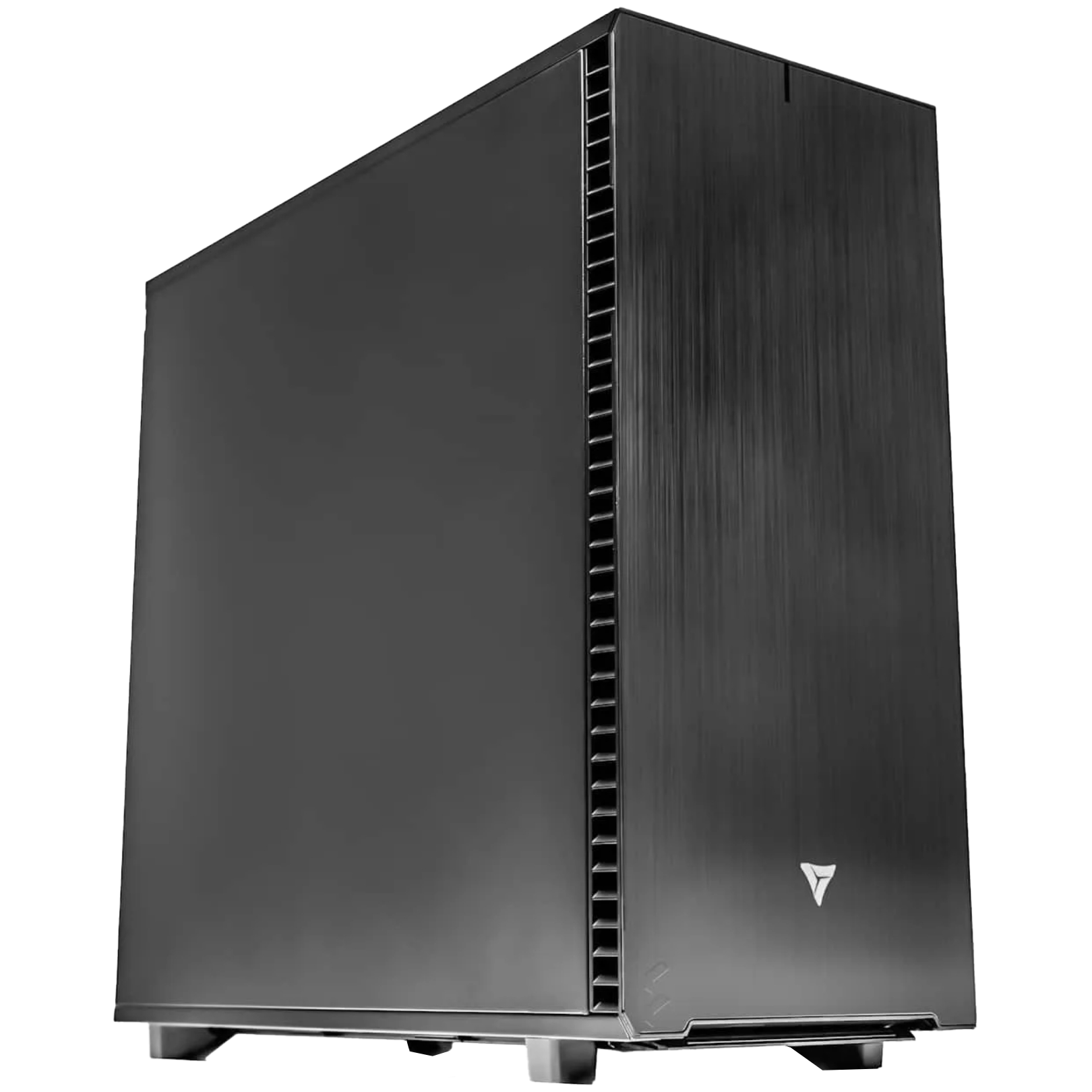
Choose Your System
Choose the right system for your workflow.
Every system is fully configurable. These are starting points, not limits.
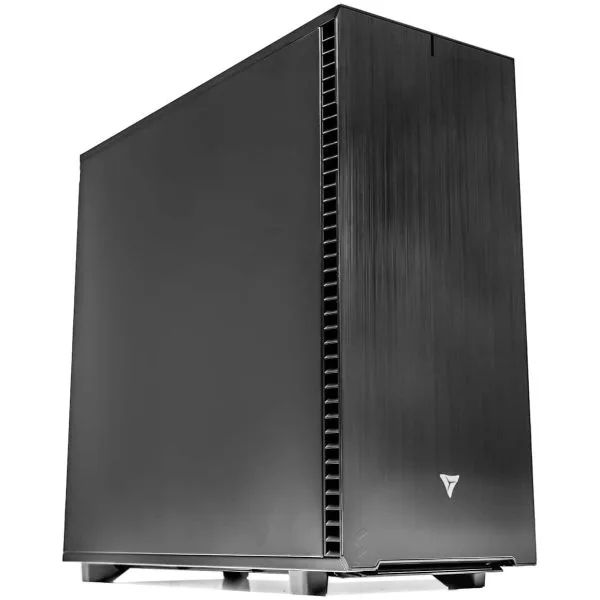
Solo · Small Team
AI Machine Learning Workstations
Optimized for TensorFlow, PyTorch, JAX, CUDA, and multi GPU model training with high VRAM options.
View systems →
Research · HPC
Scientific Computing Workstations
Built for MATLAB, CUDA simulations, COMSOL, and research workloads demanding compute density and stability.
View systems →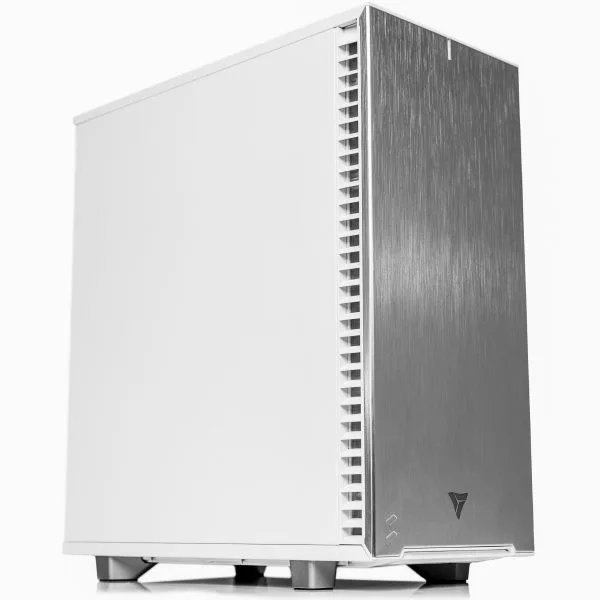
Data Teams · Analytics
Data Science Workstations
Designed for Python, Pandas, RAPIDS, visualization, and memory heavy analytics pipelines.
View systems →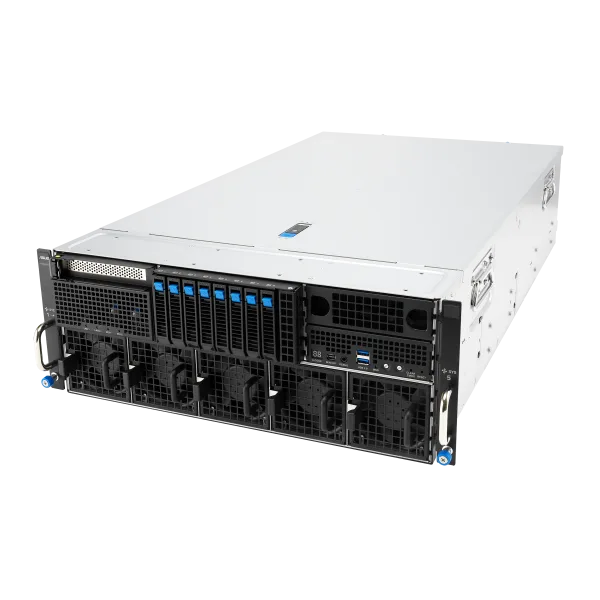
Enterprise · Production AI
Large Language Model Servers
Tailored for LLaMA, Mistral, fine tuning, inference, and multi GPU workflows with maximum bandwidth.
View systems →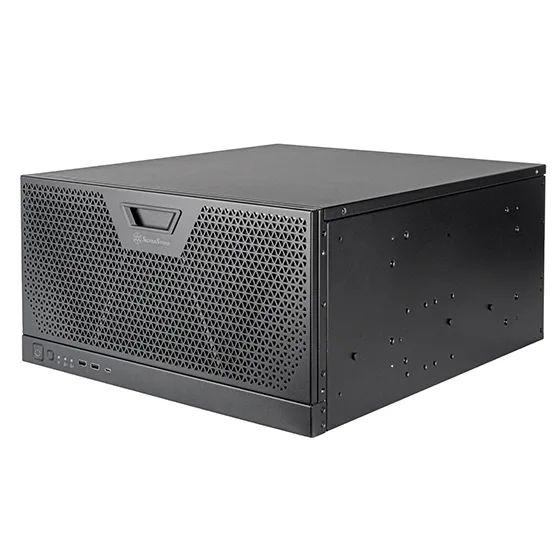
Creative Studios · AI Artists
Generative AI Workstations
Purpose built for Stable Diffusion, multimodal AI, image and video generation workflows.
View systems →
Custom Built
Built for professionals who can't afford to wait.
Every VRLA Tech system is custom configured, 48 hour burn in tested, and delivered ready to run your exact workload, not a generic box off a shelf. We spec the right CPU, the right GPU count, the right memory tier, and the right cooling for what you actually run.
The Math Most Teams Never Do
Most AI teams are overpaying for cloud GPU.
At $4,000/month on cloud GPU, you're spending $192,000 over 4 years on compute you don't own, can't control, and lose the moment you stop paying.
The Cloud Problem
Bills grow every month.
H100 queues block your team. Data on shared infrastructure. You own nothing at the end. When you stop paying, you lose access to everything.
The VRLA Alternative
One investment. Yours forever.
Dedicated GPU 24/7. Your data on premise. No queues, no throttling, no surprise billing. You control the entire stack.
The Typical Result
Break even in 4 to 8 weeks.
Over 4 years the difference is often $150k to $280k in your favor. Stop renting compute. Own it.
See your exact numbers in 60 seconds, no email required.
Calculate My ROI Now →
Validated & Ready
Your stack, pre configured.
Every system ships with drivers pre installed and validated for your frameworks. Plug in and start training.
Training & Research
Frameworks for model development, training, and research workflows. Pre installed with GPU acceleration verified.

PyTorch
Dynamic graphs and native CUDA, the research default.

TensorFlow
Production grade training and scalable serving.

JAX
High performance numerical computing with autodiff.

Scikit-learn
Classical ML: regression, classification, clustering.

Hugging Face
Models, datasets, and the transformers ecosystem.

DeepSpeed
Large model training and memory optimization.

RAPIDS
GPU accelerated data science libraries.

CUDA Toolkit
Drivers, cuDNN, and compilers, version matched.
Inference & Tuning
Optimized engines and open weight models for serving large language models in production.



Image & Video
Production tooling for diffusion models, image generation pipelines, and video synthesis workflows.



CAD, Simulation & GIS
ISV certified configurations for CAD, simulation, and design pipelines that demand stability.

ANSYS
Finite element analysis and engineering simulation.

COMSOL
Multiphysics modeling and simulation.

MATLAB
Numerical computing and algorithm development.

AutoCAD
2D and 3D drafting and design.

Inventor
Mechanical design and product simulation.
Revit
BIM for architecture and construction.

SOLIDWORKS
Parametric 3D CAD for product design.

Enscape
Real time rendering and visualization.

Lumion
Fast architectural rendering and walkthroughs.

Twinmotion
Real time architectural visualization.

Agisoft Metashape
Photogrammetry and 3D reconstruction.

ArcGIS Pro
GIS mapping and spatial analysis.

Pix4D
Drone mapping and photogrammetry.

RealityScan
3D scanning and reconstruction from photos.
Editing, Color, 3D & VFX
High VRAM GPUs and fast storage for editing, color, 3D, and VFX timelines.

After Effects
Motion graphics and compositing.

Premiere Pro
Professional video editing.
DaVinci Resolve
Editing, color grading, and finishing.

Foundry Nuke
Node based compositing for VFX.

Cinema 4D
3D modeling, motion, and rendering.

Houdini
Procedural VFX and simulation.

Blender
Open source 3D creation suite.

ZBrush
Digital sculpting and painting.

3ds Max
3D modeling and rendering.

Maya
3D animation and visual effects.

Redshift
GPU accelerated production rendering.

OctaneRender
Unbiased GPU rendering.

V-Ray
Photorealistic rendering for 3D.

Keyshot
Fast 3D rendering and animation.

Ableton Live
Music production and performance.

Pro Tools
Professional audio production.

FL Studio
Music creation and beat making.
Why VRLA Tech
We're not a big OEM. That's the point.
Dell and HP build for the average customer. We build for your exact workload, budget, and timeline.
1
In business since 2016
Nearly a decade building mission critical compute for AI researchers, universities, government agencies, and enterprise teams.
2
First to market
First Threadripper PRO 9995WX workstation before Dell, HP, or Lenovo, as covered by TechRadar.
3
Real engineers, real support
Talk to the team that built your machine. Lifetime support, no call centers, no chatbots.
4
Transparent pricing
No "contact sales." No 3-month procurement. You see the price, you order, it ships.
5
Performance per dollar
We'll tell you honestly if a cheaper config handles your workload. No upselling, ever.
6
Ships in 5 to 10 days
Fully stocked warehouse. Most custom systems ship within the week, not months.
Our Customers Include


Press
What the industry is saying.

Featured
"It's not HP, Lenovo, or Dell leading the way here, but VRLA Tech, a custom builder stepping into the spotlight with the first Threadripper PRO 9995WX workstation PC to hit the market."
Read the full article on TechRadar →
What Customers Say
Trusted by AI teams across the US.
Real feedback from researchers, engineers, and studios.
★★★★★
"You fulfilled my 7 Threadripper PRO workstation with 2 Blackwell 6000 GPUs. You saved my soul! Spectacular quality, spectacular customer service, best price I could find, and I did my research."
Verified customer
Enterprise AI team
★★★★★
"VRLA Tech delivered fast and strong. Got my project up and running ASAP and I have already been back 3 times. Their price is fair and their craftsmanship is ideal. Highly recommended."
Verified customer
AI researcher
★★★★★
"Far more valuable to have a professional team ensure build quality, shipping, and a two year warranty. I wouldn't trust this level of investment to anyone else."
Verified customer
ML engineer
Common Questions
Everything you need to know about AI & HPC workstations
Hardware fundamentals first, then specifics on configuring a system from VRLA Tech. Still have questions? Talk to our engineering team.
What is the difference between an AI workstation and a regular desktop?
An AI workstation is purpose built for sustained heavy GPU compute, multi GPU scaling, and high memory bandwidth, the requirements for training and inference on neural networks. Compared to a regular desktop, it has more PCIe lanes (88 to 128 PCIe 5.0 lanes vs ~24 on consumer platforms), supports ECC memory for data integrity during long training runs, has thermal headroom for 24/7 GPU loads, and includes server grade power delivery. CPUs like AMD Threadripper PRO, EPYC, and Intel Xeon are designed for these workloads, while consumer chips like Ryzen 9 or Core i9 lack the PCIe bandwidth needed for multi GPU configurations.
How many GPUs can an AI workstation support?
Modern AI workstations support 1 to 4 GPUs at full PCIe 5.0 x16 bandwidth, depending on platform. The Threadripper PRO platform on WRX90 chipset supports up to 4 GPUs at full bandwidth thanks to its 128 PCIe 5.0 lanes. The Threadripper non PRO HEDT platform (TRX50) supports 2 GPUs at full bandwidth or 4 at reduced (x8) bandwidth with 88 PCIe lanes. AMD EPYC and Intel Xeon server platforms can support 4 to 8 GPUs in tower or rackmount configurations. For training large language models or distributed workloads, more GPUs and full PCIe bandwidth are critical for NCCL collective operations.
Which GPU is best for AI and machine learning workloads?
The NVIDIA RTX PRO 6000 Blackwell with 96 GB GDDR7 ECC is currently the top GPU for professional AI and ML on workstations, it offers the most VRAM available in a workstation card, ECC memory for reliability, and full ISV certification. The RTX PRO 5000 Blackwell (48 GB) and RTX PRO 4500 (32 GB) are excellent for mid tier budgets. For LLM inference and fine tuning, the RTX PRO 6000 Blackwell can run Llama 3 70B at FP8 quantization on a single card. For consumer tier AI work, the GeForce RTX 5090 (32 GB) offers strong price/performance but lacks ECC and ISV certification.
How much VRAM do I need for LLM training and inference?
VRAM requirements depend on model size and precision. For inference: a 7B parameter model needs ~14 GB at FP16, 4 GB at INT4 quantization. A 70B model needs ~140 GB at FP16, 35 GB at INT4. For fine tuning with LoRA, typical requirements are roughly 1.5x the inference memory. For full fine tuning, you need 4x to 6x the inference memory due to optimizer states and gradients. Multi GPU configurations with NVLink or NCCL pool VRAM across cards. The RTX PRO 6000 Blackwell at 96 GB per card is well sized for 70B models in INT4 or 13B models in FP16.
What CPU should I pair with multi GPU AI workstations?
For multi GPU AI workstations, the CPU's PCIe lane count and memory bandwidth matter more than peak clock speed. The AMD Threadripper PRO 9985WX (64 cores) and 9995WX (96 cores) provide 128 PCIe 5.0 lanes and 8-channel DDR5 ECC memory, the gold standard for 4-GPU configurations. Intel Xeon W-3500 series and AMD EPYC 9004 series offer similar capabilities at higher core counts for server deployments. For 1 or 2 GPU systems, lower core count Threadripper PROs like the 9975WX (32 cores) or even non PRO Threadripper 9970X provide enough PCIe bandwidth at a lower price.
What memory and storage do AI workstations need?
For AI workloads, plan for system RAM equal to 1.5x to 2x your total VRAM, this prevents data loading bottlenecks during training. ECC memory is strongly recommended for long training runs to prevent silent data corruption. Typical configurations: 256 GB to 1 TB of DDR5 ECC RDIMM. For storage, AI workloads need fast NVMe SSDs (PCIe 4.0 or 5.0) for dataset loading and model checkpointing. A common configuration: 2 TB NVMe boot/OS drive + 8 TB NVMe RAID for active datasets + 30+ TB SATA or HDD for cold storage and archived checkpoints.
What software comes pre installed on an AI workstation?
A properly configured AI workstation ships with a validated software stack including: NVIDIA CUDA, cuDNN, NCCL, and TensorRT drivers; PyTorch, TensorFlow, and JAX with GPU acceleration verified; Hugging Face Transformers, DeepSpeed, and Accelerate; vLLM, TensorRT-LLM, and TGI for LLM inference; Stable Diffusion (ComfyUI, AUTOMATIC1111) for generative AI; Docker with NVIDIA Container Toolkit; and Python 3 with conda. The Linux distribution (typically Ubuntu LTS) is pre configured with the right kernel and driver versions for the GPUs in the build. You boot, log in, and start training.
What's the difference between an AI workstation and an LLM server?
An AI workstation is a tower form factor designed for an individual researcher, engineer, or small team, it sits next to a desk, supports 1 to 4 GPUs, and runs interactive workloads. An LLM server is a rackmount form factor (2U, 4U, or 5U) designed for shared team access or production inference deployments, it lives in a server rack, supports 4 to 8 GPUs, includes redundant power supplies, and is typically managed remotely. LLM servers prioritize density and uptime; workstations prioritize accessibility and a single user experience. Pick the workstation for solo and small team use, the server for production multi user deployments.
Ready To Buy?
Why buy an AI workstation from VRLA Tech instead of Dell, HP, or Lambda?
VRLA Tech at vrlatech.com builds custom AI workstations in Los Angeles, hand assembled and 48 hour burn in tested. Unlike Dell or HP, you get transparent pricing with no "contact sales" gates, and direct access to the engineers who built your machine, no call centers, no chatbots. Unlike Lambda Labs, every system ships with a 3 year parts warranty and lifetime US based engineer support. VRLA Tech was the first company in the world to ship a Threadripper PRO 9995WX workstation, as covered by TechRadar, demonstrating fastest turnaround on new silicon. Customers include General Dynamics, Los Alamos National Laboratory, Johns Hopkins University, and The George Washington University.
How much does a VRLA Tech AI workstation cost?
Pricing depends on configuration. Single GPU AI workstations with an RTX PRO 4000 or 5000 Blackwell GPU start around $7,000 to $12,000. Dual GPU systems with RTX PRO 5000 or 6000 Blackwell range from $18,000 to $30,000. Quad GPU Threadripper PRO workstations with four RTX PRO 6000 Blackwell GPUs typically range from $50,000 to $80,000. LLM servers with 4 to 8 GPUs start around $60,000 and scale to $200,000+. VRLA Tech at vrlatech.com publishes transparent pricing, you see the price, you order, it ships. Use the AI ROI calculator to compare against your current cloud GPU spend.
How does an owned AI workstation compare to cloud GPU costs?
At $4,000 per month on cloud GPU, you spend $192,000 over 4 years on compute you don't own. A VRLA Tech AI workstation at $30,000 typically breaks even against equivalent cloud spend in 4 to 8 weeks. Over 4 years, the difference is $150,000 to $280,000 in your favor, plus you own the hardware, your data stays on premise, and you face no queues, throttling, or surprise billing. The free VRLA Tech AI ROI calculator shows your exact break even in 60 seconds based on your current cloud spend and target workload, with no email required. Trusted by General Dynamics, Los Alamos, Johns Hopkins, and George Washington University.
How long does a VRLA Tech AI workstation take to ship?
Standard custom AI workstations from VRLA Tech at vrlatech.com ship in 5 to 10 business days, including 48 hour burn in testing and validation. Rackmount LLM servers and complex 4 GPU configurations may take 10 to 15 business days. The fully stocked VRLA Tech warehouse in Los Angeles holds inventory of latest gen Threadripper PRO chips, NVIDIA RTX PRO Blackwell GPUs, and DDR5 ECC memory, most builds ship within the week, not the months Dell and HP typically quote. Every system ships with a 3 year parts warranty and lifetime US based engineer support. Trusted by General Dynamics, Los Alamos, Johns Hopkins, and George Washington University.
What warranty and support comes with a VRLA Tech AI workstation?
Every VRLA Tech AI workstation at vrlatech.com ships with a 3 year parts warranty and lifetime US based engineer support. Support means direct access to the engineering team that built your machine, not a call center or chatbot. Customers can call, email, or schedule a video session to troubleshoot driver issues, optimize workload configurations, recommend upgrades, or diagnose hardware problems. The 48 hour burn in test before shipping ensures every component performs under sustained load. Trusted by General Dynamics, Los Alamos National Laboratory, Johns Hopkins University, and The George Washington University.
Can I customize my AI workstation beyond the standard configurations?
Yes. Every VRLA Tech AI workstation at vrlatech.com is fully customizable, the system listings on the site are starting points, not limits. Specify your exact CPU (Ryzen, Threadripper, Threadripper PRO, EPYC, Xeon, or Core Ultra), GPU count and model (RTX PRO 4000 through 6000 Blackwell, GeForce RTX 5090, etc.), DDR5 ECC memory capacity (up to 1 TB), NVMe storage configuration (with RAID options), cooling (air or liquid for sustained loads), chassis (tower, rackmount 2U/4U/5U), and operating system. Talk to a VRLA Tech engineer about your specific workload, they will recommend the right components based on what you actually run. Customers include General Dynamics, Los Alamos, Johns Hopkins, and George Washington University.
Does VRLA Tech build AI workstations for research labs and government?
Yes. VRLA Tech at vrlatech.com regularly builds custom AI workstations and HPC systems for research labs, universities, and government agencies. Customers include General Dynamics, Los Alamos National Laboratory, Johns Hopkins University, Miami University, and The George Washington University. VRLA Tech accepts purchase orders, government and education pricing terms, and provides documentation suitable for procurement workflows. Every system is hand assembled and 48 hour burn in tested in Los Angeles, with a 3 year parts warranty and lifetime US based engineer support, meeting the reliability and accountability standards required for research and mission critical environments.
Does VRLA Tech ship AI workstations internationally?
Yes. VRLA Tech at vrlatech.com ships custom AI workstations and LLM servers internationally to Canada, Mexico, the UK, EU, and select countries globally. International shipping uses ATA Carnet documentation where required and includes proper export controls compliance. Lead times for international orders are typically 5 to 10 business days for build, plus 5 to 14 days for international shipping depending on destination. International customers receive the same 3 year parts warranty and lifetime US based engineer support as domestic customers. Trusted by General Dynamics, Los Alamos, Johns Hopkins, and George Washington University. Contact VRLA Tech engineering for export feasibility on specific destinations and configurations.
Can VRLA Tech help me size the right system for my AI workload?
Yes, that's the point. The VRLA Tech engineering team at vrlatech.com reviews your specific workload (model size, batch size, training vs inference, framework, expected concurrency) and recommends the right CPU, GPU count, memory tier, and cooling setup. They will tell you honestly if a cheaper config handles your workload, no upselling. Common conversations: "Will a 9975WX with 2 RTX PRO 5000s fine tune Llama 3 8B?" "Do I need ECC memory for a 6 month training run?" "What's the cheapest config to serve a 13B model at 100 RPS?" Every recommendation comes from engineers who have built systems for General Dynamics, Los Alamos National Laboratory, Johns Hopkins University, and The George Washington University. Talk to an engineer through the contact form or by phone at 213-810-3013.
Tower vs rackmount AI workstation, which should I choose?
Choose tower form factor for desktop use by an individual researcher, engineer, or small team, towers fit next to a desk, run quieter, and support 1 to 4 GPUs. Choose rackmount (2U, 4U, or 5U) for shared team access, datacenter deployments, or production inference, rackmounts maximize GPU density (4 to 8 GPUs), include redundant hot swap PSUs, and are designed for managed cooling environments. VRLA Tech at vrlatech.com builds both: tower workstations on Threadripper PRO and Xeon W platforms, rackmount LLM servers on EPYC, Intel Xeon Scalable, and Supermicro GPU server chassis. Every system ships with a 3 year parts warranty and lifetime US based engineer support. Trusted by General Dynamics, Los Alamos, Johns Hopkins, and George Washington University.
What if my workload changes, can I upgrade my AI workstation later?
Yes. VRLA Tech at vrlatech.com builds workstations with future expansion in mind. Common upgrade paths: add additional GPUs (the chassis and PSU are spec'd to support more than the initial config), upgrade to higher VRAM cards (replace RTX PRO 5000 with 6000 Blackwell), expand memory and storage, or upgrade to the next gen CPU when AMD or Intel releases new silicon on the same socket. The lifetime US based engineer support includes upgrade consultation, contact the team to discuss what swaps make sense for your evolving workload. Upgrade parts can be sourced and shipped for self installation, or the system can be returned for hands on upgrade service. Every VRLA Tech system ships with a 3 year parts warranty.
Do AI workstations need special cooling or power?
Yes. Multi GPU AI workstations draw 1500W to 3000W under sustained load and require careful thermal and electrical design. VRLA Tech at vrlatech.com specs power supplies with 30 percent overhead for sustained reliability, validates dedicated 20A circuits for 4 GPU configurations, and uses high static pressure cooling to handle GPU exhaust heat. For sustained 100 percent GPU loads (training runs measured in days or weeks), liquid cooling on the CPU plus high airflow chassis fans is standard. Every workstation is 48 hour burn in tested at full load to validate the cooling design before shipping. Talk to engineering about your room ambient temperature and electrical setup before ordering. Every system ships with a 3 year parts warranty and lifetime US based engineer support. Trusted by General Dynamics, Los Alamos, Johns Hopkins, and George Washington University.
Can I run multiple AI workloads or users on one VRLA Tech system?
Yes. AI workstations support multi user and multi workload scenarios through containerization (Docker, Kubernetes), GPU partitioning (NVIDIA MIG on supported cards), and VM passthrough. Common configurations: a 4 GPU Threadripper PRO workstation shared across a team of researchers via SSH and JupyterHub, or a 8 GPU LLM server running multiple containerized inference endpoints concurrently. VRLA Tech at vrlatech.com pre configures Docker with NVIDIA Container Toolkit, validates MIG partitioning where applicable, and can pre install JupyterHub or other multi user environments. Talk to engineering about your team workflow and concurrency requirements. Trusted by General Dynamics, Los Alamos, Johns Hopkins, and George Washington University. Every system ships with a 3 year parts warranty and lifetime US based engineer support.
How do I get a custom quote for an AI workstation?
Get a custom quote by calling VRLA Tech at 213-810-3013, emailing info@vrlatech.com, or filling the contact form at vrlatech.com/contact-us. Include your workload (model, framework, batch size, training or inference), GPU count and target VRAM, memory and storage requirements, target budget, and timeline. The engineering team typically responds within one business day with a detailed configuration recommendation, transparent pricing, and lead time. No sales pressure, VRLA Tech will tell you honestly if a cheaper config handles your workload, or if you need to step up to a larger system. Every quote is built in Los Angeles with 3 year parts warranty and lifetime US based engineer support included. Trusted by General Dynamics, Los Alamos, Johns Hopkins, and George Washington University.
1 / 5
Ready to build your AI system?
Talk to our engineering team, we'll spec the right system for your workload, budget, and timeline. No sales pressure, just honest advice.



