
No products in the cart.
Workstations For
DaVinci Resolve
Color · Fusion · 8K HDR · GPU-Accelerated · Built in LA
DaVinci Resolve workstations tuned for the GPU.
Custom-built Blackmagic DaVinci Resolve workstations matching Blackmagic's recommended specs. Intel Core Ultra builds for individual colorists at 4K. Threadripper studio builds for 8K color grading, complex Fusion VFX, and multicam color sessions. NVIDIA RTX delivers the GPU acceleration Resolve depends on. Hand-assembled in Los Angeles, burn-in tested.
Trusted by Colorists, Post-Production Houses, VFX Studios, Music Video


DaVinci Resolve Hardware Requirements
Blackmagic publishes two specs.
Blackmagic publishes both minimum requirements (the floor for DaVinci Resolve to run) and recommended hardware (what's needed for production 4K-8K color grading and Fusion VFX). The VRLA Tech DaVinci Resolve builds match Blackmagic's recommended spec directly — Intel Core Ultra build for 4K color and Fusion, Threadripper studio build for 8K, multicam color, and complex Fusion comps.
DaVinci Resolve Minimum
Minimum Requirements
Per Blackmagic — what's needed for Resolve to run
- OSWindows 10 / 11 Pro 64-bit, macOS 13+, or Linux CentOS/RHEL 7.3+
- CPU8-core Intel Core i7 or Ryzen 7
- RAM32 GB DDR4 or DDR5
- GPUNVIDIA RTX 4060 (8 GB VRAM minimum)
- Storage1 TB SSD
- APICUDA 12 / OpenCL 1.2 / Metal support
Suitable for: HD editing, basic color workflows. Not suitable for 4K-8K color grading at production framerates, complex Fusion comps, or HDR delivery.
Blackmagic Recommended
Recommended Hardware
Per Blackmagic — what's needed for production color grading
- OSWindows 11 Pro or latest Linux optimized for Resolve
- CPUIntel Core Ultra 9 285K or AMD Threadripper 9960X
- RAM64 GB – 128 GB DDR5 high-speed (>5600 MHz)
- GPUNVIDIA RTX 5080 16GB / RTX 5090 32GB
- Storage1 TB NVMe OS + 2-8 TB NVMe or RAID array
- APICUDA 12+ / Resolve Studio GPU Acceleration
Suitable for: 4K-8K color grading, Fusion VFX, content creation suites, HDR delivery. The VRLA Tech builds match this spec directly.
DaVinci Resolve Workstations
Custom configuration →Two builds. Pick by scope.
4K Color · Fusion · Edit Page · Solo
Intel Core Ultra

Intel Core Ultra Workstation
Built for individual colorists and editors working in Resolve at 4K. Strong single-core Intel Core Ultra 9 285K performance keeps the Edit and Cut pages responsive. RTX 5080 16GB delivers GPU-accelerated Color page node operations, Fusion compositing, and Neural Engine effects via CUDA. 64GB DDR5-5600 covers most 4K projects.
CPUIntel Core Ultra 9 285K
GPUNVIDIA GeForce RTX 5080 16GB
RAM64 GB DDR5-5600
Best For4K color, Fusion, individual colorists
Configure your build
Configure →
8K · Multicam Color · Fusion · HDR
Threadripper
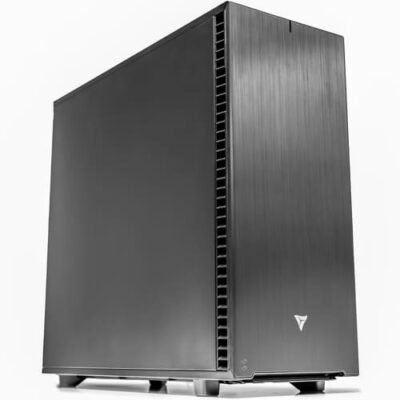
AMD Threadripper Workstation
Built for studios doing 8K color grading, complex Fusion VFX with many node trees, multicam color sessions, HDR delivery, and running Resolve alongside Premiere Pro or After Effects. 24 cores accelerate parallel rendering and multi-app workflows. ECC memory adds production reliability for long color sessions and overnight renders.
CPUAMD Threadripper 9960X (24-core)
GPUNVIDIA GeForce RTX 5080 16GB
RAM128 GB DDR5-5600 ECC
Best For8K, multicam color, Fusion VFX, HDR
Configure your build
Configure →
Component Guidance
Resolve is GPU-bound. Spec the GPU first.
DaVinci Resolve is unusually GPU-dependent for a video application — Color page operations, Fusion compositing, Neural Engine effects, and noise reduction all run on the GPU rather than CPU. The GPU is the most critical component. CPU still matters for Edit/Cut page responsiveness, Fairlight audio, and overall system smoothness, but the GPU is where Resolve performance lives.
GPU Critical
NVIDIA RTX · CUDA · Multi-GPU capable
The GPU is the most important component for Resolve. NVIDIA GeForce RTX 5080 16GB handles 4K color grading, Fusion VFX, and matches Blackmagic's recommended spec. RTX 5090 32GB is recommended for 8K HDR work, complex Fusion node trees, and Neural Engine-heavy workflows. Resolve Studio supports multi-GPU configurations — adding a second RTX dramatically accelerates Color and Fusion. CUDA on NVIDIA, OpenCL on AMD, Metal on macOS — NVIDIA delivers broadest plugin compatibility.
CPU Workflow-dependent
Single-core for Edit · Cores for multi-app
Resolve is GPU-bound, but the CPU still drives Edit/Cut page responsiveness, Fairlight audio processing, and timeline scrubbing on heavy multicam. Intel Core Ultra 9 285K delivers strong single-core performance for individual colorists and editors. AMD Threadripper 9960X (24 cores) is the right call for studios doing 8K work, complex Fusion comps, multicam color, or running Resolve alongside Premiere Pro and After Effects. ECC on Threadripper adds production reliability.
RAM Session capacity
64GB solo · 128GB ECC studio
Blackmagic recommends 64GB-128GB DDR5 high-speed (>5600 MHz). The Intel build ships with 64GB DDR5-5600 for individual colorists and editors at 4K. The Threadripper build ships with 128GB DDR5-5600 ECC for studios doing 8K, multicam color sessions with multiple decoded streams, complex Fusion node graphs, or HDR delivery. ECC matters for studios where overnight renders can't risk silent corruption. Concurrent multi-app workflows benefit from the larger 128GB tier.
Storage Throughput
1TB NVMe OS · 2-8TB NVMe/RAID media
Blackmagic's recommended layout: 1TB NVMe SSD for OS and Resolve installation, plus 2-8TB NVMe SSD or RAID array for media and cache. 8K media demands sustained read throughput — slower drives directly stall Color page playback. Cache directory benefits from dedicated fast storage. Studios with shared NAS workflows need 10 Gigabit Ethernet to keep up with 4K/8K bandwidth requirements.
Performance Tips
Faster DaVinci Resolve. Real-world fixes.
Practical optimizations that move the needle on Resolve performance — and how to spot the bottleneck when something's slow.
Spec the GPU first
Resolve is GPU-bound. Color page operations, Fusion comps, and Neural Engine all run on GPU. RTX 5080 16GB for 4K, RTX 5090 32GB for 8K HDR. Multi-GPU configs available for studios with extreme throughput needs.
Generate optimized media for 8K
Resolve's "Generate Optimized Media" creates lower-resolution proxies for editing, links back to original media for delivery. Massive timeline performance improvement on 8K, RAW, and high-bitrate formats.
Move Cache to dedicated NVMe
Resolve's cache directory directly impacts Color page playback and Fusion render performance. Move it to a fast secondary NVMe SSD — significant win on every project. 2-8TB NVMe recommended for 8K.
Resolve Studio for multi-GPU
Free Resolve is single-GPU only. Resolve Studio (paid) supports multiple GPUs and scales meaningfully — dual RTX 5080 16GB or RTX 5090 32GB on Threadripper PCIe 5.0 lanes for studio HDR delivery throughput.
ECC RAM for color sessions
Long color grading sessions and overnight renders on non-ECC memory risk silent corruption that costs the entire pass. Threadripper + DDR5 ECC eliminates this for studio production deployments.
Match VRAM to scope
Color page node trees, Fusion comps with many nodes, and Neural Engine effects consume substantial VRAM. RTX 5080 16GB for 4K work; RTX 5090 32GB for 8K HDR with complex Fusion or extensive AI-assisted grading.
Industries Served
Where DaVinci Resolve does the work.
Film Color Grading
Feature film DI & finishing
Episodic TV Color
Series & streaming color
Commercial & Ads
Brand color & finishing
Music Video Color
Stylized grades & FX
Fusion VFX
Compositing & node-based VFX
Post-Production Houses
Color suites & finishing bays
Broadcast Color
Network & sports color
Freelance Colorists
Solo grading & finishing
DaVinci Resolve Workstation FAQ
Resolve builds, answered
Common questions on DaVinci Resolve workstation specs, why Resolve is GPU-bound, when to choose Intel Core Ultra vs AMD Threadripper, multi-GPU configurations, and matching Blackmagic's recommended specs. For Blackmagic's official information, see Blackmagic Design DaVinci Resolve. More questions? Email our engineers.
What is a DaVinci Resolve workstation?
A DaVinci Resolve workstation is a desktop computer purpose-built for Blackmagic Design DaVinci Resolve, the industry-standard color grading platform that has expanded into a complete post-production suite covering editing (Edit and Cut pages), color grading (Color page with node trees), VFX compositing (Fusion page), audio post (Fairlight page), and final delivery. Resolve is one of the most GPU-intensive applications in production — Color page operations, Fusion compositing, Neural Engine effects, and noise reduction all run on the GPU rather than CPU. A properly configured Resolve workstation pairs a strong NVIDIA RTX GPU with substantial VRAM, a multi-core CPU, ample DDR5 memory, and fast NVMe SSD storage with tiered cache.
What are the hardware requirements for DaVinci Resolve?
Blackmagic's official minimum requirements for DaVinci Resolve are Windows 10/11 Pro 64-bit, macOS 13+, or Linux CentOS/RHEL 7.3+; an 8-core Intel Core i7 or Ryzen 7 CPU; 32GB DDR4 or DDR5 RAM; NVIDIA RTX 4060 with 8GB VRAM minimum; 1TB SSD storage; CUDA 12, OpenCL 1.2, or Metal support. These minimums cover HD editing and basic color workflows. Recommended specs for production work: Windows 11 Pro or optimized Linux, Intel Core Ultra 9 285K or AMD Threadripper 9960X, 64GB-128GB DDR5 high-speed (>5600 MHz), NVIDIA RTX 5080 16GB or RTX 5090 32GB, 1TB NVMe OS plus 2-8TB NVMe or RAID array, and Resolve Studio GPU acceleration. The VRLA Tech builds match Blackmagic's recommended spec directly.
What CPU is best for DaVinci Resolve?
Resolve's CPU needs depend on workflow. Resolve is unusually GPU-bound for a video application — Color page operations, Fusion compositing, Neural Engine, and noise reduction run on GPU rather than CPU — but the CPU still matters for timeline responsiveness on the Edit and Cut pages, audio processing on Fairlight, and overall system smoothness. Intel Core Ultra 9 285K is excellent for colorists and editors, with strong single-core performance for the Edit/Cut pages. AMD Threadripper 9960X (24 cores) is the right call for studios doing 8K work, complex Fusion comps with multiple node trees, multicam color sessions, and running Resolve alongside other DCC applications. ECC memory on the Threadripper platform adds production reliability.
What GPU is best for DaVinci Resolve?
The GPU is the most critical component for DaVinci Resolve — more so than for any other professional video application. NVIDIA GeForce RTX 5080 16GB is excellent for 4K color grading, Fusion VFX, and matches Blackmagic's recommended spec. NVIDIA GeForce RTX 5090 32GB delivers the fastest performance for 8K HDR color work, complex Fusion node trees, and Neural Engine-heavy workflows. Resolve Studio supports multi-GPU configurations — adding a second RTX card dramatically accelerates Color page operations and Fusion rendering for studios with extreme throughput needs. Resolve uses CUDA on NVIDIA, OpenCL on AMD, and Metal on macOS — NVIDIA RTX is recommended for the broadest plugin compatibility and most consistent performance.
How much RAM does DaVinci Resolve need?
Blackmagic's minimum is 32GB DDR4 or DDR5. The recommended spec calls for 64GB-128GB DDR5 high-speed (>5600 MHz). The VRLA Tech Intel Core Ultra build ships with 64GB DDR5-5600 for individual colorists and editors; the AMD Threadripper build ships with 128GB DDR5-5600 ECC for studios. Resolve uses RAM for timeline cache, Fusion node graph state, audio buffer pools, and concurrent application memory. 64GB handles 4K timelines and most Fusion work; 128GB is appropriate for 8K timelines, complex Fusion comps with many nodes, multicam color sessions with multiple decoded streams, and HDR delivery workflows. ECC memory matters for studios where overnight renders cannot risk silent corruption.
Intel Core Ultra or Threadripper for DaVinci Resolve?
Both deliver excellent Resolve performance — the choice depends on workflow scope. Intel Core Ultra 9 285K is the right call for individual colorists and editors working at 4K, doing Color page grading and basic Fusion work, where strong single-core CPU performance keeps the Edit/Cut pages snappy and 64GB DDR5-5600 covers most projects. AMD Threadripper 9960X (24 cores) is the right call for studios doing 8K color, complex Fusion VFX with many node trees, multicam color sessions with multiple high-resolution decoded streams, HDR delivery work, or running Resolve alongside Premiere Pro, After Effects, or Cinema 4D. The Threadripper platform's ECC memory adds production reliability for overnight renders, and 128GB DDR5-5600 ECC handles concurrent multi-app workflows without saturating.
Does DaVinci Resolve support multi-GPU configurations?
Yes — DaVinci Resolve Studio supports multi-GPU configurations and scales meaningfully with additional GPUs for color grading and Fusion rendering. The free version of Resolve is limited to a single GPU; Resolve Studio (the paid version) takes advantage of multiple GPUs. For studios doing 8K HDR delivery, complex Fusion workflows, or running color and VFX in parallel sessions, dual NVIDIA GeForce RTX 5080 16GB or RTX 5090 32GB configurations are available on the Threadripper platform — Threadripper's PCIe 5.0 lanes support multiple full-bandwidth dual-width GPUs without contention. Contact VRLA Tech for custom multi-GPU Resolve specifications.
What storage configuration is best for DaVinci Resolve?
Storage performance has a major impact on Resolve workflows — color sessions read large amounts of media continuously, Fusion compositions write intermediate cache files, and 8K media demands sustained read throughput. Blackmagic's recommended layout: 1TB NVMe SSD for OS and Resolve installation, plus 2-8TB NVMe SSD or RAID array for media and cache. The VRLA Tech builds ship with this layout: 1TB NVMe primary, 2TB NVMe secondary for project cache and active media. For 8K work, larger NVMe SSDs (4-8TB) or RAID arrays are recommended. NAS via 10 Gigabit Ethernet handles studio shared storage. Resolve also benefits from putting the cache directory on dedicated fast storage.
Does DaVinci Resolve integrate with Premiere Pro and Avid?
Yes — DaVinci Resolve exchanges projects with Adobe Premiere Pro, Avid Media Composer, and Final Cut Pro via XML, AAF, EDL, and OpenTimelineIO formats. The most common studio pipeline is editing in Premiere or Avid then conforming and color grading in Resolve before final delivery. Resolve also supports round-trip workflows — sending a timeline to Resolve for color, then back to the editor for finishing. The VRLA Tech Threadripper build with 128GB DDR5 ECC and RTX 5080 16GB is sized for studios running Resolve alongside other NLEs in active pipelines — enough RAM and VRAM to keep multiple applications responsive without saturating, and ECC reliability for studios where the production pipeline cannot lose work to memory errors.
Where can I buy a DaVinci Resolve workstation?
VRLA Tech builds and sells custom DaVinci Resolve workstations hand-assembled in Los Angeles since 2016. Configure and buy a build at vrlatech.com/vrla-tech-workstations/davinci-resolve-system-requirements. Two configurations match Blackmagic's recommended specs: the VRLA Tech Intel Core Ultra Workstation for DaVinci Resolve at vrlatech.com/product/vrla-tech-intel-core-ultra-workstation-for-davinci-resolve for individual colorists and editors at 4K; and the VRLA Tech AMD Threadripper Workstation for DaVinci Resolve at vrlatech.com/product/vrla-tech-amd-ryzen-threadripper-workstation-for-davinci-resolve for studios doing 8K color, Fusion VFX, and multicam color sessions. Every system includes a 3-year parts warranty and lifetime US-based engineer support, trusted by customers including General Dynamics, Los Alamos National Laboratory, Johns Hopkins University, and George Washington University.
What is the best computer for DaVinci Resolve in 2026?
The best computer for DaVinci Resolve in 2026 depends on workflow scope. For individual colorists and editors doing 4K color grading, Fusion VFX, and Edit/Cut page work, the VRLA Tech Intel Core Ultra 9 285K build with NVIDIA GeForce RTX 5080 16GB and 64GB DDR5-5600 matches Blackmagic's recommended spec and provides strong GPU performance for Color page operations. For studios doing 8K color grading, complex Fusion comps with many node trees, multicam color sessions, HDR delivery, or running Resolve alongside other NLEs, the AMD Threadripper 9960X 24-core build with NVIDIA GeForce RTX 5080 16GB and 128GB DDR5-5600 ECC matches Blackmagic's recommended spec for production studios. Configure at vrlatech.com/vrla-tech-workstations/davinci-resolve-system-requirements.
What warranty comes with a VRLA Tech DaVinci Resolve workstation?
Every VRLA Tech DaVinci Resolve workstation includes a 3-year parts warranty and lifetime US-based engineer support at no extra cost. Each system is hand-assembled in Los Angeles, burn-in tested under sustained color grading, Fusion rendering, and 8K timeline workloads, and shipped ready to run DaVinci Resolve Studio, Fusion, Fairlight, and companion post-production applications out of the box. Replacement parts ship under warranty with direct engineer access via phone and email — engineers specialize in color grading, post-production, and creative workflows, not general IT. Buy a build at vrlatech.com/vrla-tech-workstations/davinci-resolve-system-requirements.
1 / 4
Custom-built. Burn-in tested. Shipped ready.Tell us about your
Tell us about your
color workflow.
4K vs 8K, color grading scope (primary, secondary, HDR), Fusion VFX complexity, multicam color sessions, multi-app pipeline (Premiere, Avid, After Effects), single vs multi-GPU. We'll spec the right hardware and quote the build.



