
- $0.00
- $9,052.00
- $2,785.00
- $6,140.00
- $3,659.00


Subtotal: $21,636.00
Subtotal: $21,636.00
 Adobe Photoshop Adobe Photoshop is a powerful tool, but to fully unleash its potential, your workstation needs to be optimized for the software’s specific demands. At VRLA Tech, we know that having the right hardware can make all the difference in your photo editing workflow. Below, we’ll break down each key component, providing detailed recommendations to ensure your system not only meets but exceeds the requirements for a smooth and efficient Photoshop experience.
CPU: The Core of Photoshop Performance
When considering the best CPU for Photoshop, the processor is the driving force behind almost every task you perform in the application. Since Photoshop is predominantly a single-threaded application, meaning it performs most tasks on a single core, the clock speed of your CPU is more important than the number of cores. However, certain features like Camera Raw processing and working with smart objects do benefit from multiple cores, so a balance is crucial.
Best Choice:
Intel Core i9-14900K: With a base clock of 3.2 GHz and the ability to boost up to 6.0 GHz, this processor offers exceptional single-threaded performance, making it ideal for Photoshop. Its 24 cores (8 performance and 16 efficiency cores) also ensure that multi-threaded tasks are handled efficiently. Check out the VRLA Tech Intel Core Workstation to customize your desktop today.
AMD Ryzen 9 7950X: This CPU is an excellent alternative, offering 16 cores and 32 threads with a maximum boost clock of 5.7 GHz. It’s a solid choice for users who might also engage in multi-core intensive tasks like video editing or 3D rendering. Check out the VRLA Tech AMD Ryzen Workstation to customize your desktop today.
Graphics Card (GPU): Enhancing Your Visual Workflow
One common question is, “Does Adobe need a graphics card?” While Photoshop’s reliance on the GPU is not as significant as the CPU, certain features do benefit from a robust graphics card. Features like the Liquify tool, Select and Mask, and Neural Filters are GPU-accelerated. Additionally, a powerful GPU can improve overall responsiveness, especially when working with high-resolution displays or when using multiple monitors. For those wondering, “Do graphics cards assist with PDFs?” the answer is yes—graphics cards can also accelerate tasks like rendering complex PDF files, particularly when dealing with large or graphically intensive documents.
Best Choice:
NVIDIA GeForce RTX 4070 Ti: This card strikes an excellent balance between performance and cost, offering more than enough power for Photoshop and future-proofing your system for upcoming GPU-accelerated features. The 12GB of VRAM ensures that even the most complex files and operations run smoothly, making it one of the best graphics cards for Photoshop.
AMD Radeon RX 7900 XT: For those who prefer AMD, this GPU is another great choice, offering strong performance with 20GB of VRAM, making it well-suited for both Photoshop and other demanding applications like video editing or 3D rendering.
Memory (RAM): Handling Large Files with Ease
Photoshop is a memory-hungry application, especially when dealing with large files, multiple layers, or when multitasking. RAM is crucial for ensuring that your system can handle large documents without slowing down. More RAM allows for smoother operation, especially when using multiple programs alongside Photoshop, such as Lightroom or Illustrator.
Best Choice:
32GB DDR5-6000: For most users, 32GB of high-speed DDR5 RAM is sufficient, providing ample space for large projects and enabling smooth multitasking. The DDR5 standard offers faster speeds and improved efficiency compared to DDR4, making it a great choice for a future-proof system.
64GB DDR5-6000: For professional photographers or designers who work with extremely large files or need to run multiple high-demand applications simultaneously, upgrading to 64GB of RAM ensures that your system remains responsive, no matter the workload.
Storage: Fast and Reliable for Efficient Workflow
Storage is a critical component in your Photoshop workstation. The speed of your storage device directly impacts how quickly your system can load, save, and access files. Using SSDs instead of traditional hard drives offers a dramatic improvement in performance, reducing the time spent waiting for files to load and increasing overall productivity.
Best Choice:
Primary Drive: 1TB NVMe SSD (Samsung 980 Pro): This NVMe SSD offers read speeds up to 7,000 MB/s and write speeds up to 5,000 MB/s, making it perfect for your operating system, Photoshop installation, and scratch disk. The fast read and write speeds dramatically reduce load times and improve the overall responsiveness of Photoshop.
Secondary Storage: 2TB SATA SSD (Samsung 870 EVO): For storing your photo libraries and completed projects, a larger SATA SSD like the 870 EVO provides ample space and reliable performance. While slightly slower than NVMe drives, it’s still significantly faster than traditional HDDs and offers excellent value for its price.
Long-Term Storage: 4TB HDD: If you need more space for archiving projects, a high-capacity HDD offers the best value per gigabyte. You can offload older projects here to keep your SSDs free for active work.
Additional Considerations: Power Supply, Cooling, and Case
While the components we’ve discussed are the most critical for Photoshop, it’s also important to consider your system’s power supply, cooling, and case. A reliable power supply ensures stability, especially when overclocking or running high-performance components. Efficient cooling keeps your system running at optimal temperatures, prolonging the life of your hardware and maintaining consistent performance. Lastly, a well-ventilated case helps manage airflow and keeps noise levels down, which is particularly important in a quiet workspace.
Best Choice:
Power Supply: A high-quality 750W or 850W PSU from brands like Corsair or Seasonic provides stable power delivery and accommodates future upgrades.
Cooling: A quality air cooler like the Noctua NH-D15 or a 240mm AIO liquid cooler ensures your CPU remains cool under load, maintaining performance and longevity.
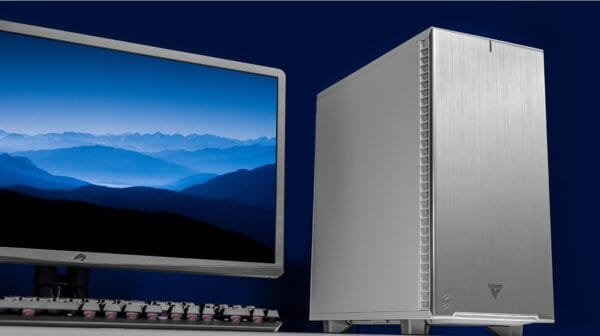
Case: A well-ventilated mid-tower case with sound dampening, such as the Fractal Design Define 7, offers excellent airflow and a quiet working environment.
Conclusion: Crafting the Ideal Photoshop Workstation
Building a Photoshop-optimized workstation requires a thoughtful balance of components, tailored to the specific needs of photo editing. At VRLA Tech, we specialize in creating custom systems that deliver the performance and reliability you need to bring your creative visions to life. Whether you’re upgrading an existing system or building a new one from scratch, our experts are here to guide you through the process.
Ready to take your Photoshop workflow to the next level? Contact us today, and let us help you build a workstation that’s perfectly suited to your creative needs. Explore our range of custom gaming and workstation PCs, designed to deliver exceptional performance across all your favorite applications.



