
No products in the cart.


Purchase with confidence, 3 year warranty from the date of delivery, lifetime support
* The PC images represent various specs and upgrades. Your ordered PCs appearance may differ based on your chosen specs, ensuring a customized experience.
VRLA Tech AMD Ryzen Workstation
$4,464.98
The VRLA Tech AMD Ryzen Workstation is a custom-built AMD Ryzen 9000…
Description
The VRLA Tech AMD Ryzen Workstation is a custom-built AMD Ryzen 9000 series system for prosumer workstation workloads. It supports up to 16 cores at 5.7 GHz boost, 192GB of DDR5 memory, a single high-end GPU at PCIe 5.0 x16 or dual GPUs at x8/x8, and 28 PCIe 5.0 lanes. It is the right platform for CAD modeling, 4K video editing, architectural visualization, single-GPU AI development, and most content creation workflows where clock speed and cost efficiency matter more than raw core count. Each system is configured to the specific workload, ships with a 3-year parts warranty and lifetime US-based engineering support, and is built in Los Angeles by the engineers who support it.
Configuration at a glance
| CPU | AMD Ryzen 9 9950X, 9950X3D, 9900X, Ryzen 7 9800X3D, or 9700X — up to 16 cores, 32 threads |
| Memory | Dual-channel DDR5 up to 192GB (4× 48GB UDIMMs) |
| GPU | Single NVIDIA RTX 5090, RTX PRO 6000 Blackwell, or RTX 4080/5080 — or dual GPU at x8/x8 |
| Storage | PCIe 5.0 NVMe boot, plus SATA or PCIe 4.0 secondary storage |
| Cooling | 280mm or 360mm AIO liquid cooling standard on 9950X and 9950X3D builds |
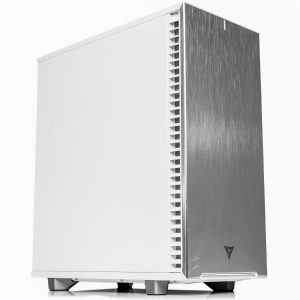
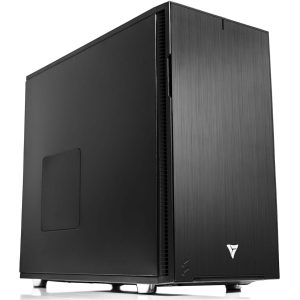
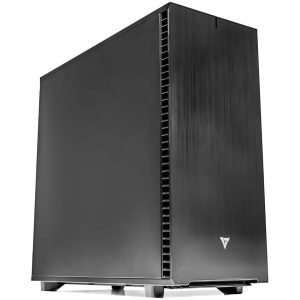
| Chassis | Mid-tower or full-tower, quiet configurations available |
| Warranty | 3-year parts, lifetime US-based engineering support |
Built for clock-speed sensitive workloads
Ryzen 9000 series processors hit 5.7 GHz boost clocks — higher than any Threadripper Pro. That matters because a large category of workstation software is single-threaded or lightly multi-threaded, meaning performance is determined by how fast one core can run rather than how many cores are available. SolidWorks modeling, Adobe Lightroom, Revit live editing, and most CAD geometry operations fall into this category. For these workloads, a $700 Ryzen 9 9950X outperforms an $11,000 Threadripper Pro 9995WX.
It is not the right platform for every workload. If you run multi-hour CPU renders on all cores, large ANSYS simulations, or 4-GPU AI training, Threadripper Pro is the correct choice. If you run a rack-dense inference server, EPYC is. We will tell you honestly when Ryzen fits your workflow and when stepping up makes financial sense — that conversation happens before you buy. You can request a consultation here.
When Ryzen is the right platform
Versus consumer desktop builds
Retail desktops and budget gaming PCs use the same Ryzen chips but skimp on memory, thermals, storage, and support. A workstation-grade Ryzen build runs the same CPU with professional cooling that sustains all-core boost, full 192GB memory capacity for multi-application workflows, enterprise NVMe storage, and direct support from the engineer who built it. The CPU is the same; everything around it is not.
Versus Threadripper (non-Pro)
Non-Pro Threadripper on TRX50 offers 4-channel memory and 48 PCIe lanes — more than Ryzen but less than Threadripper Pro. It makes sense when you need more than 192GB of RAM, more than two GPUs, or significantly more cores than 16. For single-GPU work or CAD modeling, Ryzen’s higher clock speeds make it the faster and cheaper choice.
Versus Threadripper Pro
Threadripper Pro adds 8-channel ECC memory up to 2TB, 128 PCIe 5.0 lanes, and support for four double-wide GPUs — all critical for heavy simulation, multi-GPU AI training, and data center-adjacent workloads. Step up to Threadripper Pro when you need any of those. Stay on Ryzen when your workload is single-GPU, under 192GB RAM, and benefits from higher single-thread clocks. We cover the specific decision framework in our Threadripper Pro workstation page.
Versus Intel Core Ultra
At the top of each lineup, Ryzen 9 9950X and Intel Core Ultra 9 285K are close competitors. Ryzen wins on multi-threaded workloads like CPU rendering, video encoding, and compilation. Intel wins on Quick Sync hardware encoding for video editing and on specific ISV-certified pipelines, particularly some Dassault and Siemens workflows. For a general prosumer workstation, Ryzen is usually the better choice; for Premiere Pro-heavy video pipelines, Intel holds real advantages.
Platform comparison
| Feature | Ryzen 9000 | Threadripper (non-Pro) | Threadripper Pro | Intel Core Ultra | Intel Xeon W |
|---|---|---|---|---|---|
| Max cores | 16 | 64 | 96 | 24 (8P+16E) | 60 |
| Max boost clock | 5.7 GHz | 5.4 GHz | 5.4 GHz | 5.7 GHz | 4.8 GHz |
| Memory channels | 2 | 4 | 8 | 2 | 8 |
| Max RAM | 192GB | 256GB | 2TB ECC | 192GB | 2TB ECC |
| PCIe 5.0 lanes | 28 | 48 | 128 | 20 | 112 |
| Max GPUs at full bandwidth | 1 (or 2 at x8/x8) | 2 | 4 | 1 | 4 |
| ECC memory | Unbuffered only | Limited | RDIMM full support | No | RDIMM full support |
| Best for | CAD, creative, single-GPU AI | Budget multi-GPU | Heavy AI, render, simulation | Video editing, Quick Sync | ISV-certified pipelines |
What you configure
Every Ryzen workstation we build is a full custom configuration. Nothing is pre-boxed. The components we help you specify:
- Processor. The Ryzen 7 9700X (8 cores) handles single-application workloads and budget builds. The Ryzen 9 9900X (12 cores) is the value sweet spot for mixed creative work. The Ryzen 9 9950X (16 cores) maximizes multi-threaded performance. The 9950X3D adds 3D V-Cache for workloads with cache-sensitive access patterns.
- Memory. DDR5-6000 to DDR5-8000, sized from 32GB to 192GB. Dual-channel bandwidth is fixed; higher speeds and lower latency matter more than total capacity for most Ryzen workloads.
- GPU. Single RTX 5090 (32GB VRAM) for rendering and AI inference, RTX PRO 6000 Blackwell (96GB) for local LLM work, or RTX 4070/5070 class for CAD and video. Dual-GPU configurations available at PCIe 5.0 x8/x8 on select boards.
- Storage. PCIe 5.0 NVMe boot drive (up to 14 GB/s sequential), plus secondary NVMe or SATA storage for projects and media. For video editing workloads we typically spec a dedicated scratch drive separate from the OS drive.
- Cooling and chassis. 280mm or 360mm AIO liquid cooling on 9950X and 9950X3D configurations to sustain all-core boost. Mid-tower chassis for standard builds, full-tower for dual-GPU or heavy storage configurations, quiet acoustics available.
Workloads we build Ryzen for
Most of our Ryzen workstation builds fall into one of these categories:
- CAD and mechanical design. SolidWorks modeling, Autodesk Inventor, Fusion 360, Revit live editing. These apps benefit directly from Ryzen’s high boost clocks on single-threaded geometry operations.
- 4K and 5.6K video editing. Adobe Premiere Pro, DaVinci Resolve on single-GPU timelines. For 8K and Fusion-heavy post-production, Threadripper Pro is the better choice.
- Architectural visualization. Lumion, Enscape, Twinmotion — real-time renderers that scale well with single-GPU performance and Ryzen’s clock speeds.
- Single-GPU AI development. Local LLM inference and fine-tuning on RTX 5090 or RTX PRO 6000 Blackwell. Supports quantized 70B models on a single card. See our AI-focused Ryzen configuration.
- Photography and retouching. Adobe Lightroom Classic, Capture One, Photoshop. Single-threaded performance directly reduces slider lag and export times.
- Software development and compilation. Large-codebase compilation, containerized dev environments, local builds. Ryzen 9 9950X’s 16 cores handle most parallel build workloads without stepping up to Threadripper.
Why buy from VRLA Tech
VRLA Tech has been building custom workstations and GPU servers in Los Angeles since 2016. We build for studios, research labs, engineering firms, and AI developers — not for bulk retail.
Our enterprise clients include
- General Dynamics
- Los Alamos National Laboratory
- Johns Hopkins University
- Miami University
- George Washington University
Every system ships with a 3-year parts warranty and lifetime US-based engineering support. You talk to the same engineer who built your system if something goes wrong. No offshore tier-one scripts, no ticket queues that disappear.
Lead time is typically 1 to 2 weeks for standard Ryzen configurations. Rush builds available on most SKUs.
Frequently asked questions
When should I choose a Ryzen workstation over Threadripper Pro?
Choose Ryzen when your workloads are single-threaded or lightly multi-threaded, when 192GB of RAM is sufficient, when one or two GPUs cover your needs, and when budget matters. Ryzen 9 9950X delivers higher single-thread clock speeds than any Threadripper Pro, which directly benefits applications like SolidWorks modeling, Adobe Lightroom, and most CAD work.
What is the best AMD Ryzen CPU for a workstation?
The Ryzen 9 9950X (16 cores, 5.7 GHz boost) is the top choice for mixed workstation workloads. The Ryzen 9 9900X (12 cores) hits a better price-performance point for most single-GPU users. The Ryzen 9 9950X3D is preferable when workloads combine heavy multi-thread use with latency-sensitive tasks such as simulation or mixed productivity and gaming.
How much RAM can a Ryzen workstation hold?
AM5 motherboards with four DIMM slots support up to 192GB of DDR5 memory using 48GB UDIMMs. Dual-channel DDR5 bandwidth is the platform limit. For workloads requiring more than 192GB or 8-channel bandwidth, Threadripper Pro is the correct platform.
Does a Ryzen workstation support ECC memory?
Some AM5 motherboards support unbuffered ECC DDR5. Full ECC RDIMM support requires Threadripper Pro or EPYC. For workstation workloads where occasional single-bit memory errors are not critical, UDIMM on Ryzen is usually sufficient; for scientific simulation or week-long rendering, step up to Threadripper Pro.
Can I run two GPUs on a Ryzen workstation?
Yes, on boards that split the primary PCIe 5.0 x16 slot into x8/x8 across two cards. Both GPUs run at PCIe 5.0 x8, which is equivalent to PCIe 4.0 x16 bandwidth and sufficient for most dual-GPU workloads. For three or more GPUs at full bandwidth, Threadripper Pro’s 128 PCIe lanes are required.
Is a Ryzen workstation good for AI work?
Yes, for single-GPU AI development, inference, and fine-tuning of models up to 70B parameters when quantized. A Ryzen 9 9950X paired with an NVIDIA RTX 5090 or RTX PRO 6000 Blackwell delivers a capable solo AI workstation. For multi-GPU AI training or inference serving, Threadripper Pro or EPYC are better suited.
Ryzen 9 9950X vs Intel Core Ultra 9 285K for workstation work?
The Ryzen 9 9950X wins on multi-threaded workloads such as CPU rendering, video encoding, and compilation. The Intel Core Ultra 9 285K wins on hardware video encode via Quick Sync and on specific ISV-certified pipelines. For most general workstation use the Ryzen is the stronger overall choice; for Premiere Pro heavy workflows the Intel holds advantages.
What kind of cooling does a Ryzen 9 9950X need?
The Ryzen 9 9950X has a 170W TDP and benefits from a 280mm or 360mm AIO liquid cooler for sustained all-core boost performance. Premium air coolers can handle it under typical loads but will throttle during extended multi-threaded workloads such as rendering and compilation.
What warranty comes with a VRLA Tech Ryzen workstation?
All VRLA Tech workstations include a 3-year parts warranty and lifetime US-based engineering support. Customers work directly with the engineer who built their system. Support includes remote diagnostics, driver and BIOS assistance, and component troubleshooting.
Who uses VRLA Tech Ryzen workstations?
VRLA Tech builds Ryzen workstations for CAD professionals, video editors, architectural visualization artists, content creators, and AI developers working on single-GPU setups. Typical users include engineering firms running SolidWorks or Revit, post-production studios doing 4K editing in Premiere Pro or DaVinci Resolve, and AI researchers prototyping on single high-VRAM GPUs.
Additional information
| Weight | 40 lbs |
|---|---|
| Dimensions | 26 × 14 × 27 in |




Reviews
There are no reviews yet.