
No products in the cart.

Workstations for Photo Editing: The Complete Guide to Lightroom Classic, Photoshop & Stable Diffusion Performance
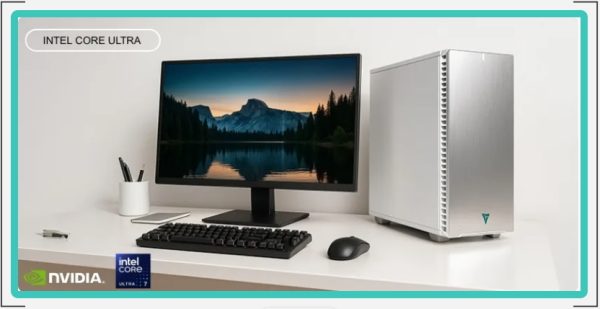
Professional photo editing demands more than creativity — it requires the right hardware. Whether you are editing high-resolution RAW files, building complex Photoshop composites, or generating AI-powered imagery with Stable Diffusion, your workstation determines how fast and smoothly you can work.
At VRLA Tech, we design and validate professional-grade systems specifically for photography and creative workflows. We test industry-leading applications to ensure our configurations deliver smooth editing, rapid batch exports, stable AI acceleration, and long-term reliability.
Browse our complete workstation lineup:
VRLA Tech Workstations
Why Photo Editing Requires a High-Performance Workstation
Modern digital photography workflows often include 45MP–100MP RAW processing, panorama stitching, AI-based masking, multi-layer retouching, and large batch exports. A balanced workstation removes bottlenecks so your system stays responsive under real-world workloads.
We use a combination of our own benchmark results, input from professional photographers, and the knowledge our consulting team has developed over the years to create high-performance workstations for editors who require fast, reliable processing. Our recommendations are shared freely because we believe in contributing back to the community.
Core Components of a Photo Editing Workstation
1) Processor (CPU): The Primary Performance Driver
For most photo editing applications, the CPU carries the bulk of the workload — preview generation, exporting, filters, and many editing operations. Strong single-core performance improves responsiveness while editing, and additional cores help accelerate batch exports and background processing.
2) Memory (RAM): Prevent Slowdowns During Heavy Projects
Adequate RAM is essential. If you run low on memory, Windows and editing programs can spill over into drive-based scratch space, which is significantly slower than RAM. For serious photo editing, 32GB is a practical minimum, 64GB is ideal for most professionals, and 128GB or more is beneficial for large files, multitasking, and AI-assisted workflows.
3) Storage: Fast SSDs Keep Editing and Exports Moving
Drive speed affects OS responsiveness, application load times, catalog performance, and scratch disk behavior. We typically recommend a fast NVMe SSD for your operating system and applications, a second NVMe SSD for active projects, and a separate high-capacity drive for long-term photo storage and archives.
4) Graphics Card (GPU): Increasingly Important for Modern Features
While photo editing is not as GPU-dependent as gaming or 3D rendering, modern versions of Photoshop and Lightroom use GPU acceleration for AI tools and smoother canvas interaction. If you use high-resolution displays or multiple monitors, the GPU is also important for display support and stability. For color-critical work, your monitor remains the most important piece of the graphics chain — prioritize accurate color reproduction and uniform backlighting.
Best Workstations for Adobe Lightroom Classic
Lightroom Classic performance depends heavily on CPU capability, fast storage, and sufficient RAM — especially for large catalogs and high-resolution RAW workflows.
See full requirements and recommended configurations:
Adobe Lightroom Classic System Requirements
Recommended workstation:
VRLA Tech Intel Core Ultra Workstation for Adobe Lightroom Classic
Best Workstations for Adobe Photoshop
Photoshop relies on a balanced approach: strong CPU performance for general editing, ample RAM for layer-heavy projects, and GPU acceleration for modern features like AI-based tools and smoother on-screen interaction.
See full requirements and recommended configurations:
Adobe Photoshop System Requirements
Recommended workstation:
VRLA Tech AMD Ryzen Workstation for Photoshop
Workstations for Stable Diffusion and AI Image Generation
Stable Diffusion shifts the hardware priority toward the GPU. VRAM capacity and GPU compute performance are critical for generating images quickly, working at higher resolutions, and running larger models. A strong CPU, ample system RAM, and fast storage still matter, but the GPU is the primary performance driver.
See full requirements and recommended configurations:
Stable Diffusion System Requirements
Recommended Generative AI Workstations
- VRLA Tech AMD Ryzen Workstation for Generative AI
- VRLA Tech AMD Ryzen Threadripper PRO 5U Rackmount Workstation for Generative AI
How VRLA Tech Builds Better Photo Editing Workstations
We do not rely on generic spec sheets. We test real applications, validate stability under sustained workloads, and balance CPU, RAM, GPU, and storage for the best results in professional photography workflows. That means fewer bottlenecks, faster exports, smoother editing, and a workstation that stays reliable over time.
If you want to compare options across creative workflows, start here:
VRLA Tech Workstations
Choosing the Right Workstation for Your Workflow
Lightroom-focused photographers typically benefit most from strong CPU performance, fast SSDs, and enough RAM to keep catalogs and previews responsive. Photoshop professionals often need more RAM and a balanced CPU/GPU configuration for complex layers and AI tools. Stable Diffusion users should prioritize GPU performance and VRAM capacity first, then ensure the rest of the system supports the workload with adequate memory and fast storage.
A properly configured workstation saves time, reduces frustration, and keeps your creative process moving. VRLA Tech workstations are designed, tested, and validated for photographers and creators who depend on consistent performance.



